

A connected on-demand home services platform that links customers with verified local technicians, supporting service discovery, scheduled bookings, custom requests, real-time chat, digital wallets, and centralized operations management.
- Client : Tamam
- Duration : 3 Months
- year : 2026
- Website : Tamam Apple Store
Home Maintenance Services, Closer and Easier
Tamam is an integrated digital platform for on-demand maintenance and operational services. It connects customers with specialized local technicians through an ecosystem that includes a Customer Application, a dedicated Technician Application, a centralized Administration Dashboard, and a secure backend system for managing all platform operations.
The platform enables customers to discover nearby maintenance services, review technician profiles, ratings, and previous work, select available appointments, book pre-priced services, or submit custom requests for jobs that require inspection or a tailored quotation.
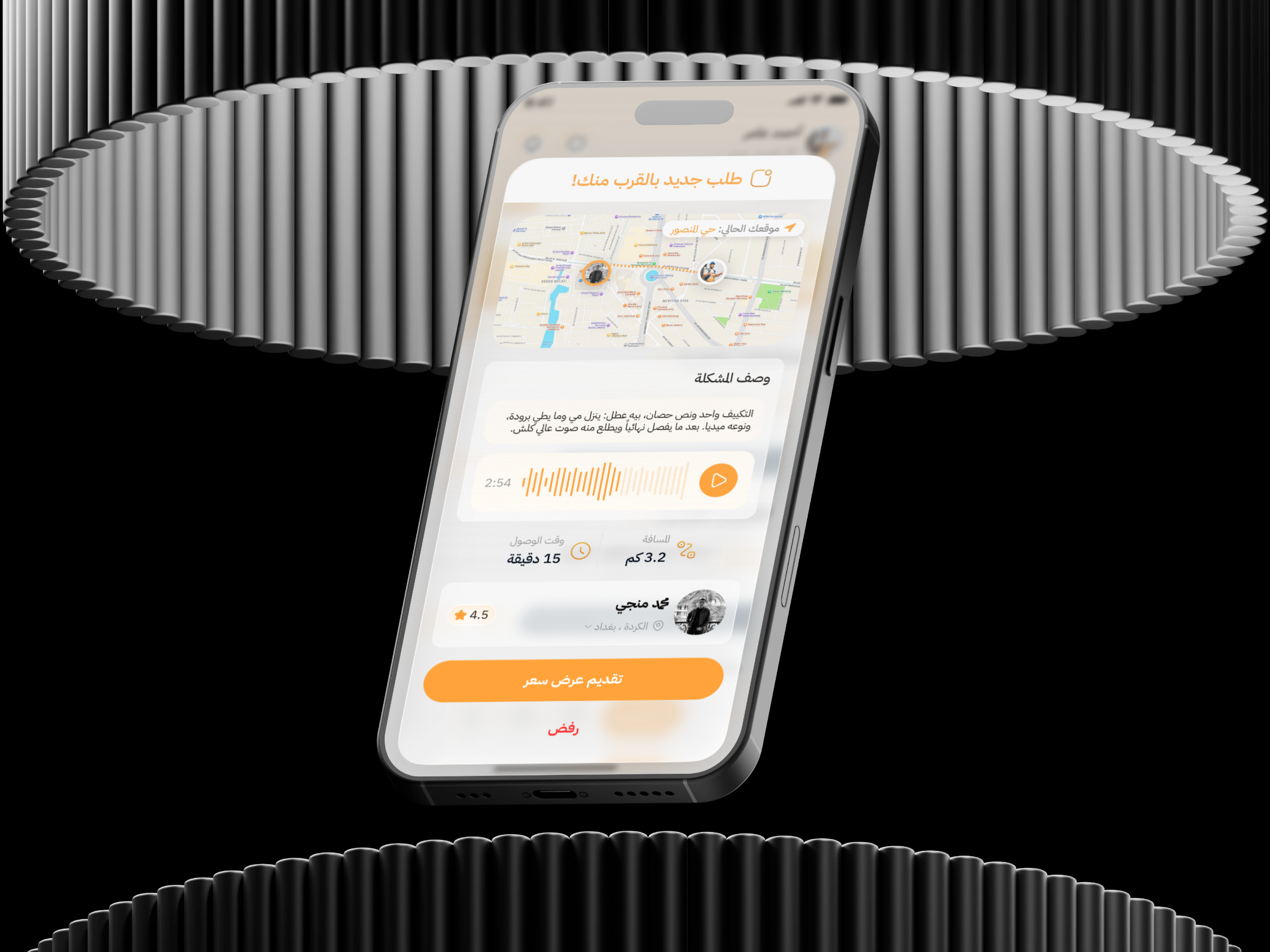
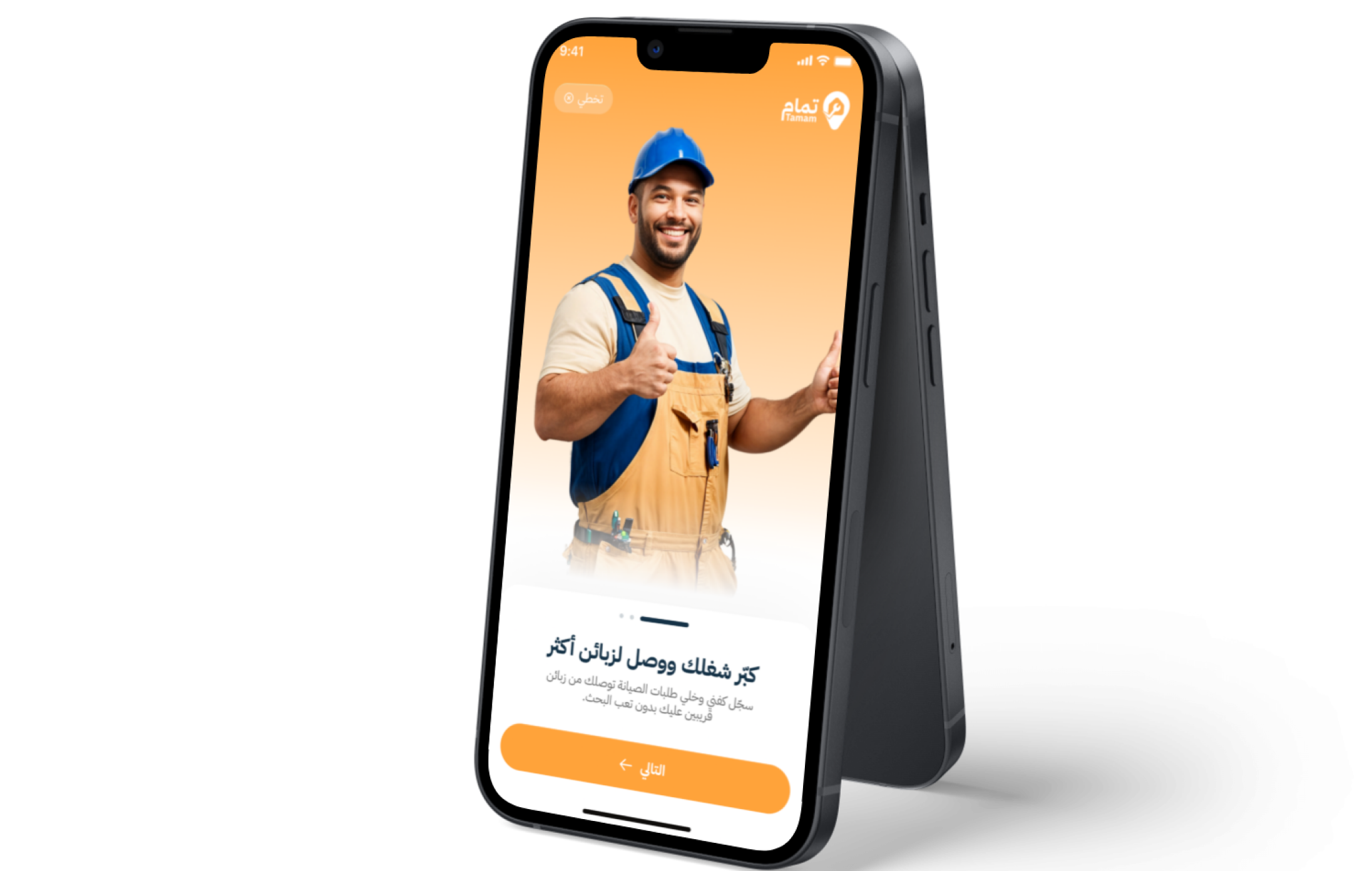
At the same time, the platform provides technicians with a complete digital workspace for managing their specializations, schedules, incoming requests, earnings, work portfolio, and direct communication with customers.
 |
 |
Project Overview
Tamam was designed to simplify the complete home maintenance service lifecycle, from discovering the required service and selecting the right technician to booking, execution, payment, and customer feedback.
Customers can browse a structured catalog of main services, sub-services, and optional additions, select the service address, find nearby available technicians, review ratings and previous work, and choose a suitable appointment from the technician’s schedule.
The platform also supports custom requests that do not have a predefined price. Customers can describe the issue, attach supporting images, and receive an appropriate quotation or cost proposal based on the specific nature of the task.
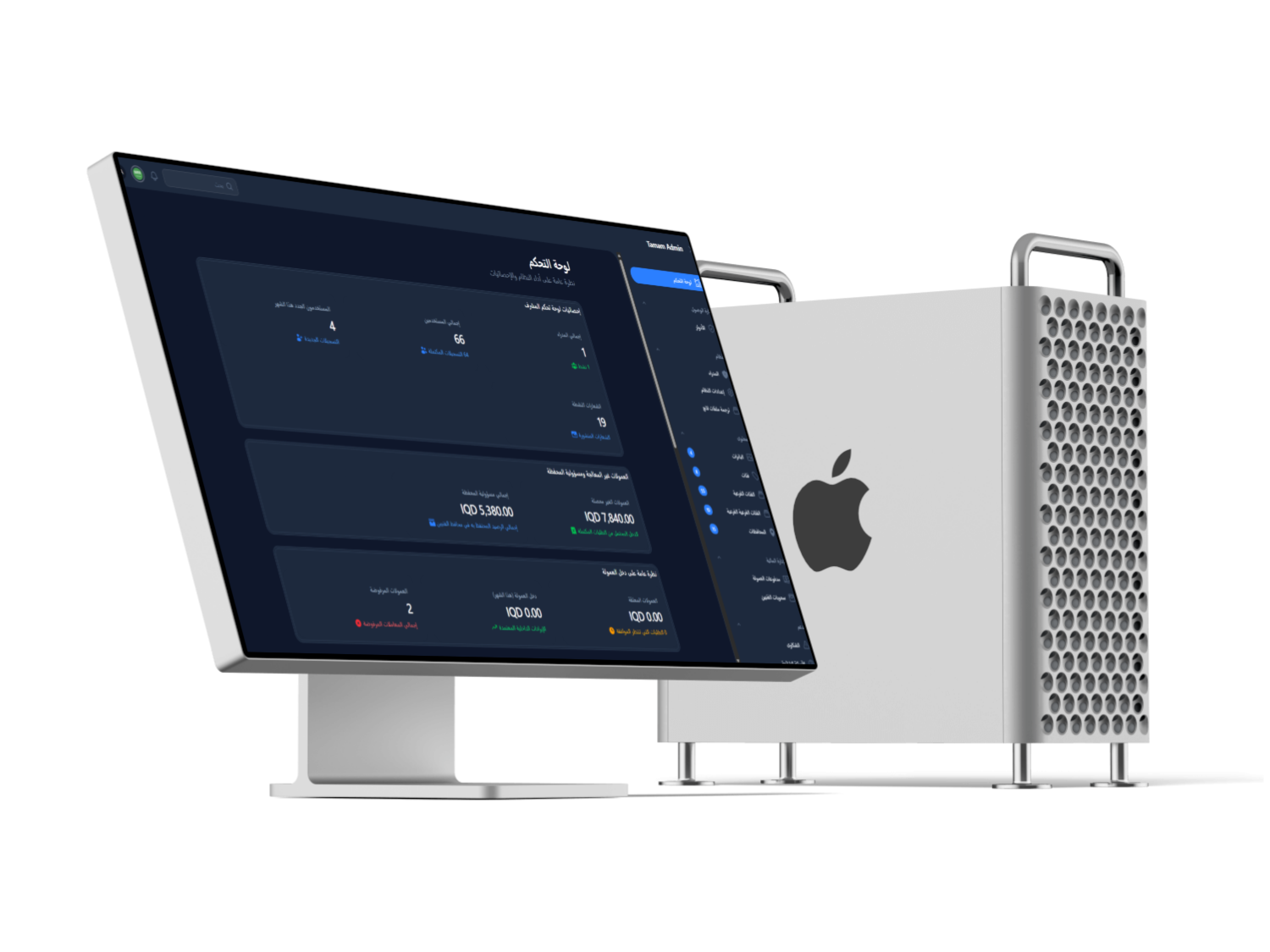
The ecosystem is supported by an Administration Dashboard that enables platform operators to verify technicians and manage services, orders, commissions, wallets, promotions, complaints, content, and notifications from one centralized system.
The Business and Operational Challenge
The traditional maintenance services industry often suffers from difficulties in finding trustworthy technicians, unclear pricing, and dependence on phone calls and manual appointment coordination.
Customers may find it difficult to evaluate a technician’s experience before the service begins. They may also struggle to identify available appointment times, understand the expected cost, and clearly follow the status of their request.
On the other side of the marketplace, many independent technicians lack the digital tools required to showcase their expertise, organize working schedules, manage requests, communicate with customers, and monitor earnings and outstanding payments.
Marketplace operators also require a centralized system for verifying technicians, monitoring service quality, calculating commissions, managing digital wallets, handling complaints, and supervising all platform requests.
 |
 |
The Thotix Solution
Tamam was designed and developed by Thotix to provide a unified digital environment that connects customers, technicians, and platform administrators through one integrated ecosystem.
The Customer Application provides a clear experience for discovering nearby services and technicians, booking appointments, creating custom requests, tracking job progress, communicating with technicians, managing payments and wallets, and submitting ratings.
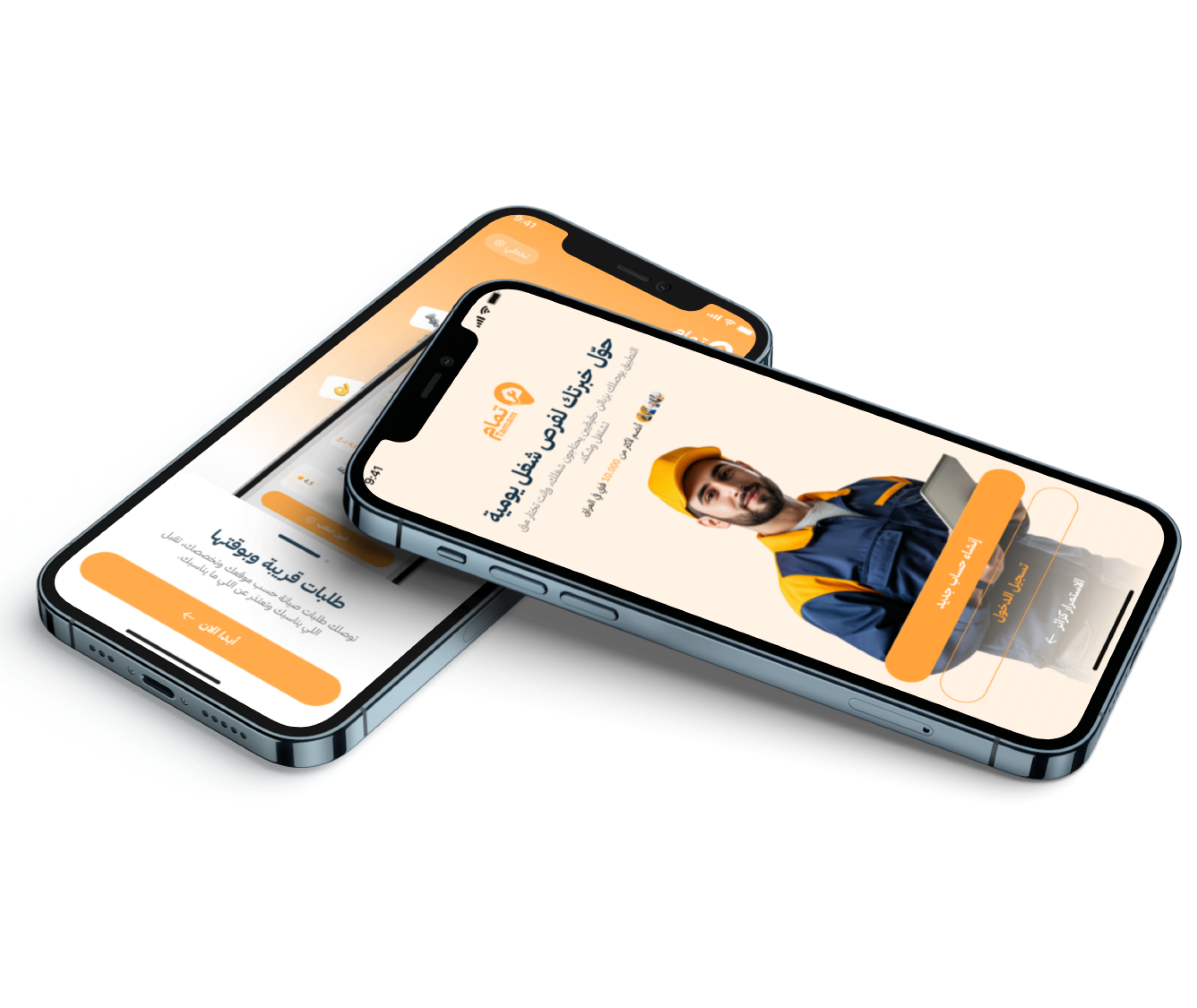
The Technician Application provides an independent workspace where technicians can define their specializations, enable or disable incoming requests, manage availability, accept or reject bookings, suggest alternative appointments, request additional costs, monitor earnings, and submit withdrawal requests.
The Administration Dashboard provides centralized oversight of technicians, users, services, orders, commissions, wallets, complaints, promotions, content, and platform settings.
Key Platform Features
Customer Experience and Service Discovery
- Structured Service Catalog: Browse main, sub, and additional services through a clear structure that simplifies access to the required service.
- Location-Based Search: Use geolocation to display available technicians near the customer’s selected address.
- Multiple Saved Addresses: Save locations such as home, office, or a family address for future service requests.
- Technician Profiles: Review each technician’s specializations, ratings, portfolio, and available information.
- Favorite Technicians: Save preferred technicians for quick and convenient repeat bookings.
- Ratings and Reviews: Rate the technician and completed service and add written feedback about the overall experience.
Booking and Order Management
- Pre-Booking Price Estimation: Calculate service prices, quantities, optional additions, and discounts before submitting the request.
- Available Appointment Booking: Select the preferred day and time from the technician’s actual availability schedule.
- Technician Selection: Compare nearby technicians and choose the most suitable provider based on experience, ratings, and availability.
- Custom Service Requests: Submit a maintenance request that is not included in the standard service catalog, with an issue description and supporting images.
- Order Lifecycle Tracking: Follow the request from submission and acceptance through technician arrival, work start, and completion.
- Alternative Appointment Proposal: Allow the technician to suggest a new appointment that the customer can accept or reject.
- Additional Cost Requests: Submit extra cost requests when spare parts or additional services are required, subject to customer approval.
- Cancellation and Status Management: Manage acceptance, rejection, cancellation, and rescheduling according to the configured operational rules.
Chat and Real-Time Communication
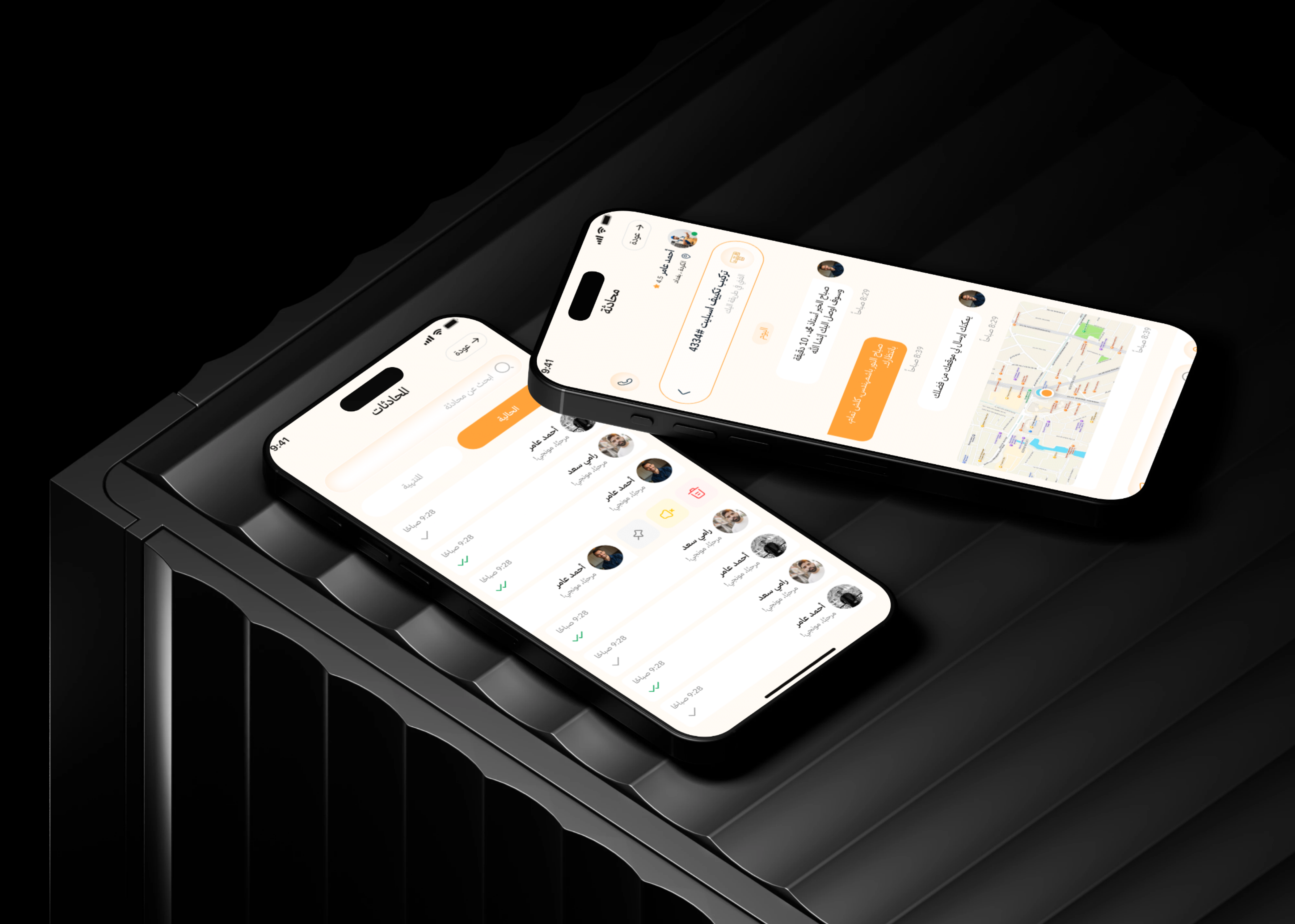
- In-App Chat: Direct communication between the customer and technician for exchanging service-related details.
- Privacy Protection: Keep communication inside the platform without requiring users to disclose personal phone numbers.
- Typing Indicators: Display real-time typing status to improve the responsiveness of conversations.
- Instant Notifications: Send alerts when a request is accepted, an appointment is changed, an additional cost is requested, or the order status is updated.
 |
 |
Payments and Digital Wallet
- Multiple Payment Options: Support cash payments, wallet balance, and available digital payment workflows.
- Digital Wallet: Monitor the user’s balance and use it to settle eligible service transactions.
- Loyalty Points: Earn points from qualifying activities such as referrals and service reviews.
- Points-to-Balance Conversion: Convert loyalty points into usable wallet value according to platform settings.
- Wallet Recharge Cards: Recharge the wallet using codes generated and managed through the Administration Dashboard.
- Coupons and Promotions: Apply active discount codes and promotional offers during the booking process.
Technician Application and Work Management
- Work Status Control: Enable or disable incoming service requests according to technician availability.
- Specialization Management: Define the services and categories the technician is qualified to perform.
- Weekly Availability Schedule: Configure available working days and hours for receiving bookings.
- Incoming Request Management: Review request details and accept or reject bookings directly from the application.
- Service Execution Status: Update the order status upon arrival, work start, and task completion.
- Appointment and Cost Adjustments: Suggest an alternative appointment or request an additional cost and send it to the customer for approval.
- Work Portfolio: Upload images of previous and completed work to demonstrate experience and service quality.
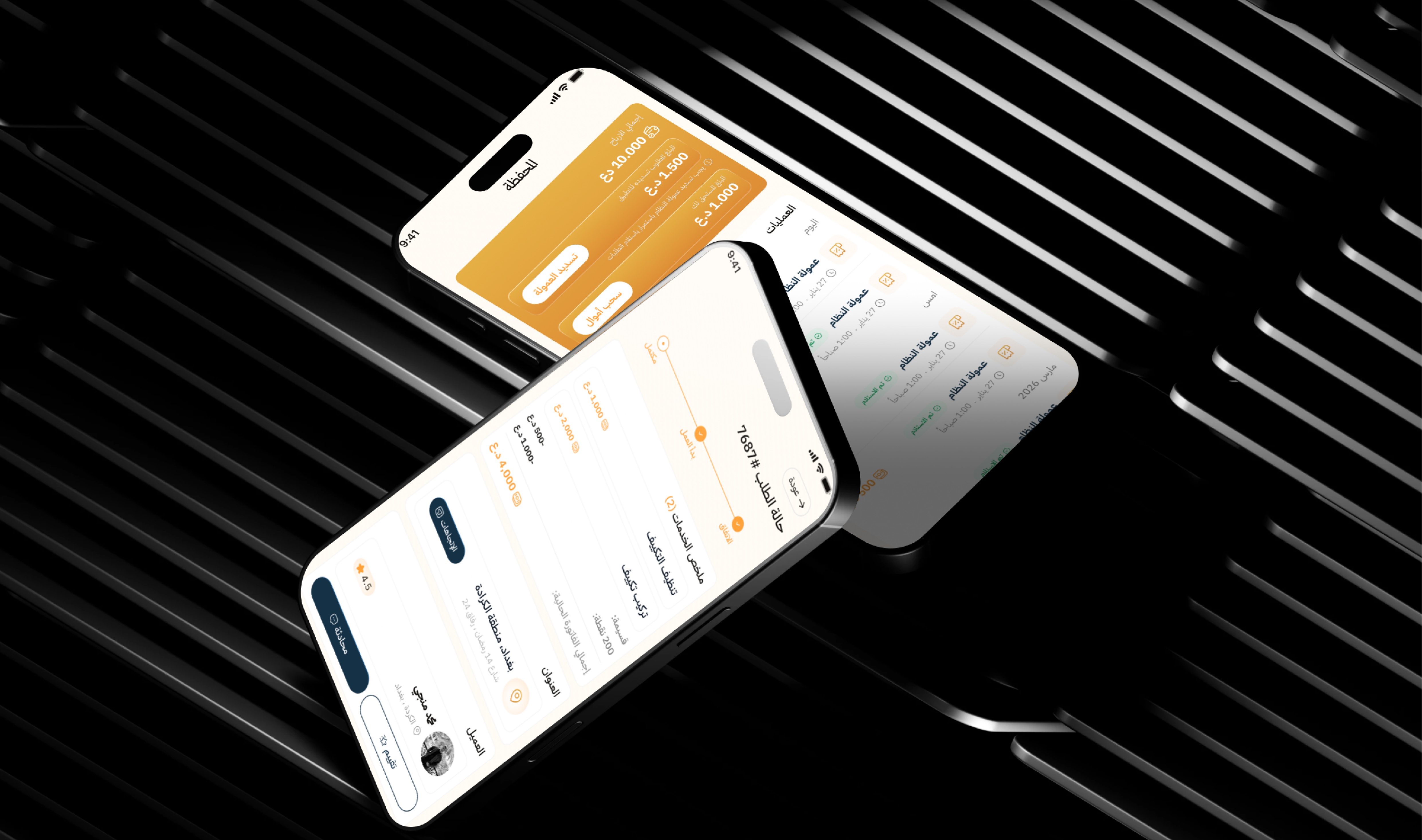
- Earnings Tracking: Review income, commissions, and financial movements related to completed requests.
- Withdrawal Requests: Submit requests to withdraw accumulated earnings and track their status.
Verification and Quality Control
- Technician Verification: Upload identification and experience documents for administrative review before account activation.
- Account Approval: Review technician information and documents through the Administration Dashboard.
- Mutual Rating: Support service quality evaluation after the job has been completed.
- Completed Work Gallery: Document work through images that help customers evaluate technician quality.
- Complaints and Follow-Up: Receive, review, and manage user complaints through the Administration Dashboard.
Administration and Control
- User Management: Monitor customer and technician accounts and activation statuses.
- Technician Management: Review documents, specializations, verification, and operational status.
- Service Tree Management: Create and edit main categories, subcategories, and optional additions.
- Pricing and Unit Management: Configure service pricing and the calculation of quantities and optional additions.
- Order Management: Monitor standard and custom requests throughout all execution stages.
- Commission Management: Configure platform commission rates for standard and special requests.
- Wallet Management: Monitor user balances, financial transactions, and loyalty points.
- Withdrawal Management: Review technician withdrawal requests and approve or reject them.
- Recharge Card Generation: Create recharge codes with specific values and validity periods.
- Offers and Coupons: Create and manage campaigns, discounts, and promotional offers.
- Banners and Content: Manage sliders, banners, FAQs, and informational platform pages.
- Complaint Management: Review customer complaints and follow up on service- or technician-related issues.
Main User Types
Customer
The customer searches for nearby maintenance services and technicians, selects appointments, submits standard or custom requests, follows service progress, communicates with the technician, manages the wallet, and rates the completed service.
Technician
The technician defines specializations and availability, receives requests, suggests appointments and additional costs, communicates with customers, documents completed work, and monitors earnings and withdrawal requests.
Platform Administrator
The administrator manages customers, technicians, services, orders, commissions, wallets, promotions, complaints, content, and platform settings through the Administration Dashboard.
How the Platform Works
- The customer creates an account and selects the address where the service will be performed.
- The customer browses the service catalog and selects the required service and optional additions.
- The platform displays available technicians near the customer’s location.
- The customer reviews the technician profile, ratings, and work portfolio.
- The customer selects an available appointment from the technician’s schedule.
- The platform calculates the estimated cost and applies eligible offers or coupons.
- The technician receives the request and can accept, reject, or suggest an alternative appointment.
- The customer and technician communicate through the real-time in-app chat.
- Upon arrival, the technician updates the service status to indicate that work has started.
- If an additional cost is required, the technician sends a request to the customer for approval.
- After completing the service, the technician updates the job status and uploads the available completion images.
- The payment is settled, and the customer can rate the technician and completed service.
Connected Digital Ecosystem
Customer Mobile Application
The Customer Application supports service and nearby technician discovery, appointment booking, custom requests, chat, address management, digital wallets, loyalty points, and request tracking.
Technician Mobile Application
The Technician Application serves as a digital workspace for managing specializations, availability, requests, appointments, communication, work portfolios, earnings, and withdrawal requests.
Administration Dashboard
The dashboard gives platform operators centralized visibility into users, technicians, services, requests, transactions, commissions, wallets, promotions, complaints, and content.
API Backend
The backend connects the applications, dashboard, and database while managing authentication, geolocation, pricing, bookings, notifications, chat, and business rules.
Integrations and Connected Services
- Google Maps and Geolocation: Identify customer addresses and locate nearby technicians based on geographic location.
- Push Notifications: Use Firebase Cloud Messaging to deliver request updates and instant alerts.
- Real-Time Chat: Use broadcasting and Pusher to support instant messaging and typing indicators.
- Secure Authentication: Protect communication between the mobile applications and backend using Laravel Sanctum.
- Payment Workflows: Support cash, wallet, and digital payment options, while the final production payment provider requires confirmation.
Business Value
- Transforms manual maintenance booking into an organized digital journey.
- Helps customers reach specialized and nearby technicians.
- Improves visibility into pricing, appointments, and request statuses.
- Provides technicians with integrated operational and marketing tools.
- Organizes appointment schedules and reduces booking conflicts.
- Supports a flexible commission-based marketplace revenue model.
- Builds trust through technician verification, ratings, and work portfolios.
- Encourages repeat usage through wallets, loyalty points, and referrals.
- Centralizes financial and operational monitoring in one Administration Dashboard.
- Provides a scalable foundation for adding new services and geographic areas.
Technology Overview
- Mobile Applications: Flutter for Android and iOS.
- Backend Framework: Laravel 11.
- Database: MySQL.
- Administration Dashboard: Filament v3.
- Authentication: Laravel Sanctum.
- Real-Time Chat: Laravel Broadcasting and Pusher.
- Push Notifications: Firebase Cloud Messaging.
- Localization: Arabic and English content support.
- Architecture: REST API connecting the mobile applications, Administration Dashboard, and backend system.
Project Highlights
- A dedicated ecosystem for customers, technicians, and platform administrators.
- Location-based technician discovery.
- Direct booking through real availability schedules.
- Pre-priced services and flexible custom requests.
- Automated pricing, calculations, and commissions.
- Real-time chat and push notifications.
- Digital wallet, loyalty points, and recharge cards.
- Technician verification and document management.
- Earnings tracking and withdrawal requests.
- Comprehensive management of operations, content, and complaints.
Conclusion
The Tamam project demonstrates Thotix’s ability to design and develop integrated digital service marketplaces that manage complex, multi-party operations in real time.
By combining a Customer Application, Technician Application, appointment scheduling, geolocation, real-time chat, digital wallets, commissions, and centralized administration, the platform provides a structured experience for customers, technicians, and marketplace operators.
Designed and developed by Thotix.
From Ancient Wisdom to Future Intelligence.