
SAFT Travel System
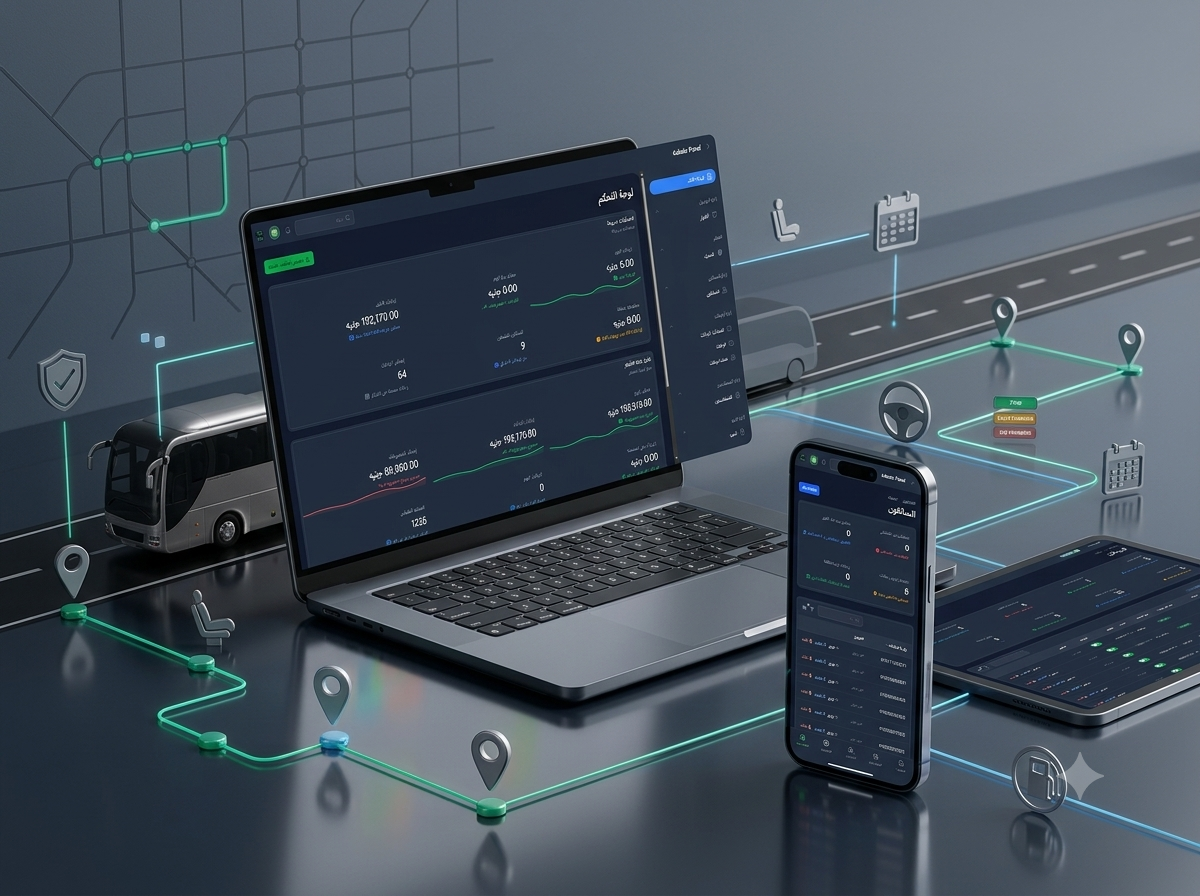
An integrated passenger travel and fleet operations platform for managing multi-station routes, trip schedules, seat reservations, driver and vehicle assignments, fare collection, revenue records, driver covenants, commissions, vehicle instalments, and operational expenses through an Administration Dashboard, mobile-friendly Driver Portal, and secure REST APIs.
- Client : SAFT Travel
- Duration : 3 Months
- year : 2026
Passenger Travel Booking and Fleet Operations in One Digital Platform
SAFT Travel System is an integrated digital platform designed to manage passenger transport trips, multi-station routes, seat reservations, driver and vehicle assignments, fare collection, and fleet-related financial operations.
The system connects administrators, operations teams, drivers, and passenger bookings through an organised workflow beginning with route and station configuration, followed by trip scheduling, seat allocation, driver dispatch, passenger collection, financial reconciliation, and trip settlement.
The confirmed ecosystem includes an advanced web-based Administration Dashboard, a dedicated mobile-friendly Driver Portal, and secured REST APIs that can support connected customer interfaces where required.
In addition to trip operations, the platform manages paid and outstanding passenger balances, driver covenants and commissions, vehicle financing instalments, and operating expenses such as fuel, maintenance, licences, and supplier
receipts.
 |
 |
Project Overview
SAFT Travel System was developed for regional transportation operators, intercity passenger companies, bus services, and travel organisations that manage recurring trips, multiple drivers, vehicles, passengers, and daily financial transactions.
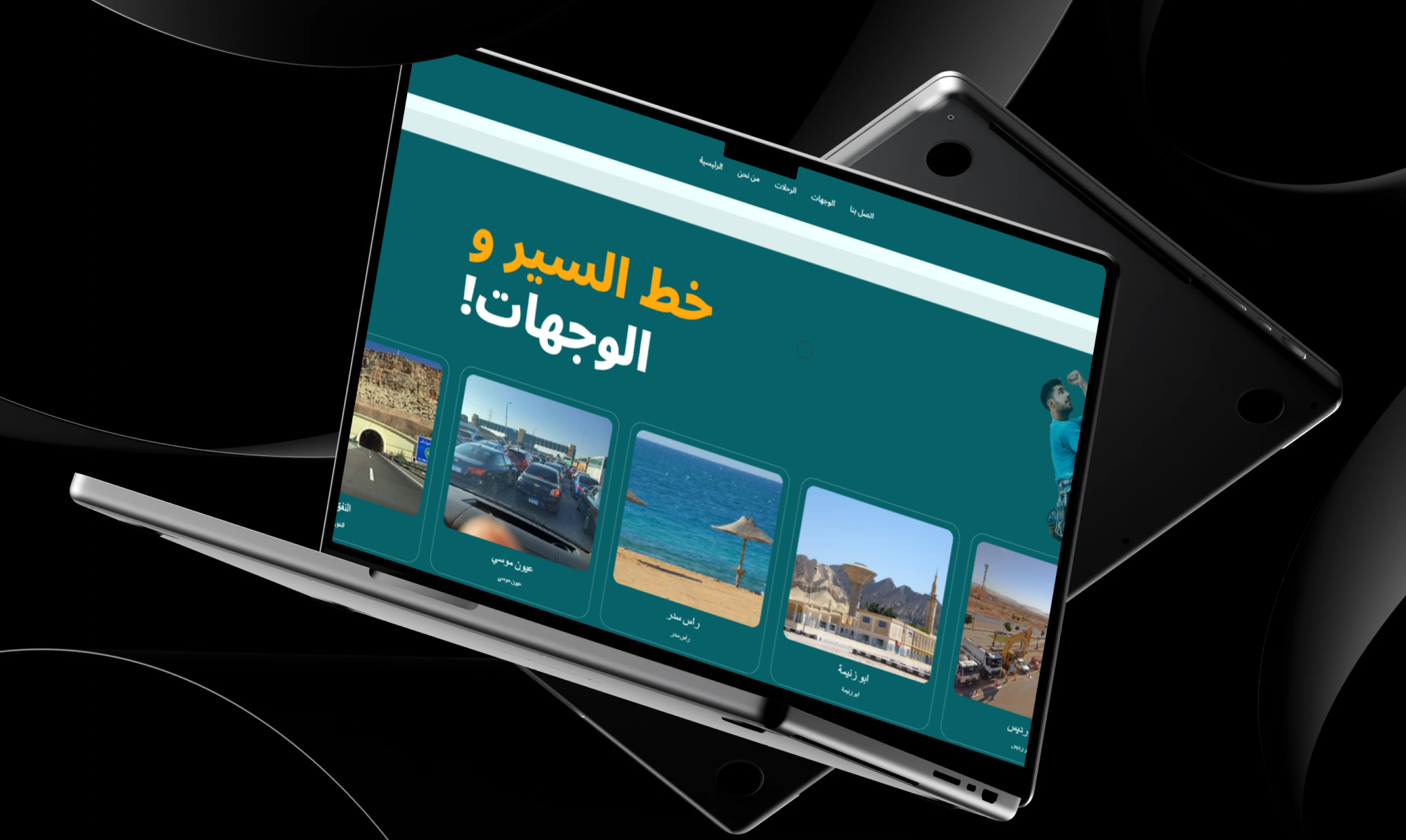
Administrators can create travel routes containing multiple ordered stations, allowing every passenger reservation to define a precise pickup station and destination station.
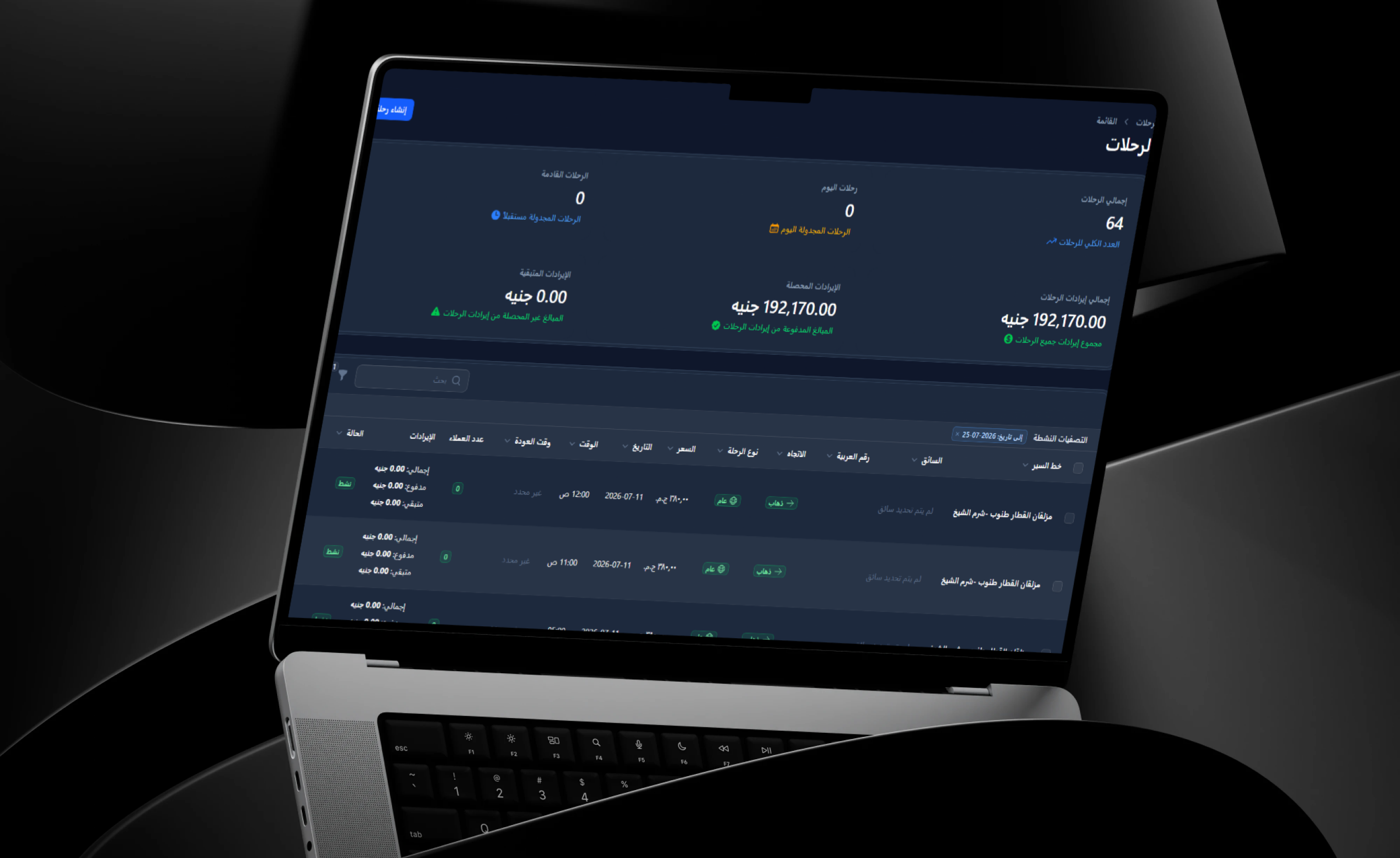
Once a route has been configured, operations teams can create scheduled trips manually or use the automated trip-generation workflow to prepare recurring Going and Return departures.
Passenger reservations can contain customer information, pickup and drop-off stations, seat quantities, individual seat numbers, booking values, paid amounts, and remaining balances.
Every trip can be assigned to a driver and vehicle. The driver then accesses a dedicated mobile-friendly portal to review trip schedules, vehicle numbers, passenger manifests, contact information, pickup stations, and outstanding collection requirements.
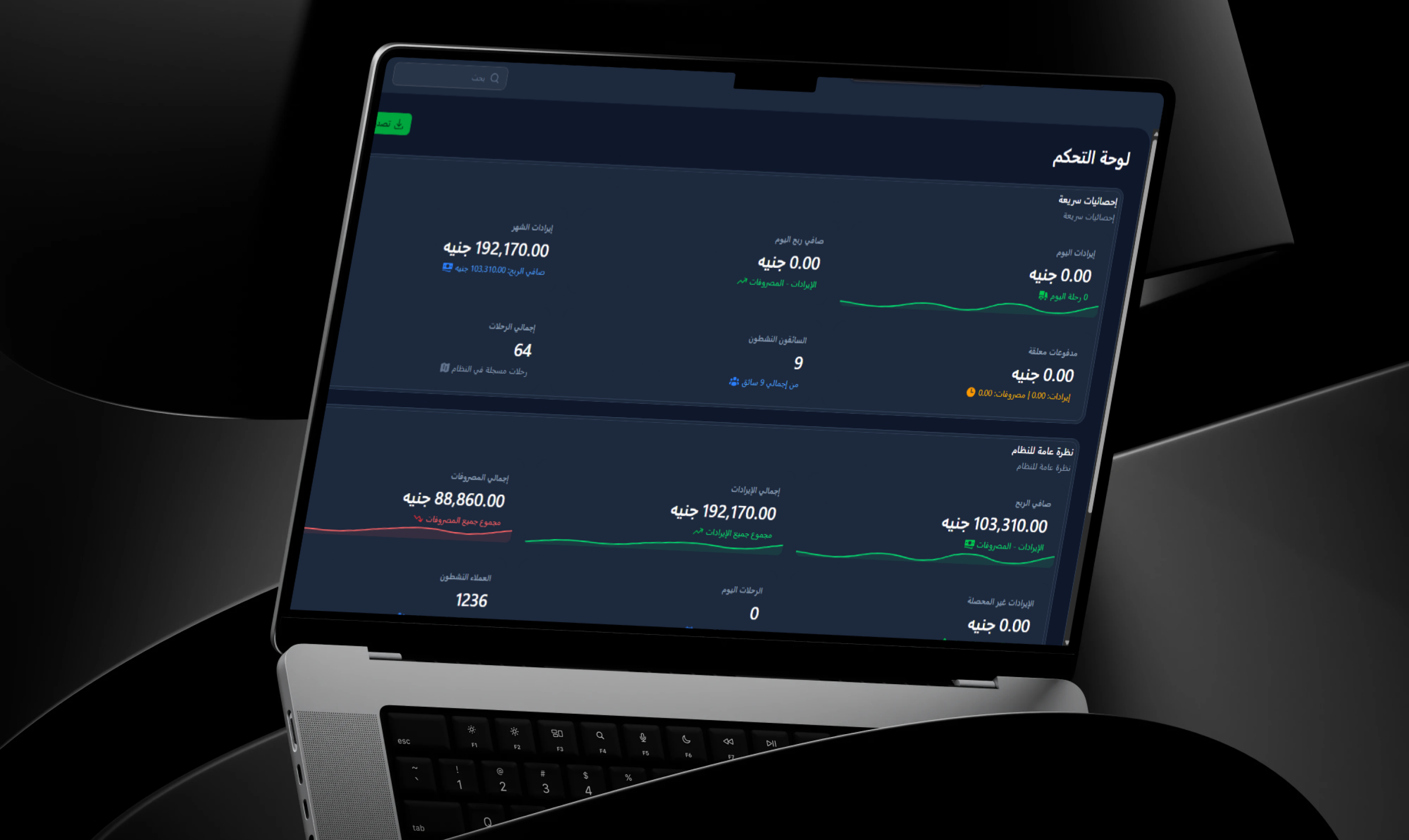
Alongside field operations, the financial engine records trip revenues, driver covenants, commissions, vehicle instalments, and operational expenses, providing management with a connected view of fleet activity.
The Business and Operational Challenge
Many passenger transport companies rely on phone calls, paper manifests, spreadsheets, and disconnected records to manage trips, passengers, seats, vehicles, and drivers.
Manual reservation workflows may result in duplicate seat allocation, incorrect pickup stations, unclear passenger balances, and delays when booking information changes.
Operations teams also need to identify which driver and vehicle are assigned to each trip, when the departure begins, which stations must be visited, and which passengers are expected at every pickup point.
Drivers require an updated and accessible passenger manifest rather than relying on printed lists or separate messages that may not reflect recent bookings or cancellations.
Financially, it can be difficult to reconcile passenger revenue, outstanding fares, driver covenants, commissions, fuel expenses, maintenance costs, and other trip-related transactions across disconnected records.
Transport operators must also track vehicle financing instalments, payment due dates, overdue obligations, and the operational costs associated with each vehicle.
The project therefore required one central system connecting booking, field operations, fleet management, financial controls, permissions, and reporting.
The Thotix Solution
Designed and developed by Thotix, SAFT Travel System provides a central operating environment connecting transportation administrators, drivers, passengers, trips, vehicles, and financial records.
The workflow begins with route, station, and pricing configuration, followed by manual or automated trip scheduling, passenger seat booking, and driver and vehicle assignment.
Drivers receive a dedicated portal optimised for smartphone use, presenting daily assignments, vehicle information, passenger manifests, pickup stations, and fare collection requirements.
The Administration Dashboard provides tools for managing bookings, routes, schedules, drivers, vehicles, revenues, expenses, instalments, covenants, commissions, cancellations, and user access.
Role-based permissions, user activity stamps, and soft-delete auditing provide additional control over operational and financial records.
Key Platform Features
Route and Station Management
- Route Creation: Configure regular and custom travel routes.
- Multiple Stations: Add several pickup and destination points to one route.
- Station Ordering: Maintain the correct sequence of stops.
- Route Descriptions: Store useful operational information.
- Default Pricing: Define the base value associated with a route.
- Activation Controls: Enable or disable routes and stations.
- Location Support: Connect station points with geographic information where required.
 |
 |
Trip Scheduling
- Trip Creation: Create departures connected to configured routes.
- Departure Dates and Times: Define the exact trip schedule.
- Going and Return Directions: Manage both route directions.
- Automated Trip Generation: Prepare recurring daily departures using configured schedules.
- Regular Trips: Maintain the company’s standard operating timetable.
- Custom Trips: Support private or non-recurring transportation requirements.
- Trip Status: Follow scheduled, completed, and cancelled trips.
- Flexible Pricing: Maintain trip pricing according to the selected route or service.
Passenger Reservations
- Passenger Information: Store customer names, phone numbers, and contact details.
- Travel Date: Select the appropriate scheduled trip.
- Pickup Station: Define where the passenger joins the route.
- Drop-Off Station: Identify the passenger’s final station.
- Seat Quantity: Record the number of requested tickets.
- Seat Numbers: Assign specific seats to each booking.
- Booking Value: Calculate the amount due.
- Paid Amount: Record the passenger’s payment.
- Remaining Balance: Display the amount still requiring collection.
- Cancellation Management: Cancel reservations and release allocated seats.
Seat Allocation
- Specific Seats: Assign individual seat numbers to passengers.
- Capacity Control: Track reserved seats against vehicle availability.
- Availability Updates: Return cancelled seats to the available inventory.
- Conflict Reduction: Reduce duplicate seat allocation.
- Organised Manifests: Display seat numbers alongside passenger information.
Passenger Reliability
- Reservation History: Review previous passenger bookings.
- Cancellation Tracking: Record repeated cancellations.
- Reliability Indicator: Flag customers with high cancellation activity.
- Seat Protection: Help operators reduce reservations that frequently remain unused.
- Contact Access: Provide operations teams and drivers with passenger phone information.
Driver and Vehicle Assignment
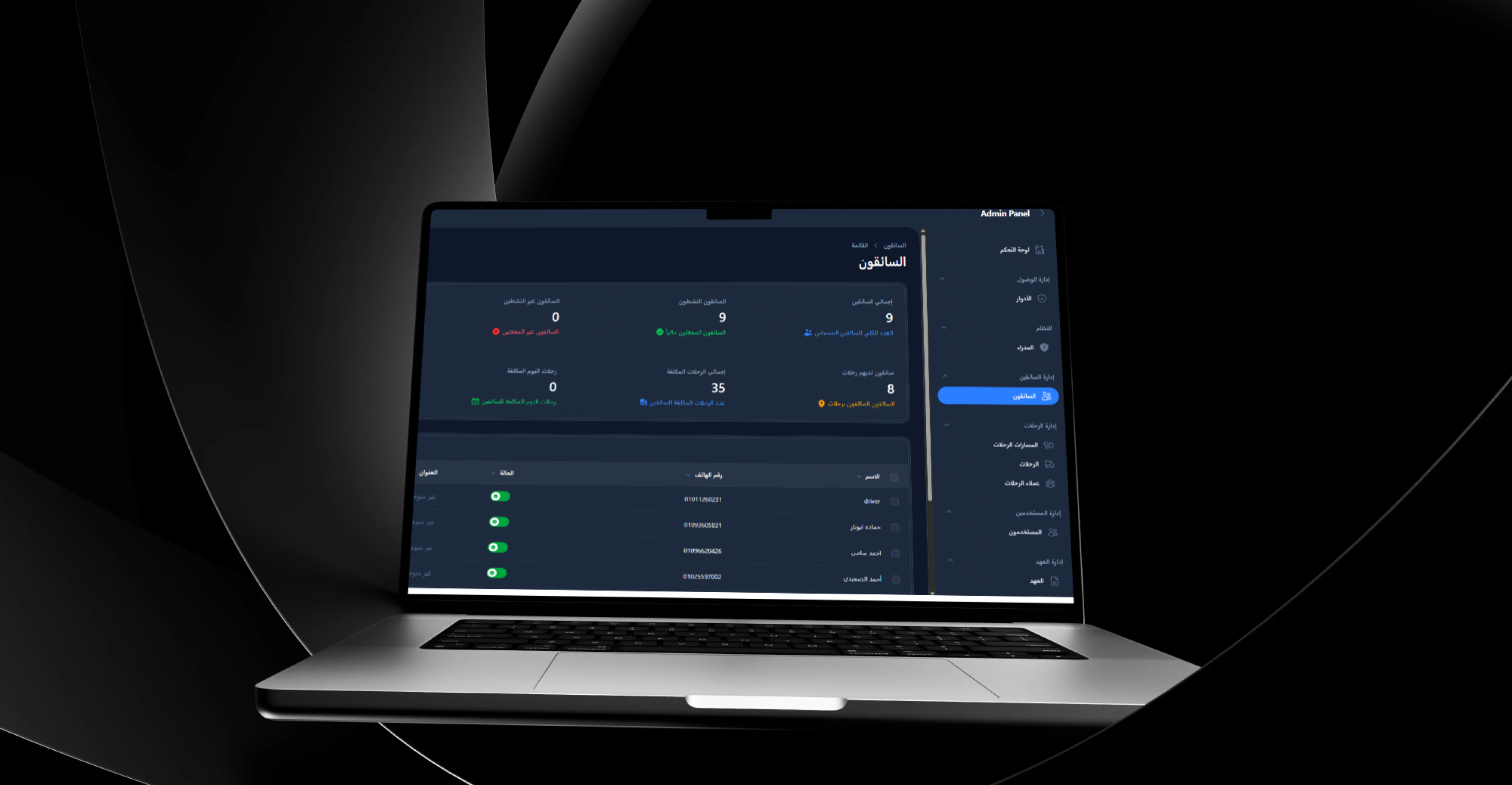
- Driver Assignment: Connect each trip to the responsible driver.
- Vehicle Assignment: Record the bus or vehicle used for the departure.
- Vehicle Numbers: Maintain registration or operational identifiers.
- Operational Clarity: Clearly identify the driver and vehicle for every trip.
- Assignment Updates: Change the driver or vehicle when necessary.
- Driver Schedule: Review assigned trips across selected dates.
Dedicated Driver Portal
- Separate Interface: Provide drivers with an experience distinct from the Administration Dashboard.
- Mobile-Friendly Design: Support smartphone use during field operations.
- Assigned Trips: Display current and upcoming departures.
- Departure Time: Present the start time of every trip.
- Vehicle Number: Identify the assigned vehicle.
- Route Information: Display the route direction and station sequence.
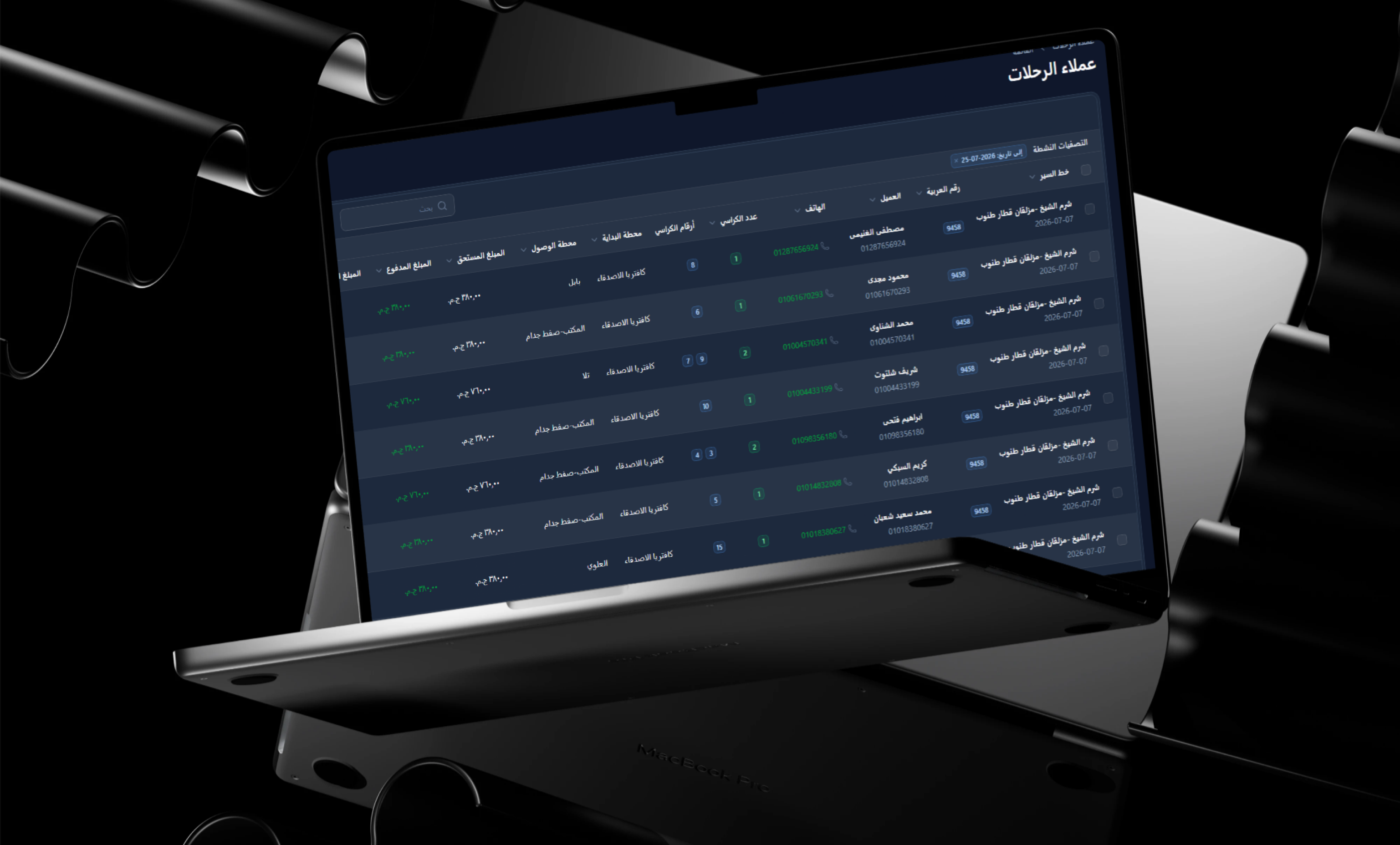
- Passenger Manifest: Present passenger names and contact details.
- Pickup Stations: Identify where every passenger is expected.
- Outstanding Fares: Display amounts requiring collection.
- Collection Summary: Review paid and unpaid passenger balances.
Trip Manifests
- Updated Information: Present the latest trip reservations.
- Passenger Names: Identify every booking owner.
- Phone Numbers: Support passenger communication where required.
- Pickup Stations: Organise the vehicle’s station stops.
- Drop-Off Stations: Identify each passenger’s destination.
- Seat Numbers: Confirm passenger placement inside the vehicle.
- Payment Status: Display collected and remaining fares.
 |
 |
Driver Management
- Driver Profiles: Maintain names and contact details.
- Identity Records: Store available national identification information.
- Portal Credentials: Provide secure access to the Driver Portal.
- Vehicle Assignments: Review vehicles connected to the driver.
- Trip History: Follow previous and upcoming work.
- Covenants and Commissions: Connect financial records with the relevant driver.
Fleet and Vehicle Management
- Vehicle Number: Maintain registration or internal identifiers.
- Trip History: Review departures completed by each vehicle.
- Operating Expenses: Connect fuel, maintenance, and fees with the vehicle.
- Financing Instalments: Follow payment schedules and balances.
- Operational Assignments: Link vehicles with drivers and scheduled trips.
- Financial Records: Review costs associated with each fleet asset.
Trip Revenue Management
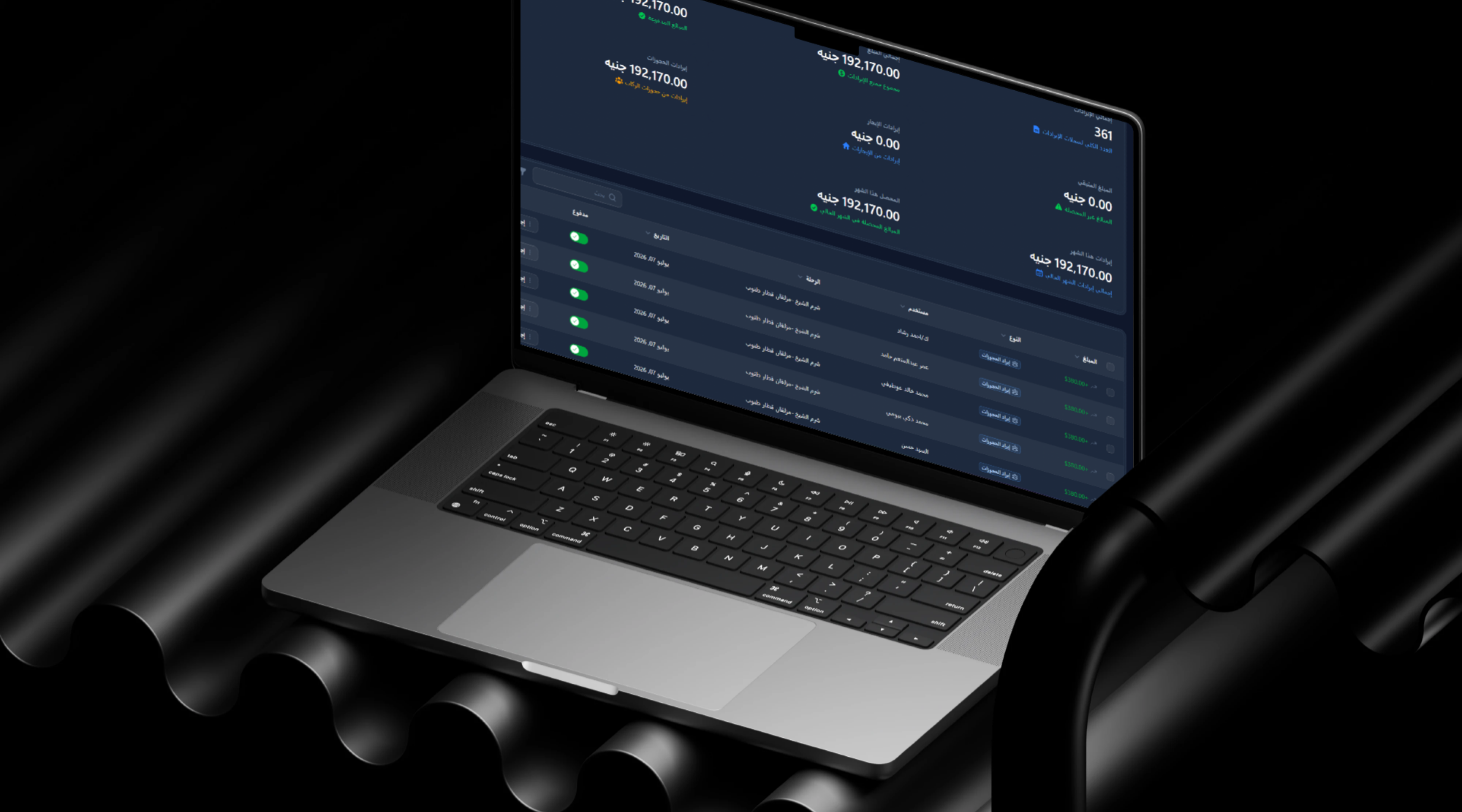
- Automated Records: Generate revenue entries when bookings and payments are processed.
- Paid Amounts: Track passenger payments.
- Outstanding Amounts: Display uncollected balances.
- Trip Revenue: Calculate booking value across each departure.
- Passenger-Level Details: Connect every amount with its booking.
- Report Filtering: Review revenue by trip and date range.
- Revenue Control: Provide visibility over amounts requiring collection.
Driver Covenants
- Covenant Records: Store cash issued to or collected from drivers.
- Trip Connection: Link the covenant to the relevant operation.
- Collection Review: Compare expected and received amounts.
- Covenant Settlement: Calculate values requiring reconciliation.
- Driver History: Review previous and active financial records.
- Accounting Support: Provide finance teams with organised settlement information.
Driver Commissions
- Commission Calculation: Determine driver entitlement using configured rules.
- Revenue Connection: Include the commission in trip settlement.
- Net Collection: Display revenue after covenants and commissions.
- Commission History: Review previous driver entitlements.
- Organised Settlement: Reduce reliance on manual calculations.
Vehicle Instalment Tracking
- Financing Information: Maintain vehicle funding contracts.
- Instalment Value: Store the amount due for every payment.
- Due Dates: Define scheduled payment dates.
- Payment Status: Identify paid and unpaid instalments.
- Upcoming Payments: Highlight obligations approaching their due date.
- Overdue Instalments: Display payments that have passed their deadlines.
- Vehicle Connection: Link each schedule with its fleet asset.
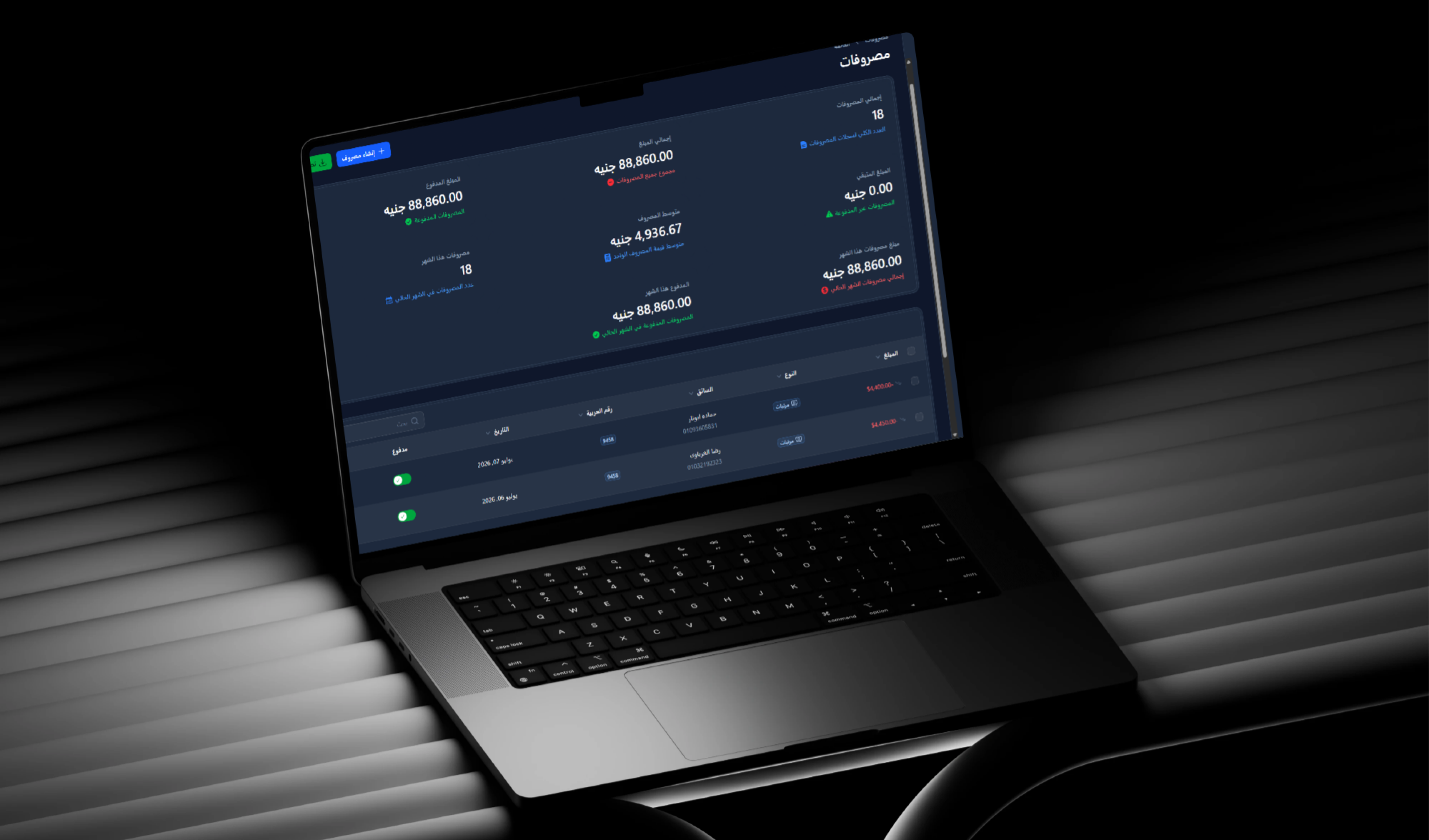
Operational Expense Management
- Fuel Expenses: Record daily operating costs.
- Maintenance: Store repair and spare-parts expenses.
- Licences and Fees: Track administrative and operational charges.
- Supplier Receipts: Connect supporting documents with expenses.
- Expense Categories: Organise transactions by type.
- Vehicle Number: Identify the asset associated with the cost.
- Driver Connection: Link expenses with a driver where appropriate.
- Date Filtering: Review costs across selected periods.
Financial Reports and Analytics
- Trip Reports: Review the financial results of individual departures.
- Paid and Outstanding Balances: Compare collected revenue with remaining dues.
- Covenant Reports: Review driver cash settlements.
- Commission Reports: Follow driver entitlements.
- Instalment Reports: Monitor scheduled and overdue payments.
- Expense Reports: Analyse fuel, maintenance, and fees.
- Date Filters: Select a reporting period.
- Excel Export: Export trip and financial records for administrative use.
Roles and Permissions
- Granular Permissions: Control what every user can view or modify.
- Administrative Roles: Create roles for operations, finance, and management.
- Data Protection: Restrict access to sensitive financial and operational sections.
- Responsibility Separation: Assign access according to employee duties.
- Central Management: Update roles and permissions from the dashboard.
Audit Trail and Accountability
- Created By: Identify the user who created each record.
- Updated By: Store the user responsible for the latest change.
- Deleted By: Record who removed an item.
- Soft Deletes: Retain deleted information for review or recovery.
- Operational Accountability: Support the review of administrative and financial actions.
 |
 |
Arabic and English Support
- Arabic Interface: Provide right-to-left layouts.
- English Interface: Support left-to-right presentation.
- Language Switching: Move between both languages.
- Translated Content: Present interface labels in the selected language.
- Consistent Functionality: Maintain the same operational experience in both languages.
Main User Types
Administrator or Operations Manager
Manages routes, stations, schedules, drivers, vehicles, passenger reservations, revenues, expenses, instalments, covenants, and user permissions.
Driver or Vehicle Captain
Uses the Driver Portal to review assigned trips, vehicle numbers, departure times, passenger manifests, pickup stations, and fare collection requirements.
Passenger or Customer
Uses the passenger-booking workflow to select a trip, pickup and destination stations, seats, and booking quantities while maintaining paid and outstanding values.
Accountant or Finance Manager
Reviews revenues, passenger payments, driver covenants, commissions, vehicle instalments, expenses, and exported financial reports.
Reservation Employee
Records passenger information, selects trips and stations, allocates seats, and manages payments, cancellations, and reservation changes.
How the System Works
- The administrator creates routes, ordered stations, and default pricing.
- Trips are created manually or generated automatically using Going and Return schedules.
- A passenger reservation is created for a selected trip.
- Pickup and destination stations are assigned.
- Seat quantities and individual seat numbers are recorded.
- The booking amount, paid value, and remaining balance are calculated.
- A driver and vehicle number are assigned to the trip.
- The driver opens the Driver Portal and reviews the schedule and passenger manifest.
- The trip is executed across the configured stations.
- Outstanding passenger fares are collected where required.
- Revenue records are updated according to the payment status.
- The driver covenant and commission are reconciled.
- Operational expenses are recorded against the trip or vehicle.
- Management reviews revenues, instalments, expenses, and financial reports.
Connected Digital Ecosystem
Administration Dashboard
Provides central management for routes, trips, bookings, drivers, vehicles, revenues, covenants, instalments, expenses, permissions, and reports.
Driver Portal
Provides a responsive smartphone experience for assigned trips, vehicles, passenger lists, pickup stations, and fare collection.
REST API Infrastructure
Delivers secured endpoints for trip, reservation, passenger, and related operational data while supporting connected customer interfaces.
Automated Trip Scheduling Engine
Manages recurring departures, Going and Return directions, departure times, routes, and station sequences.
Financial Engine
Records booking revenue, paid and outstanding amounts, driver covenants, commissions, instalments, and operating expenses.
Administration Dashboard Capabilities
- Create and maintain routes, stations, and station order.
- Schedule trips and define direction, departure time, and pricing.
- Assign drivers and vehicle numbers.
- Create passenger reservations and allocate seats.
- Manage cancellations and passenger reliability records.
- Maintain driver identity and contact information.
- Manage fleet vehicles and registration numbers.
- Monitor paid and outstanding passenger balances.
- Manage driver covenants and commissions.
- Track vehicle financing instalments.
- Record fuel, maintenance, licence, and supplier expenses.
- Review trip revenue and expense reports.
- Export operational and financial records to Excel.
- Manage users, roles, and permissions.
- Review audit records and deleted data.
Integrations and Connected Services
- Google Maps and Location Services: Support route and station location information.
- Laravel Sanctum: Secure REST API communication through token authentication.
- Excel Export Engine: Export trip, reservation, and financial records.
- OTP Verification: Support phone-number verification using one-time codes.
- OpenAPI and Swagger: Document API endpoints and support external integration.
Business Value
- Replaces disconnected paper and manual transport records with one platform.
- Reduces seat-allocation and passenger-information errors.
- Organises multi-station routes and departure schedules.
- Improves driver and vehicle assignment.
- Provides drivers with mobile access to current trip information.
- Clarifies paid and outstanding balances for every reservation.
- Reduces the risk of overlooked passenger dues.
- Organises driver covenants and commissions.
- Tracks vehicle financing instalments and due dates.
- Connects fuel and maintenance expenses with fleet vehicles.
- Provides reports for reviewing trip and fleet performance.
- Supports Arabic, English, audit trails, and role-based access.
- Creates a foundation for future customer-facing interfaces.
Technology Overview
- Backend Framework: Laravel 12.
- Architecture: Modular Monolith using Laravel Modules.
- Administration Interface: Filament PHP v4 SPA.
- Driver Interface: Mobile-responsive Filament Driver Portal.
- Databases: MySQL or SQLite according to the environment.
- Data Layer: Eloquent ORM and model filtering.
- Auditing: Soft Deletes and Userstamps.
- API Standard: RESTful JSON API.
- API Authentication: Laravel Sanctum.
- Roles and Permissions: Filament Shield.
- Reporting: Maatwebsite Excel and Filament Export.
- API Documentation: OpenAPI and Swagger.
- Localisation: Arabic and English support.
Project Highlights
- Integrated passenger transport operations platform.
- Multi-station travel routes.
- Automated Going and Return trip generation.
- Specific passenger seat allocation.
- Paid and outstanding fare tracking.
- Passenger cancellation reliability indicator.
- Dedicated mobile-friendly Driver Portal.
- Updated passenger and station manifests.
- Driver and vehicle assignment.
- Trip revenue management.
- Driver covenants and commissions.
- Vehicle financing instalment tracking.
- Fuel and maintenance expense management.
- Financial reports and Excel export.
- Role-based access and audit trails.
- Complete Arabic and English support.
Conclusion
The SAFT Travel System project demonstrates Thotix’s ability to develop specialised enterprise systems for industries that depend on connected operational and financial workflows.
By bringing together multi-station routes, seat reservations, trip scheduling, driver dispatch, fleet assignments, passenger collection, covenants, commissions, instalments, and operating expenses, the system provides a central environment for transport operations.
The platform gives transportation companies a scalable digital foundation for organising daily operations and improving access to trip, passenger, driver, vehicle, and financial information.
Designed and developed by Thotix.
From Ancient Wisdom to Future Intelligence.