
MNT
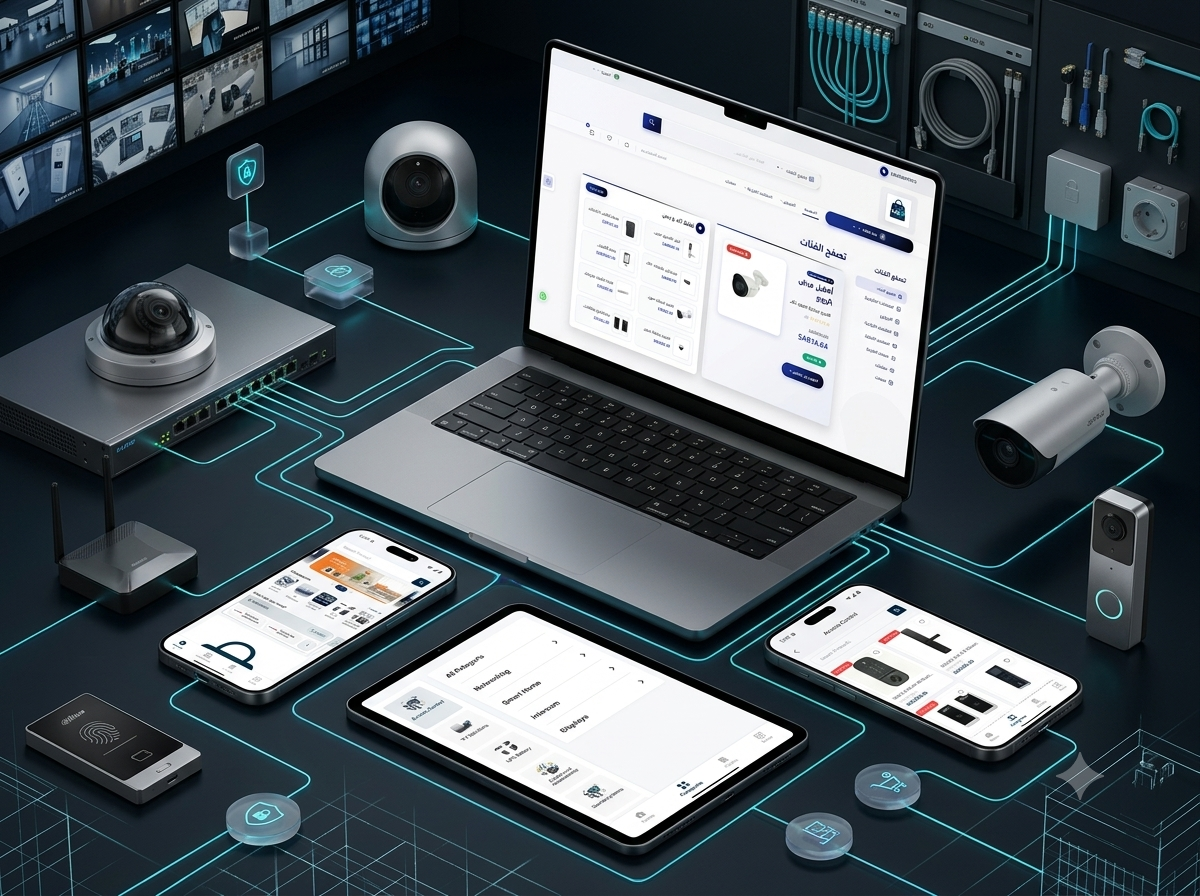
A specialized security, surveillance, networking, access control, intercom, smart home, display, and technical accessories e-commerce platform featuring structured product discovery, technical specifications, comparison tools, customer accounts, promotions, inventory, and centralized order management.
- Client : MNT
- Duration : 3 Months
- year : 2025
- Website Link
- Google Play Link
- Apple Store Link
Security, Surveillance, Networking, and Smart Technology in One Digital Marketplace
MNT is a specialized e-commerce platform for security systems, surveillance equipment, networking solutions, access control, attendance devices, intercom systems, smart home products, display technologies, cables, and installation accessories.
The platform provides businesses, installers, contractors, property managers, system integrators, and individual customers with one organized destination for discovering and purchasing professional technology products.
Customers can browse cameras, recording equipment, network switches, routers, access devices, fingerprint terminals, intercom products, smart devices, monitoring screens, cables, connectors, and project accessories through a structured technical catalog.
A centralized Administration Dashboard manages products, categories, brands, models, technical specifications, prices, promotions, inventory, customers, orders, delivery, and store content.
 |
 |
Project Overview
MNT was developed to simplify the purchasing of security, networking, and smart technology products by replacing manual product inquiries and disconnected supplier communication with a structured online commerce experience.
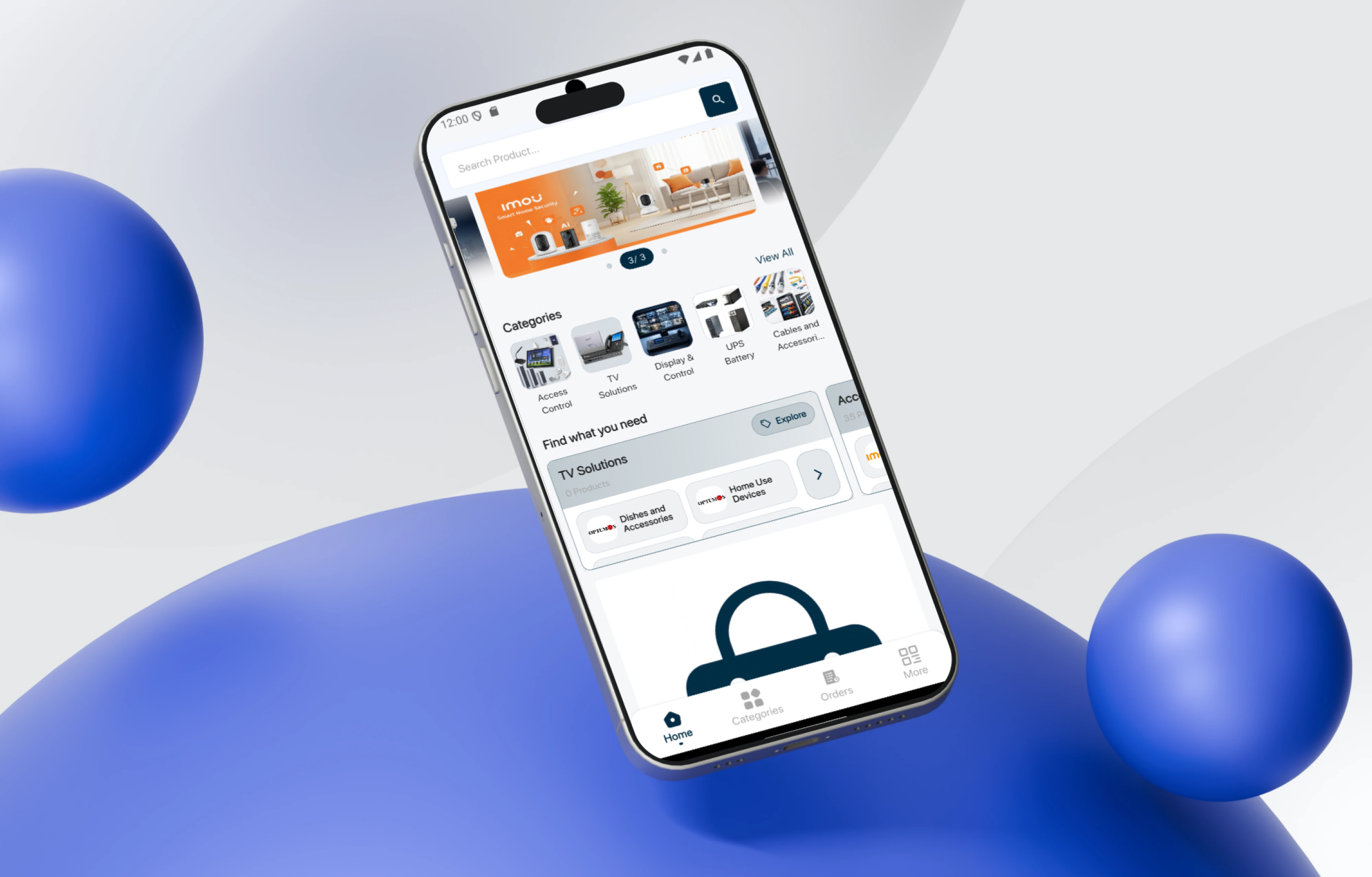
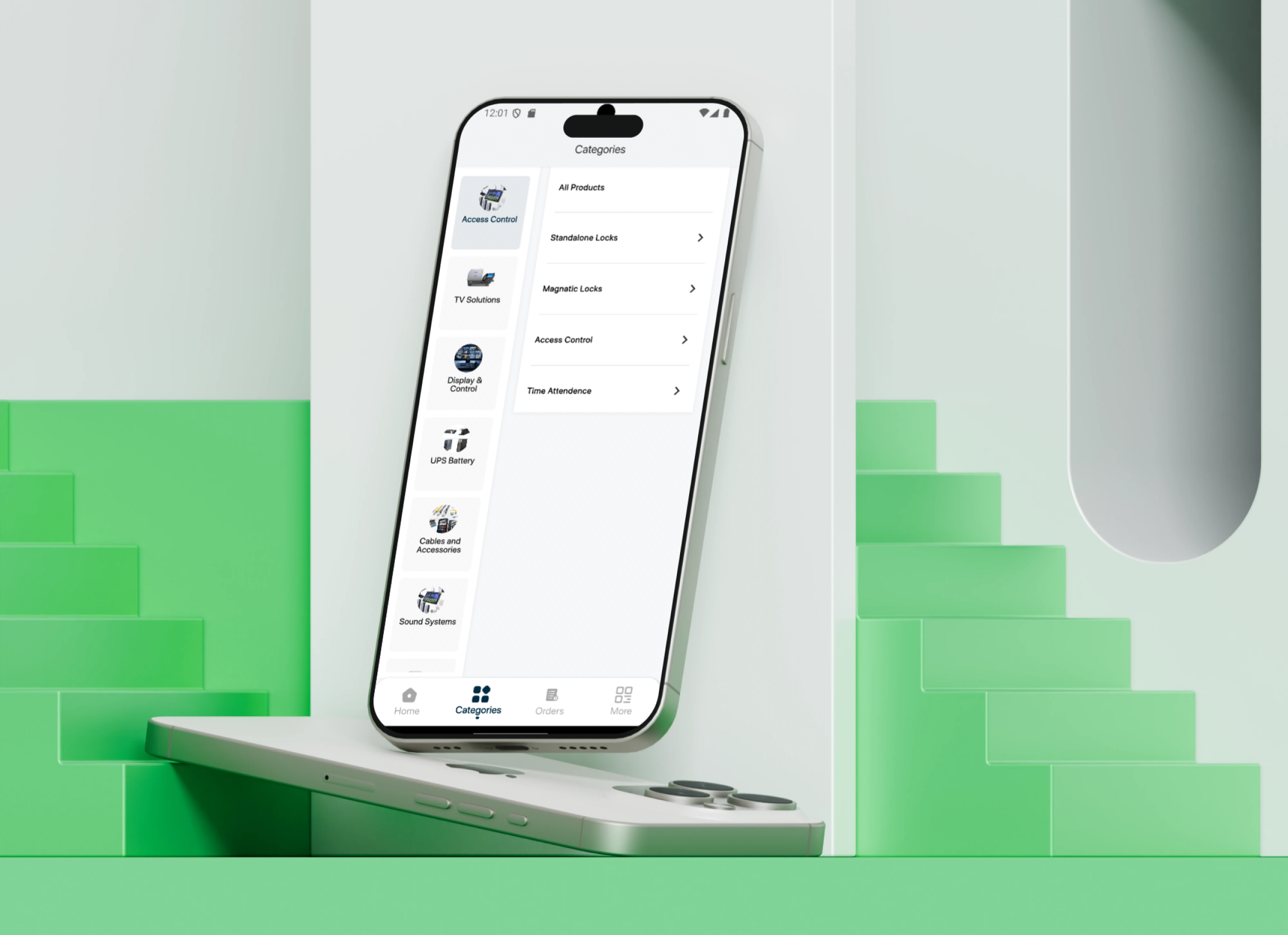
Customers can browse by category or manufacturer, search using product names and models, review images and specifications, compare related devices, save products to favorites, and build a complete shopping cart.
The platform helps users source the different components required for complete projects, including cameras, recording systems, switches, cables, storage equipment, power accessories, connectors, and mounting products.
It also supports access control, attendance, intercom, smart home, and professional display projects by combining primary equipment and supporting accessories inside one catalog.
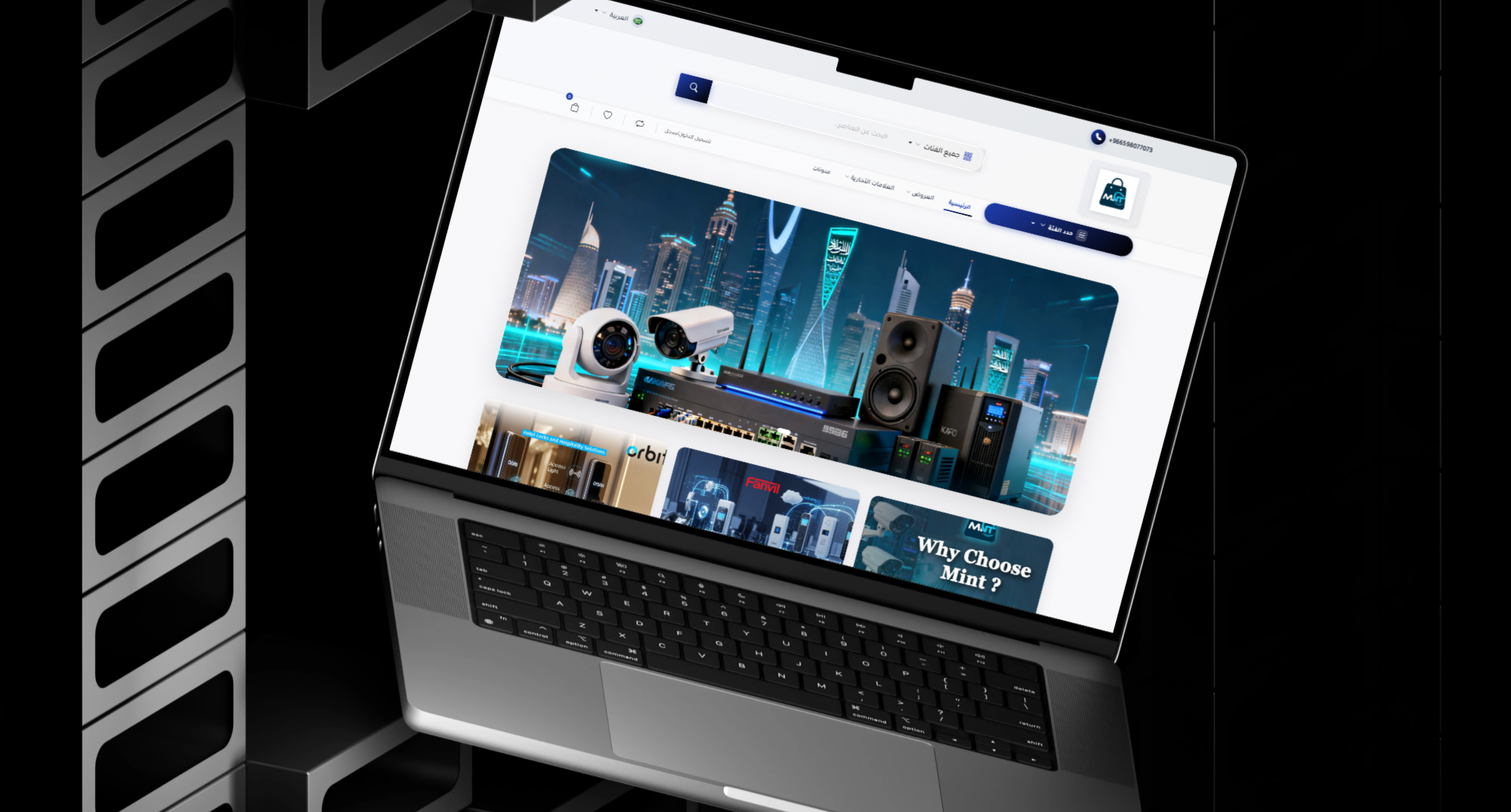
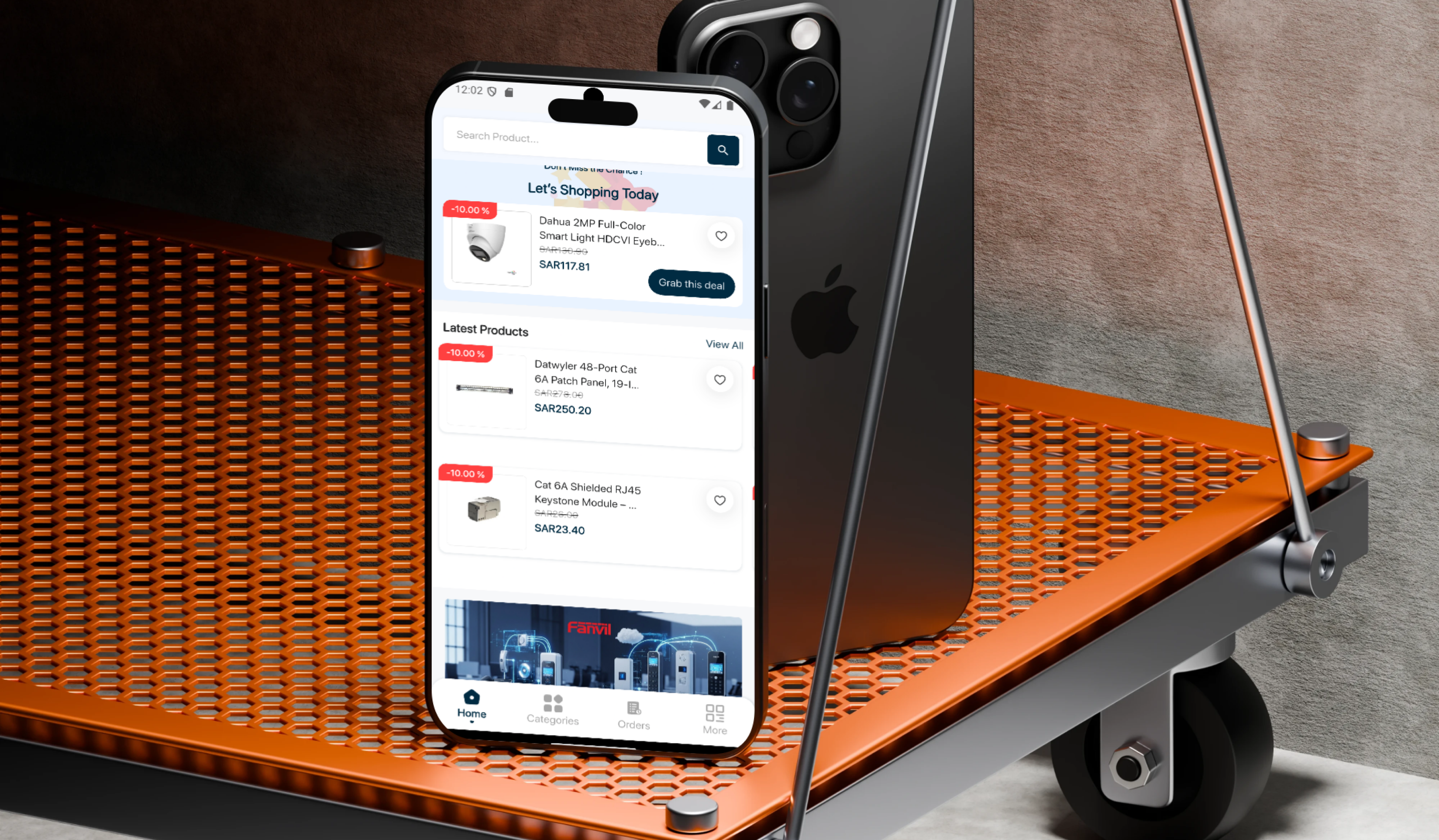
Homepage discovery sections include daily deals, recommended products, highly rated items, main categories, promotional banners, and brand-focused presentations.
The Business and Technical Challenge
Security and networking projects commonly require a large combination of products sourced from several suppliers.
A single project may require surveillance cameras, recorders, network switches, cables, connectors, access devices, electric locks, display screens, power accessories, and installation equipment.
Customers may struggle to understand product differences, compare specifications, verify device compatibility, review connectivity requirements, and confirm stock and transparent pricing.
Installers and contractors also require quick access to technical categories, trusted brands, related accessories, and stock information without depending entirely on phone calls and manual quotations.
Unstructured product information may result in unsuitable equipment selection or missing project accessories during installation.
The project therefore required a specialized digital marketplace capable of organizing complex technical catalogs, product specifications, brands, accessories, inventory, and purchasing workflows.
The Thotix Solution
Designed and developed by Thotix, MNT provides a specialized e-commerce experience for security, networking, access management, and smart technology products.
The catalog is structured around surveillance, access control, attendance, intercom, networking, smart home, display technology, cables, and installation accessories.
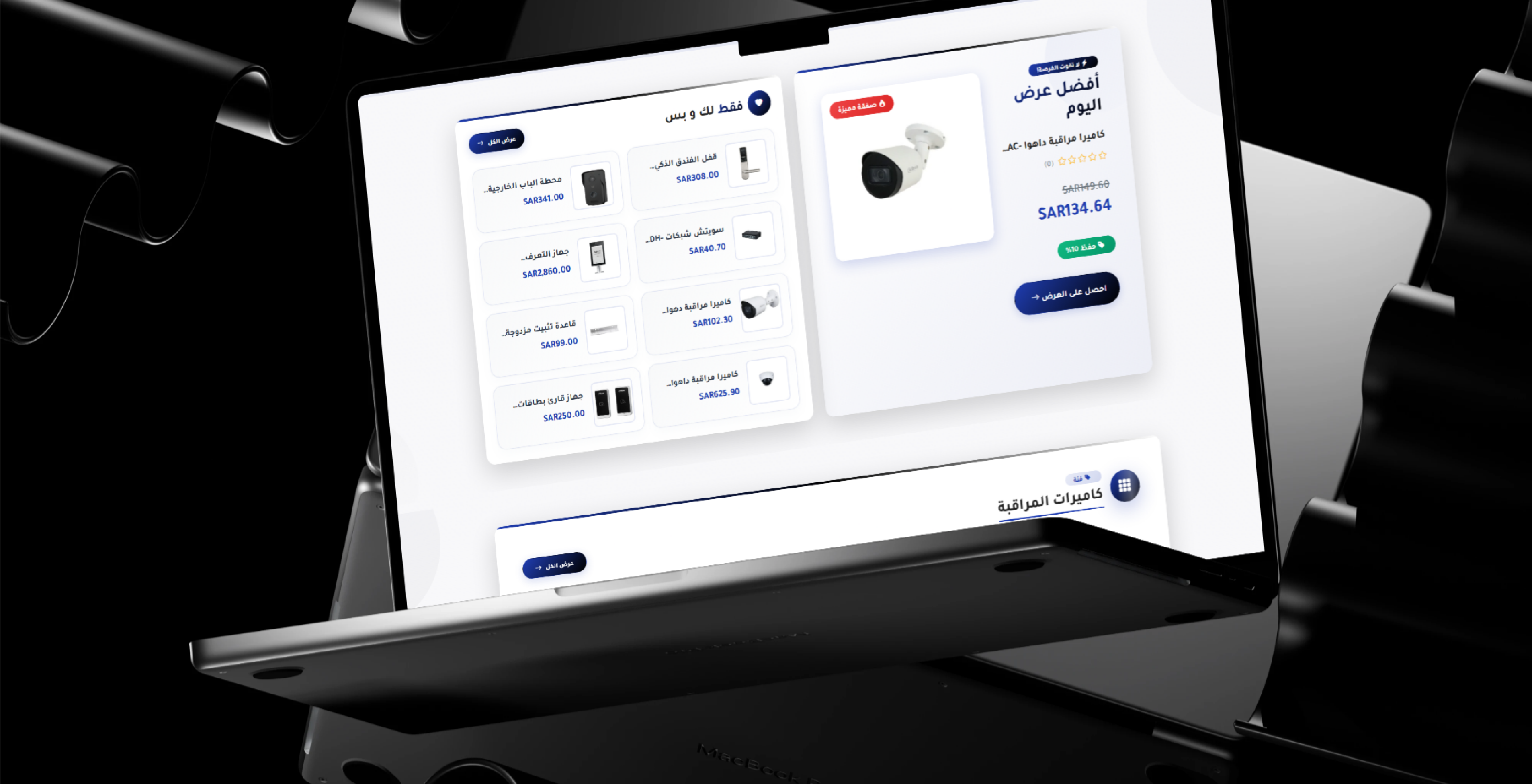
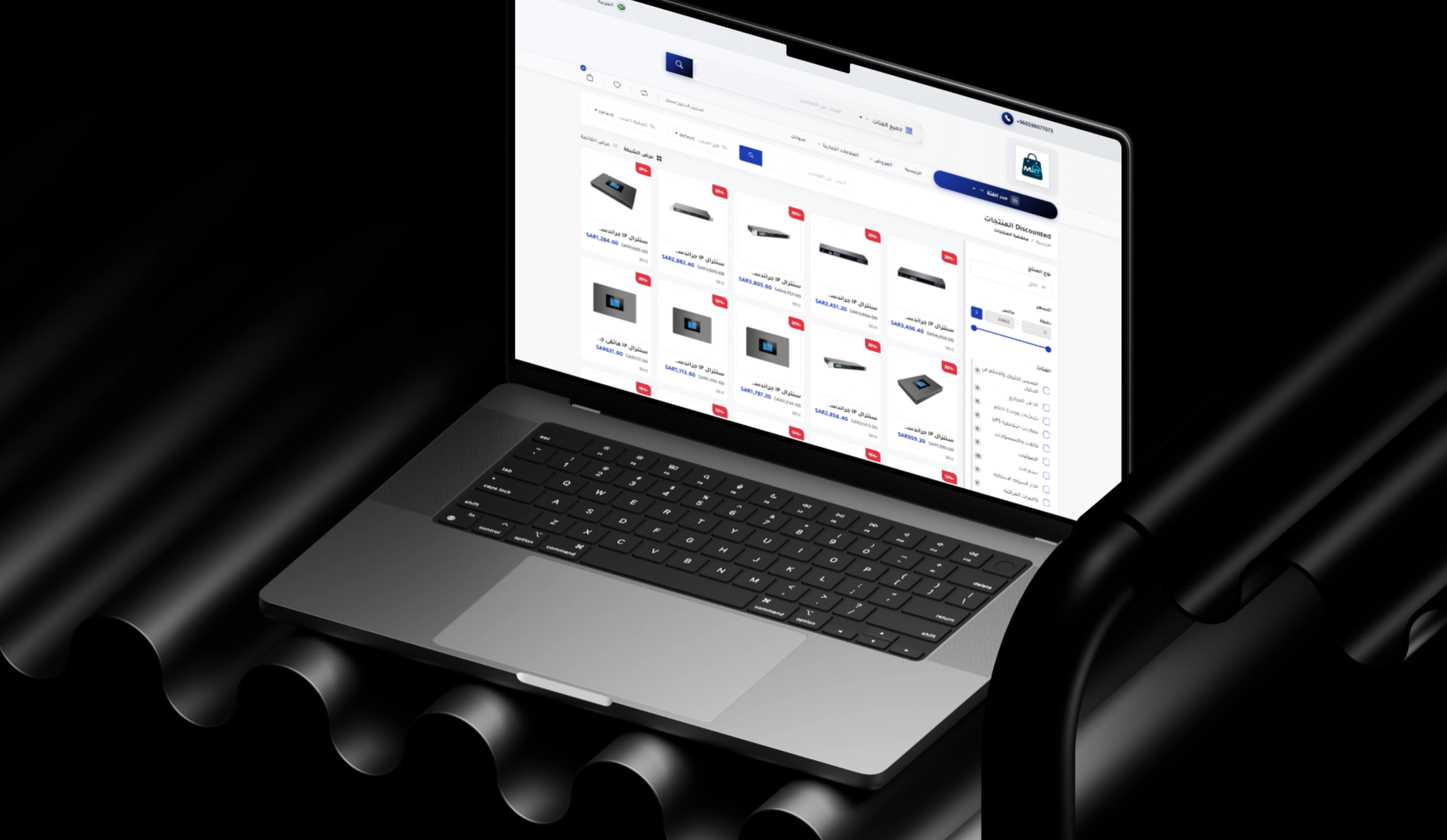
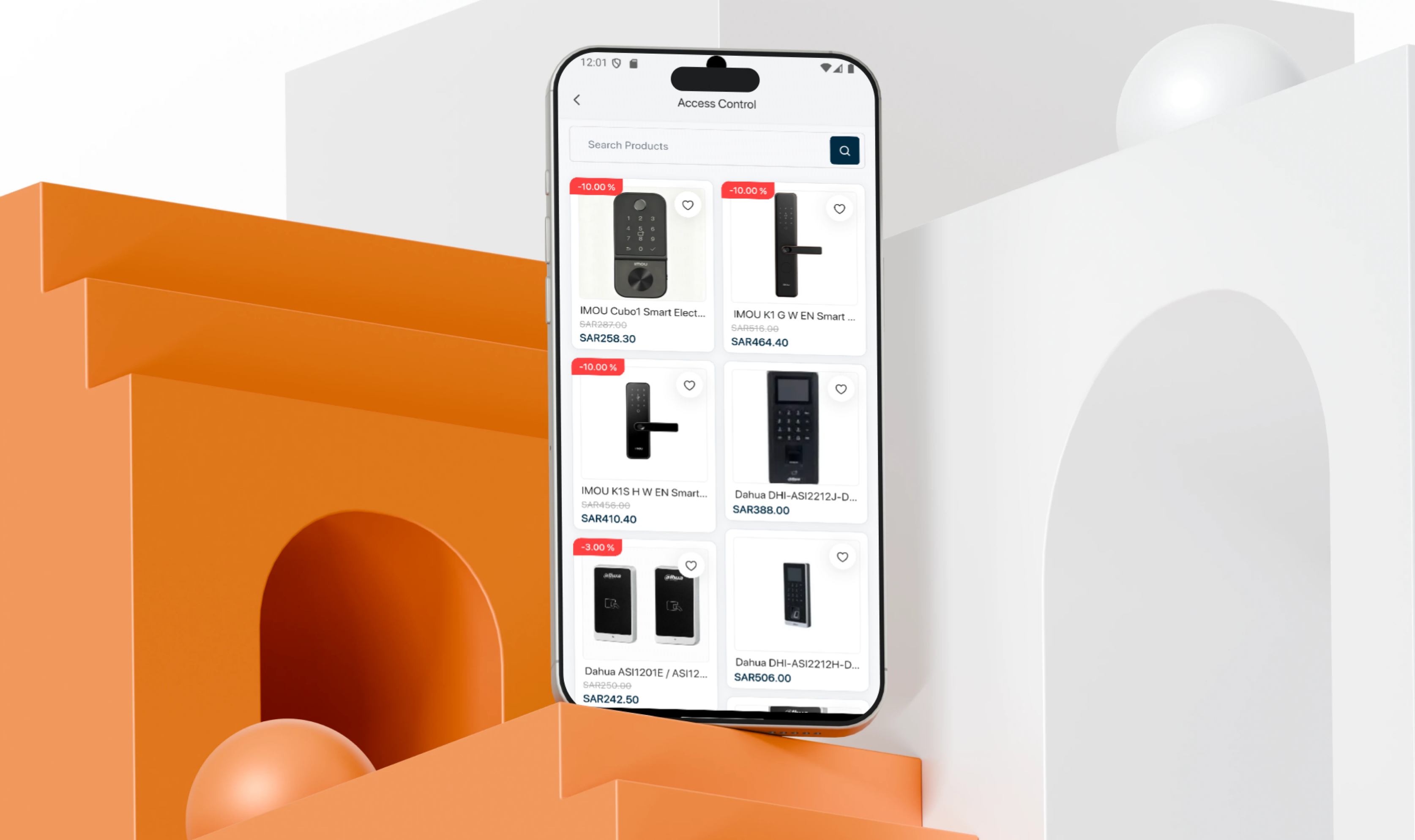
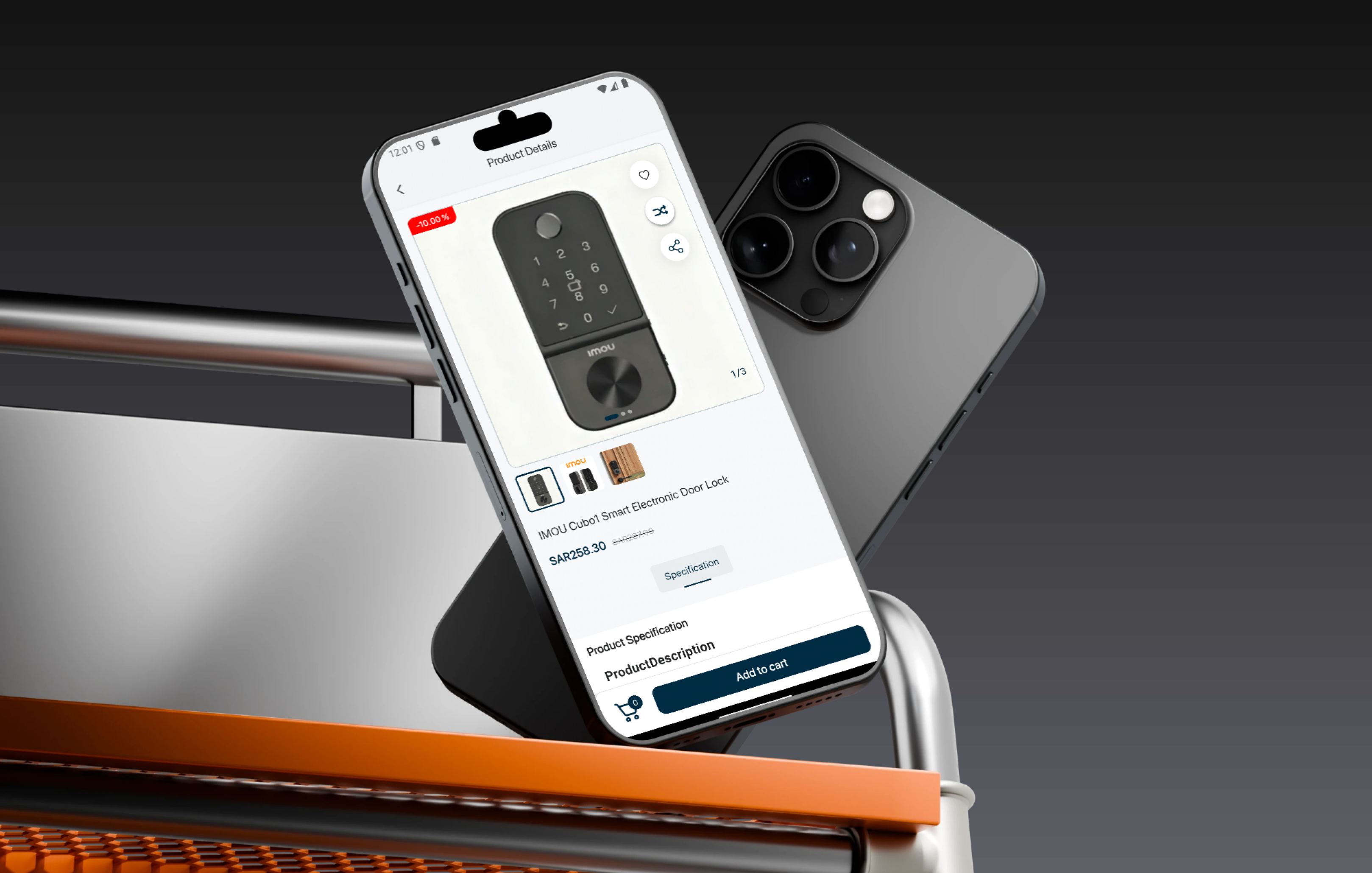
Detailed product pages present images, technical specifications, prices, discounts, stock status, ratings, related products, favorite controls, and comparison functionality.
The customer journey also includes search, category filtering, favorites, product comparison, shopping cart management, accounts, checkout, order tracking, and customer support.
The Administration Dashboard centralizes product, brand, model, specification, inventory, pricing, promotion, customer, order, delivery, and content management.
 |
 |
Key Platform Features
Surveillance and CCTV Systems
- Indoor Cameras: Products for offices, homes, stores, and enclosed areas.
- Outdoor Cameras: Surveillance products designed for external environments.
- IP Cameras: Network-connected security cameras.
- Analog Cameras: Products for compatible traditional systems.
- Dome Cameras: Ceiling-oriented products for internal and commercial use.
- Bullet Cameras: Products suitable for corridors and outdoor locations.
- PTZ Cameras: Cameras supporting movement, direction control, and zoom.
- Wi-Fi Cameras: Wireless monitoring solutions for homes and offices.
- Recording Equipment: NVR and DVR product support.
- Camera Accessories: Mounts, power products, storage, and installation accessories.
Camera Product Information
- Camera Type: Present the category and intended application.
- Resolution: Display available image resolution.
- Lens Information: Present lens type and supported field of view where available.
- Indoor or Outdoor Use: Identify the appropriate operating environment.
- Night Vision: Display low-light and infrared capabilities.
- Connectivity: Present network, wireless, or analog connection type.
- Recording Compatibility: Identify compatible recording systems.
- Smart Detection: Present available intelligent detection features.
- Power Requirements: Display power input or PoE support.
- Price and Availability: Show the current value and stock status.
Access Control Systems
- Fingerprint Access Devices: Control entry using biometric identification.
- Card Access Systems: Support programmable access cards.
- PIN Access Devices: Enable entry through numeric codes.
- Door Controllers: Manage connected access points and doors.
- Access Readers: Read cards and supported identification methods.
- Electric Locks: Provide electronically controlled door security.
- Magnetic Locks: Support offices, properties, and restricted areas.
- Exit Buttons: Enable controlled exit from secured locations.
- Access Cards: Provide cards and access system accessories.
- Door Management Accessories: Sensors, modules, and connection products.
Time Attendance Systems
- Fingerprint Attendance: Record employee check-in and check-out using fingerprints.
- Card Attendance: Support employee attendance cards.
- Facial Recognition: Provide face-based attendance devices where available.
- PIN Attendance: Support numeric employee identification.
- Attendance Records: Store check-in and check-out activity.
- Network Connectivity: Connect attendance terminals to management systems.
- Access Integration: Combine workforce attendance and building access workflows.
- Institutional Use: Support companies, schools, factories, and offices.
Intercom and Video Door Systems
- Audio Intercom: Communicate with visitors before allowing entry.
- Video Intercom: View and communicate with visitors.
- Indoor Monitors: Display and control units installed inside buildings.
- Outdoor Door Stations: Entrance units for visitors.
- Apartment Systems: Support multi-unit residential buildings.
- Villa Systems: Products for independent residential properties.
- Access-Linked Intercom: Control connected door locks from indoor units.
- Intercom Accessories: Power, connection, and installation components.
Door Security and Locking Products
- Magnetic Locks: Secure doors through magnetic locking.
- Electric Locks: Enable electronically controlled opening and closing.
- Access Readers: Read user cards and identification information.
- Exit Buttons: Trigger door release from inside secured areas.
- Door Sensors: Detect door position and activity.
- Control Modules: Manage doors and connected access equipment.
- Emergency Products: Support selected emergency exit workflows.
Networking Equipment
- Network Switches: Connect cameras, computers, and network devices.
- PoE Switches: Provide data and power through supported network cables.
- Routers: Manage internet access and network distribution.
- Wireless Access Points: Extend network coverage across buildings.
- Network Adapters: Connect different devices and interfaces.
- Network Extenders: Extend wired or wireless coverage.
- Media Converters: Connect different communication media types.
- Network Cabinets: Organize switches, routers, and cables.
- Networking Accessories: Patch panels, connectors, and tools.
Network Switches
- Multiple Port Options: Support projects of different sizes.
- Power over Ethernet: Power cameras and access points through network cabling.
- Gigabit Connectivity: Support high-speed data and video transmission.
- Managed and Unmanaged Options: Provide advanced control or simple deployment.
- Uplink Ports: Connect switches to the wider network infrastructure.
- Fiber Connectivity: Support long-distance connections where available.
- Rack Installation: Provide products suitable for network rooms.
- Camera Network Support: Support surveillance traffic and device connectivity.
 |
 |
Routers and Wireless Products
- Business Routers: Support office and commercial network environments.
- Home Routers: Provide residential internet connectivity.
- Wireless Access Points: Distribute Wi-Fi across locations.
- Wi-Fi Extenders: Improve coverage across different areas.
- Outdoor Wireless Devices: Support external installations.
- Network Antennas: Improve signal and wireless connectivity.
- Wireless Bridges: Connect separate locations wirelessly.
Smart Home Solutions
- Smart Switches: Control lighting and connected devices.
- Smart Relays: Add digital control to circuits and equipment.
- Smart Sensors: Monitor movement, doors, and environmental activity.
- Smart Door Controls: Manage entry through connected devices.
- Smart Lighting: Control lighting and automation scenes.
- Smart Locks: Open and secure doors using digital methods.
- Automation Controllers: Connect devices and automation workflows.
- Mobile Control: Manage supported functions through a mobile device.
Smart Security Products
- Smart Cameras: Connect monitoring products to networks and mobile devices.
- Door Sensors: Detect opening and closing activity.
- Motion Detectors: Monitor movement inside selected areas.
- Smart Alarms: Send alerts when configured activity is detected.
- Wireless Detectors: Support flexible installation.
- Smart Doorbells: View and communicate with visitors remotely.
- Connected Controllers: Combine multiple security devices in one system.
Display Screens and Video Solutions
- CCTV Monitors: Display camera feeds and recorded footage.
- LED Screens: Support commercial display and monitoring.
- Commercial Displays: Provide screens for offices, retail, and institutions.
- Large-Format Displays: Support monitoring rooms and public presentation.
- Video Walls: Combine multiple screens into one monitoring environment.
- Control Room Displays: Present centralized system information.
- Desktop Monitors: Support administration and technical use.
- Display Accessories: Mounts, connections, and video distribution products.
Video Wall and Control Room Products
- Multi-Screen Walls: Organize several displays into one system.
- Control Room Screens: Monitor cameras and connected systems.
- Large Monitoring Displays: Present multiple video sources.
- Mounting Solutions: Install screens professionally.
- Video Distribution: Manage video inputs and screen outputs.
- Control Room Accessories: Support professional monitoring environments.
Cables and Connectors
- Network Cables: Connect switches, cameras, and network equipment.
- Ethernet Cables: Support data and network communication.
- HDMI Cables: Transfer video and audio signals.
- Fiber-Optic Cables: Support high-speed and long-distance communication.
- Camera Cables: Connect supported surveillance systems.
- Power Cables: Supply connected devices and components.
- Patch Cords: Organize network cabinet connections.
- Connectors and Adapters: Connect different devices and cable types.
- Cable Organizers: Maintain and protect cable paths.
Network and Installation Accessories
- RJ45 Connectors: Terminate network cables.
- Patch Panels: Organize connections inside network cabinets.
- Network Faceplates: Provide structured wall connection points.
- Junction Boxes: Protect camera and device connections.
- Camera Mounts: Install cameras on walls and ceilings.
- Power Adapters: Supply compatible power to devices.
- PoE Accessories: Support data and power transmission.
- Cable Testers: Verify network cable connections.
- Rack Accessories: Organize network and security equipment.
Main Product Categories
- Surveillance systems and cameras.
- Electronic access control.
- Attendance and workforce devices.
- Intercom and video door systems.
- Door locking and security products.
- Networking equipment.
- Smart home solutions.
- Displays and monitoring rooms.
- Cables and connectors.
- Installation tools and accessories.
Homepage Product Discovery
- Main Banners: Promote technology solutions and offers.
- Brand Presentations: Highlight available manufacturers.
- Featured Solutions: Present products grouped by common project needs.
- Recommended Products: Help customers discover suitable equipment.
- Highest-Rated Products: Highlight positively reviewed devices.
- Daily Deal: Promote a selected discounted product.
- Category Sliders: Provide quick access to major product groups.
- New and Discounted Items: Present recent additions and promotions.
“What Are You Looking For?” Discovery
- Surveillance systems.
- Access control.
- Networking equipment.
- Smart home systems.
- Intercom solutions.
- Display technology.
- Cables and accessories.
- Installation products.
Product Detail Pages
- Product Name: Display the product and model clearly.
- Image Gallery: Present multiple device and accessory images.
- Brand: Connect each product to its manufacturer.
- Category: Identify the related technical group.
- Price: Display the current selling value.
- Discounted Price: Present promotional pricing where applicable.
- Stock Status: Identify product availability.
- Technical Specifications: Present details relevant to the device type.
- Short and Full Descriptions: Explain use cases and features.
- Quantity Selection: Select the required product quantity.
- Favorites: Save devices for future projects.
- Comparison: Add the product to a technical comparison list.
- Related Products: Recommend compatible devices and accessories.
- Ratings: Display customer feedback where available.
 |
 |
Technical Specifications
- Product model.
- Manufacturer.
- Connectivity type.
- Power requirements.
- Supported protocols.
- Image or display resolution.
- Number of ports.
- Storage support.
- Installation type.
- Operating environment.
- Dimensions.
- Warranty information where available.
Product Brands
- Manufacturer Browsing: Find products from preferred brands.
- Brand Comparison: Compare equipment from several manufacturers.
- Brand Catalogs: View products associated with each manufacturer.
- Product Lines: Organize available models and product families.
- Compatibility Support: Help customers select products from the same ecosystem.
Search and Filtering
- Product Name Search: Find the required device.
- Model Search: Locate a specific model.
- Category Search: Identify the technical system or product group.
- Brand Search: Browse devices from a selected manufacturer.
- Result Filtering: Narrow product options before browsing.
- Accessory Search: Find cables, mounts, connectors, and installation products.
Favorites
- Save Products: Keep suitable products for later consideration.
- Create Project Lists: Organize equipment required for security or networking projects.
- Monitor Products: Review pricing and availability before purchasing.
- Move to Cart: Add saved products directly to an order.
Product Comparison
- Price Comparison: Review cost differences between models.
- Brand Comparison: Compare products from different manufacturers.
- Specification Comparison: Review technical details side by side.
- Connectivity Comparison: Identify supported network and protocol types.
- Feature Comparison: Understand additional functions available in each device.
- Rating and Availability: Support the final purchasing decision.
Daily Deals and Recommendations
- Featured Product: Promote a selected device or accessory.
- Original and Discounted Prices: Present the promotional value clearly.
- Discount Percentage: Highlight the available reduction.
- Customer Savings: Display the saved amount.
- Rating: Improve confidence in the promoted product.
- Direct Purchase: Open the product page or shopping cart.
- Recommended Products: Present devices connected to customer interests.
Shopping Cart
- Multiple Products: Add devices and accessories to one cart.
- Quantity Updates: Adjust the required number of products.
- Product Removal: Remove unnecessary items.
- Price Review: Display the cost of every product.
- Discount Calculation: Apply current promotional pricing.
- Total Calculation: Present the complete order value.
- Continue Shopping: Return to the catalog without losing the cart.
- Proceed to Checkout: Enter customer and delivery information.
Customer Accounts
- Account Registration: Create a new customer account.
- Secure Login: Protect customer information and orders.
- Profile Management: Update customer and contact details.
- Saved Addresses: Manage delivery locations.
- Order History: Review current and previous purchases.
- Order Tracking: Follow the latest available status.
- Favorites: Store selected technical products.
- Compared Products: Maintain product comparison lists.
- Persistent Cart: Keep shopping cart items connected to the account.
- Password Recovery: Restore secure access.
Checkout Experience
- Customer Information: Collect customer and contact details.
- Phone Number: Store the primary communication method.
- Delivery Address: Enter city, region, and destination information.
- Order Summary: Review products, quantities, and pricing.
- Delivery Fees: Present applicable shipping charges.
- Payment Method: Select an available payment option.
- Order Notes: Add project or delivery requirements.
- Final Confirmation: Create the order after review.
Order and Delivery Management
- Unique Order Number: Assign an individual reference to each purchase.
- Product Review: Display ordered devices and quantities.
- Order Status: Follow preparation and shipping stages.
- Payment Status: Display the latest financial status.
- Delivery Information: Review destination and recipient details.
- Inventory Validation: Confirm stock before preparation.
- Packing: Prepare devices and accessories for shipping.
- Shipping Coordination: Deliver orders to customers or project sites.
- Delivery Updates: Inform customers when order status changes.
Customer and Technical Support
- Telephone: Contact sales and support teams.
- WhatsApp: Send product and project inquiries.
- Contact Forms: Submit support and consultation requests.
- Product Questions: Request clarification about specifications.
- Technical Guidance: Help customers select suitable products.
- Order Support: Follow purchasing and delivery status.
- Project Consultation: Discuss complete system requirements.
- After-Sales Communication: Provide support channels after delivery.
Arabic and Responsive Experience
- Arabic Interface: Present navigation, categories, and product information in Arabic.
- RTL Support: Display pages in the correct reading direction.
- Arabic Product Information: Present product names, descriptions, and technical data.
- Regional Currency: Display prices according to market configuration.
- Local Promotional Banners: Create campaigns for regional customers.
- Responsive Design: Support desktop, tablet, and mobile screens.
- Clear Product Cards: Maintain usability across screen sizes.
Administration Dashboard
- Product Management: Create and update all devices and accessories.
- Category Management: Organize primary and secondary categories.
- Brand Management: Maintain manufacturer catalogs.
- Model Management: Store models and technical information.
- Image Management: Maintain product galleries.
- Specification Management: Create product-type technical attributes.
- Pricing Management: Update standard and promotional pricing.
- Promotion Management: Create offers and campaigns.
- Inventory Management: Track quantities and availability.
- Featured Product Management: Select recommendations and top-rated items.
- Daily Deal Management: Configure the product, price, and promotion period.
- Banner Management: Update homepage visual content.
- Customer Management: Review accounts, addresses, and orders.
- Order Management: Follow preparation, payment, and delivery.
- Rating Management: Review customer feedback.
- Content Management: Maintain store pages and contact information.
- Store Settings: Configure shipping, currency, localization, and global options.
Main User Types
Homeowner
Purchases surveillance cameras, intercom systems, smart home devices, locks, and residential security products.
Business Owner
Purchases surveillance, access control, attendance, networking, and monitoring systems.
Security System Installer
Uses the platform to source cameras, recording systems, locks, cables, mounts, and installation accessories.
Network Technician
Purchases switches, routers, access points, cables, connectors, and network tools.
Contractor
Sources technical equipment and accessories for commercial and construction projects.
Property Manager
Purchases intercom, access control, surveillance, and smart building equipment.
System Integrator
Combines security, networking, access, display, and smart control products into complete customer solutions.
Platform Administrator
Manages products, categories, brands, pricing, inventory, customers, orders, promotions, and store content.
How the Customer Journey Works
- The customer visits the MNT website.
- A technical category is selected.
- The customer searches for a product or model.
- Product images and technical specifications are reviewed.
- The product is compared with alternative models.
- The customer saves the product or adds it to the cart.
- Recommended products, top-rated items, and promotions are reviewed.
- The customer signs in or creates an account.
- Contact and delivery information is entered.
- Products, quantities, and prices are reviewed.
- An available payment method is selected.
- The order is confirmed.
- The store validates stock availability.
- The products are prepared and packed.
- The order is shipped or prepared for project delivery.
- The customer receives status updates.
- The products are delivered.
- The customer can contact support when assistance is required.
Connected Digital Ecosystem
Online Storefront
Supports product discovery, search, filtering, favorites, comparisons, cart management, and checkout.
Security Systems Catalog
Organizes cameras, recorders, access control, attendance, intercom, and locking products.
Networking and Smart Technology Catalog
Combines switches, routers, wireless products, smart home devices, screens, cables, and accessories.
Customer Account System
Manages profiles, addresses, favorites, comparisons, cart items, and order history.
Marketing and Promotion System
Manages recommendations, top-rated products, daily deals, banners, and discounts.
Administration Dashboard
Centralizes products, specifications, brands, inventory, pricing, customers, orders, and content.
Business Value
- Combines security, surveillance, networking, access, and smart technology in one store.
- Simplifies specialized technical product discovery.
- Reduces dependence on manual product inquiries.
- Helps customers compare complex technical equipment.
- Supports installers, contractors, and system integrators.
- Centralizes product, price, inventory, and order management.
- Presents pricing, specifications, and availability clearly.
- Organizes a large number of technical categories.
- Supports project-based equipment purchasing.
- Creates cross-selling opportunities for related accessories.
- Improves access to professional technology products.
- Creates a scalable foundation for additional brands and categories.
Technology Overview
- Platform Type: Security, networking, and smart technology e-commerce platform.
- Product Domains: Surveillance, access control, networking, intercom, smart home, displays, cables, and accessories.
- Customer Experience: Search, filtering, favorites, comparison, cart, and checkout.
- Product Information: Images, specifications, pricing, availability, and ratings.
- Marketing: Recommendations, daily deals, top-rated products, banners, and discounts.
- Customer Accounts: Profiles, addresses, orders, favorites, and comparisons.
- Administration: Centralized catalog, inventory, customer, and order management.
- Localization: Arabic-first regional e-commerce experience.
- Communication: Phone, WhatsApp, and customer support forms.
- Architecture: Unified commerce ecosystem for security and technology products.
Project Highlights
- Professional security and surveillance marketplace.
- Surveillance camera and recording catalog.
- Access control systems.
- Fingerprint and attendance products.
- Intercom and video door solutions.
- Door locking and access products.
- Network switches, routers, and wireless equipment.
- Smart home and smart security products.
- Monitoring screens and video walls.
- Cables, connectors, and installation accessories.
- Detailed technical product specifications.
- Recommended products and daily deals.
- Ratings, favorites, and product comparison.
- Arabic e-commerce experience.
- Centralized product, inventory, and order management.
Conclusion
The MNT project demonstrates Thotix’s ability to develop specialized e-commerce platforms capable of organizing complex technology products, technical specifications, brands, inventory, and purchasing operations.
By combining surveillance, access control, attendance systems, intercom, networking, smart home products, professional displays, cables, and installation accessories, the platform provides a complete digital destination for customers, installers, contractors, and system integrators.
The platform provides MNT with a scalable foundation for adding new brands and product categories, reaching more customers, and managing technical commerce through one centralized ecosystem.
Designed and developed by Thotix.
From Ancient Wisdom to Future Intelligence.