
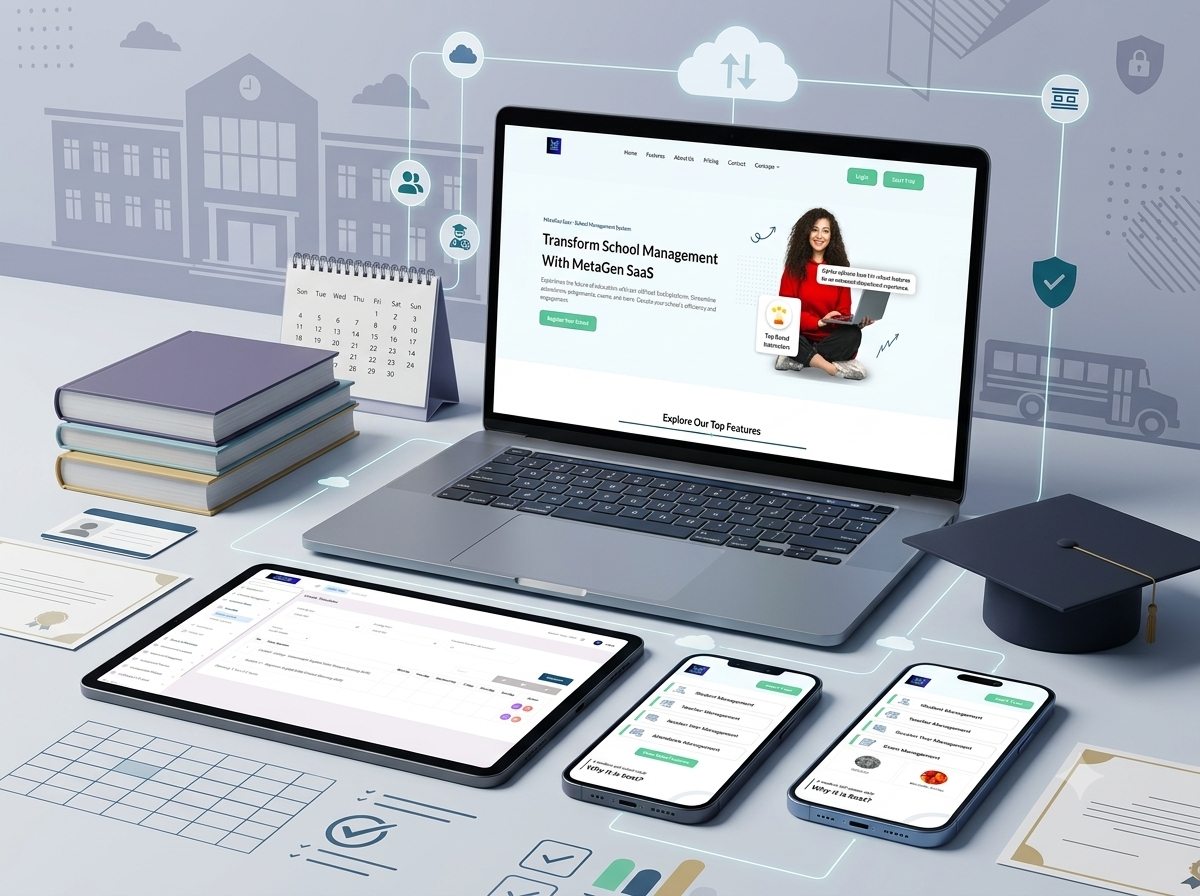
A cloud-based school-management SaaS platform combining school registration, trial access, subscription plans, student and teacher management, academic structures, timetables, attendance, examinations, communication, personnel, finance, transportation, certificates, reports, and institutional settings.
- Client : MetaGen
- Duration : 10 Months
- year : 2025
- Website Link
School Management and Educational Operations in One Cloud Platform
MetaGen SaaS is a cloud-based school-management platform designed to centralise academic, administrative, financial, communication, personnel, and operational processes.
The system brings together student and teacher management, academic structures, session years, timetables, attendance, holidays, examinations, performance, communication, personnel, finance, transportation, certificates, ID cards, reports, subscriptions, and institutional settings.
MetaGen SaaS follows a subscription-based delivery model that allows educational institutions to register, start a trial, select an appropriate plan, and operate through a managed school environment.
The connected ecosystem includes a public product website, school registration and trial access, subscription plans, secure login, a web-based school dashboard, and a wide range of academic and institutional modules.
 |
 |
Project Overview
MetaGen SaaS was developed to help schools replace disconnected spreadsheets, paper records, messaging tools, and departmental systems with one structured digital environment.
School administrators can configure the institution profile and active session year before creating classes, sections, subjects, streams, shifts, programmes, and instruction mediums.
Students and teachers can then be connected with the appropriate academic structure, while timetables are generated according to starting time, ending time, lesson duration, class, section, and programme requirements.
Attendance, holiday, examination, and performance modules support day-to-day academic record management and session-based historical information.
Institutional modules extend the platform into personnel management, student fees, income and expenses, transportation, certificates, ID cards, reporting, and school configuration.
The SaaS model supports trial access, different plans, renewals, upgrades, and feature availability according to the selected subscription.
The Business and Operational Challenge
Schools commonly manage students, teachers, attendance, timetables, examinations, staff, finance, and transportation through separate tools.
This fragmented approach can result in duplicated records, delayed updates, inconsistent academic information, and limited visibility across departments.
Timetable conflicts may occur when classes, teachers, subjects, and rooms are coordinated manually without one connected academic structure.
Institutions also need to preserve independent data for every academic year while maintaining access to historical attendance, results, and student records.
Reports may require extensive manual preparation when academic, financial, personnel, and transportation information is stored in different systems.
Schools also require flexibility for different class structures, streams, languages, shifts, programmes, staff roles, and subscription requirements.
The project therefore required one cloud platform connecting academic administration, institutional operations, reporting, and subscription management.
The Thotix Solution
Designed and developed by Thotix, MetaGen SaaS provides a central digital environment for managing daily school operations.
The system is divided into connected modules covering school onboarding, session-year configuration, students, teachers, academic structures, timetables, attendance, examinations, communication, personnel, finance, transportation, certificates, reports, and settings.
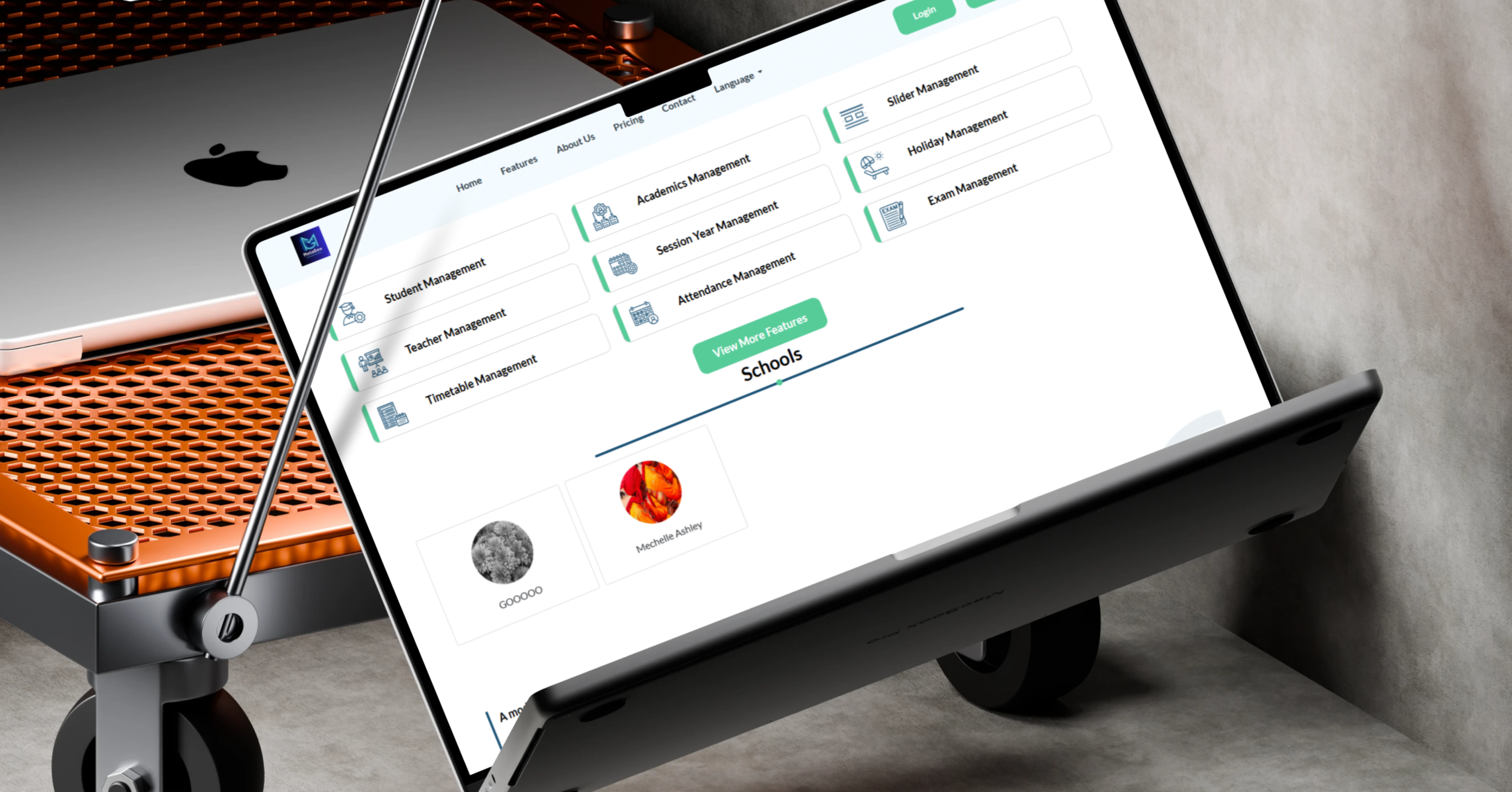
A searchable administration menu provides organised access to academic, administrative, financial, and operational functions.
The SaaS model allows different schools to register and operate through managed environments with feature availability connected to subscription plans.
Search, filtering, table controls, refresh, export, and download tools support efficient access to institutional information and reports.
Public Website and SaaS Experience
Landing Page
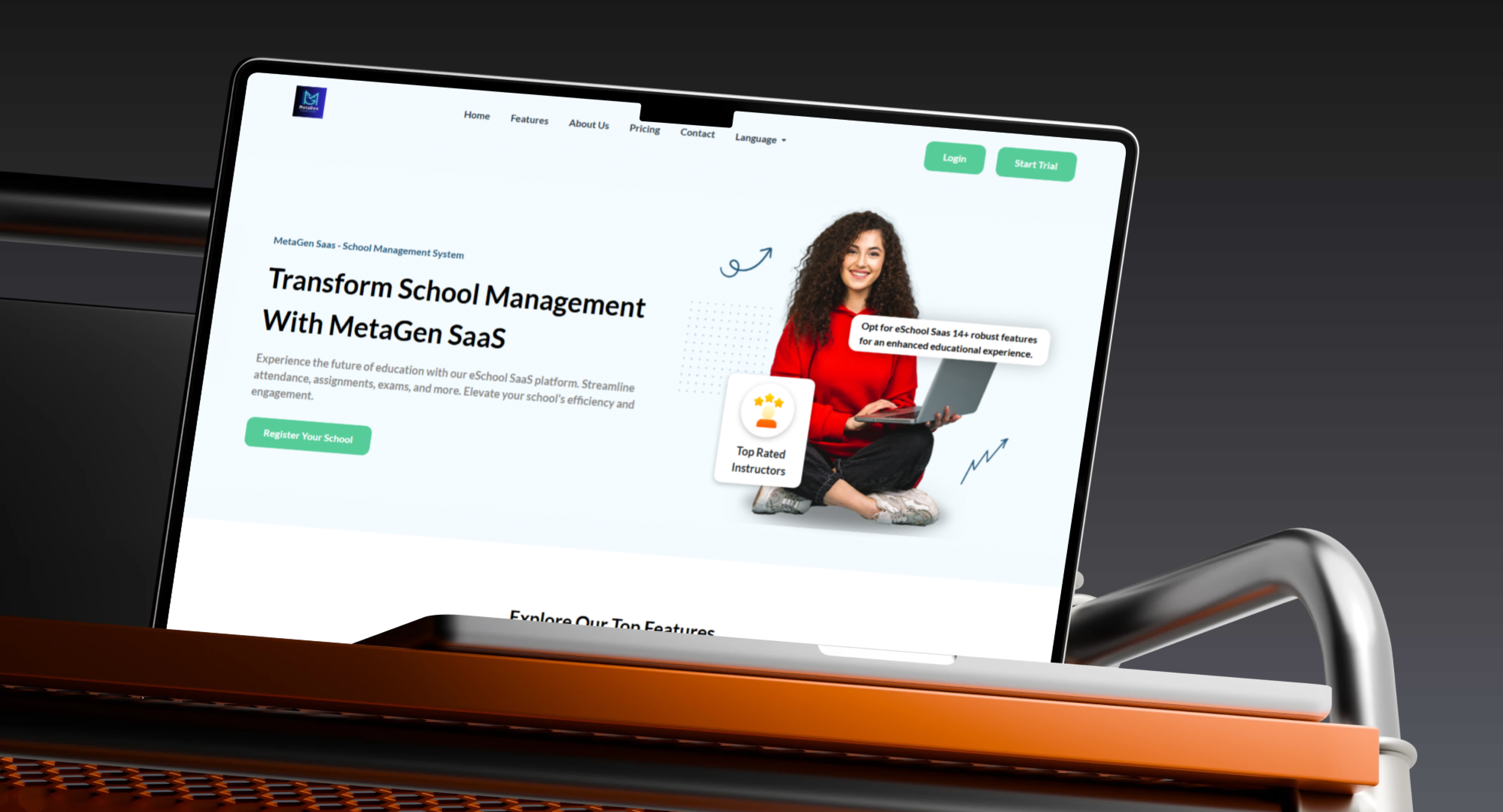
- Platform Introduction: Present MetaGen SaaS as a complete school-management solution.
- Hero Section: Communicate the primary educational value.
- Feature Overview: Introduce academic and institutional modules.
- About the Platform: Present product and company information.
- Pricing: Display available subscription plans.
- Contact: Support school and sales enquiries.
- Language Selection: Present the public experience in multiple languages.
- Login: Direct existing schools to their dashboard.
- Start Trial: Allow institutions to evaluate the system.
- Register Your School: Create a new institutional account.
School Registration
- Institution Account: Register a new school or educational organisation.
- School Profile: Maintain the institution name and contact information.
- Trial Registration: Begin temporary evaluation access.
- Managed Environment: Prepare the school’s operating space.
- Dashboard Access: Allow the administrator to enter the system.
- Plan Selection: Connect the school with an appropriate subscription.
Trial Experience
- Temporary Access: Allow a school to test the platform before subscribing.
- Feature Evaluation: Review available modules.
- Staff Demonstrations: Present the system to school teams.
- Operational Testing: Test academic setup and data entry.
- Subscription Conversion: Move to a managed plan after evaluation.
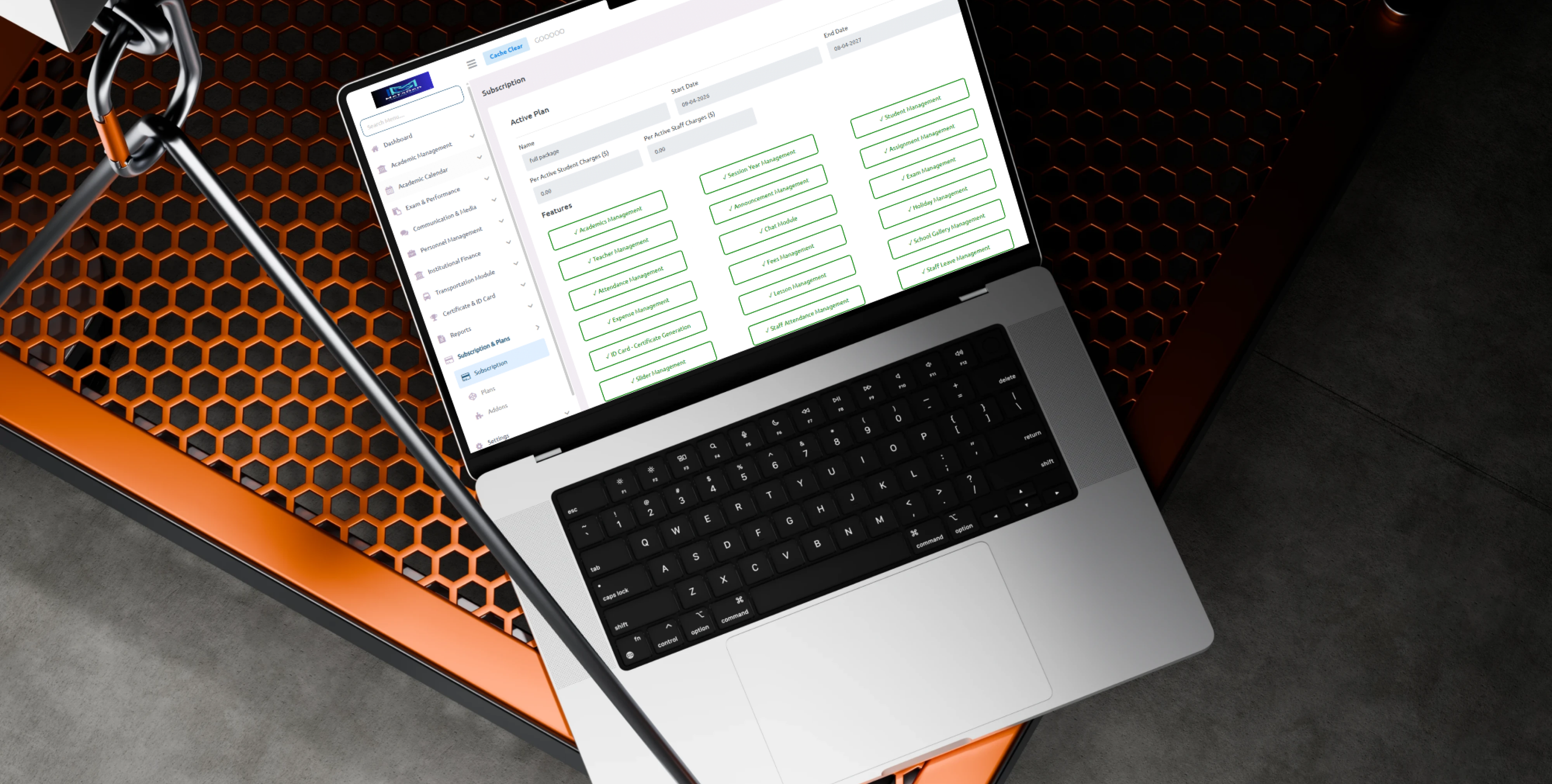
Subscription-Based SaaS Model
- Multiple Plans: Provide different packages for educational institutions.
- Feature-Based Plans: Make modules available according to the selected plan.
- School-Size Plans: Support institutions of different sizes.
- Renewals: Review and extend subscription validity.
- Plan Upgrades: Move to additional functionality.
- Feature Restrictions: Control access according to plan rules.
- Billing Records: Present subscription-related information where configured.
Multi-Language Support
- Multiple Interfaces: Operate the public website and dashboard in supported languages.
- Localised Public Pages: Present translated product content.
- Translated Dashboard Content: Localise administrative navigation.
- School Communication: Deliver messages in the institution’s configured language.
- Regional Deployment: Support different educational markets.
Student Management
- Student Registration: Add learners to the school environment.
- Student Profiles: Maintain academic and personal information.
- Admission Information: Store enrolment details.
- Class Assignment: Connect students with academic levels.
- Section Assignment: Place students in the correct group.
- Session-Year Assignment: Connect records with the active academic year.
- Contact Information: Maintain phone, email, and address information.
- Guardian Information: Store parent or guardian contact details.
- Student Status: Maintain current academic state.
- Promotion: Move students to the next level.
- Transfer: Manage movement between classes or institutions.
- Search and Filtering: Locate students according to different criteria.
- Student History: Preserve previous academic information.
Teacher Management
- Teacher Profiles: Maintain professional and personal details.
- Contact Information: Store phone, email, and related information.
- Subject Assignment: Connect teachers with their subjects.
- Class and Section Assignment: Define teaching responsibilities.
- Teacher Timetable: Present weekly teaching periods.
- Attendance Information: Connect teachers with attendance records where enabled.
- Academic Workload: Review assigned classes and periods.
- Employment Status: Maintain active and inactive records.
- Search and Filtering: Locate teachers according to subjects or departments.
 |
 |
Academic Management
Academic Structures
- Classes: Configure academic levels.
- Sections: Divide classes into groups.
- Subjects: Maintain school courses.
- Streams: Organise programmes and specialisations.
- Shifts: Support morning and evening sessions.
- Instruction Mediums: Define language or teaching format.
- Teacher-Subject Relationships: Connect teachers with courses.
- Class Teachers: Assign academic responsibility for classes or sections.
- Academic-Year Configuration: Connect structures with the active session.
Programmes and Levels
- Academic Programmes: Create different educational programmes.
- Course Levels: Organise learners according to level.
- Academic Groups: Maintain students according to streams.
- Specialised Courses: Support coding, language, and enrichment programmes.
- Multiple Shifts: Operate programmes during morning or evening periods.
- Flexible Examples: Support programmes such as Creative Coding, Scratch Jr, and English levels.
Session-Year Management
- Create Academic Years: Add school sessions.
- Current Session: Select the active year in the dashboard.
- Year Switching: Move between current and historical data.
- Student Connection: Assign students to a selected session.
- Timetable Connection: Maintain schedules by academic year.
- Attendance by Session: Separate daily records between years.
- Examinations by Session: Organise marks and results chronologically.
- Historical Records: Preserve information from previous sessions.
Academic Calendar
- Academic Events: Record institutional dates.
- School Opening: Define the beginning of the academic period.
- Examination Periods: Maintain assessment dates.
- Registration Dates: Configure admission and enrolment periods.
- Activities: Organise school programmes and events.
- Holidays: Connect school closures with the calendar.
- Meetings: Schedule administrative and teacher meetings.
- Deadlines: Maintain important academic dates.
- Reminders: Support calendar-related notifications.
Timetable Management
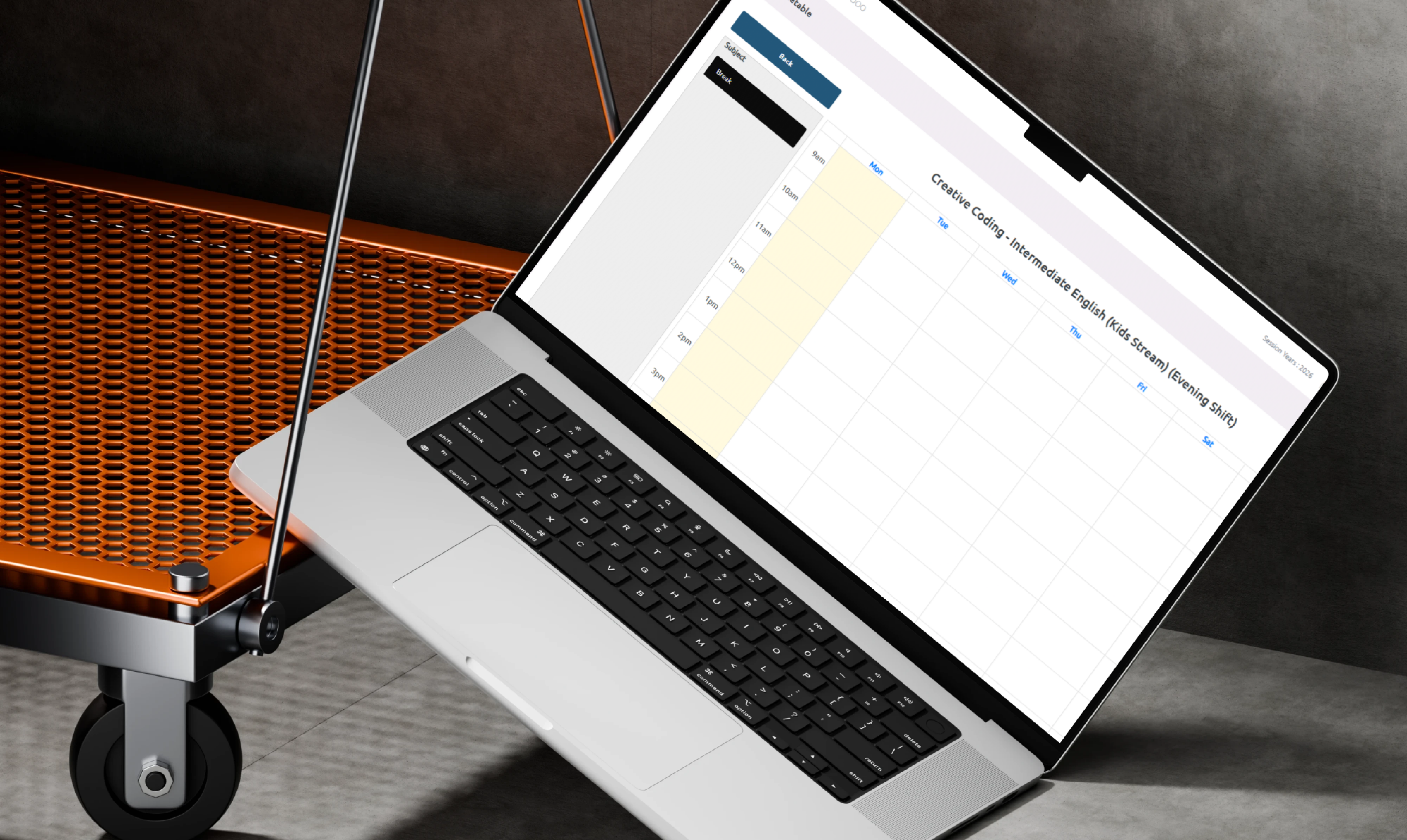
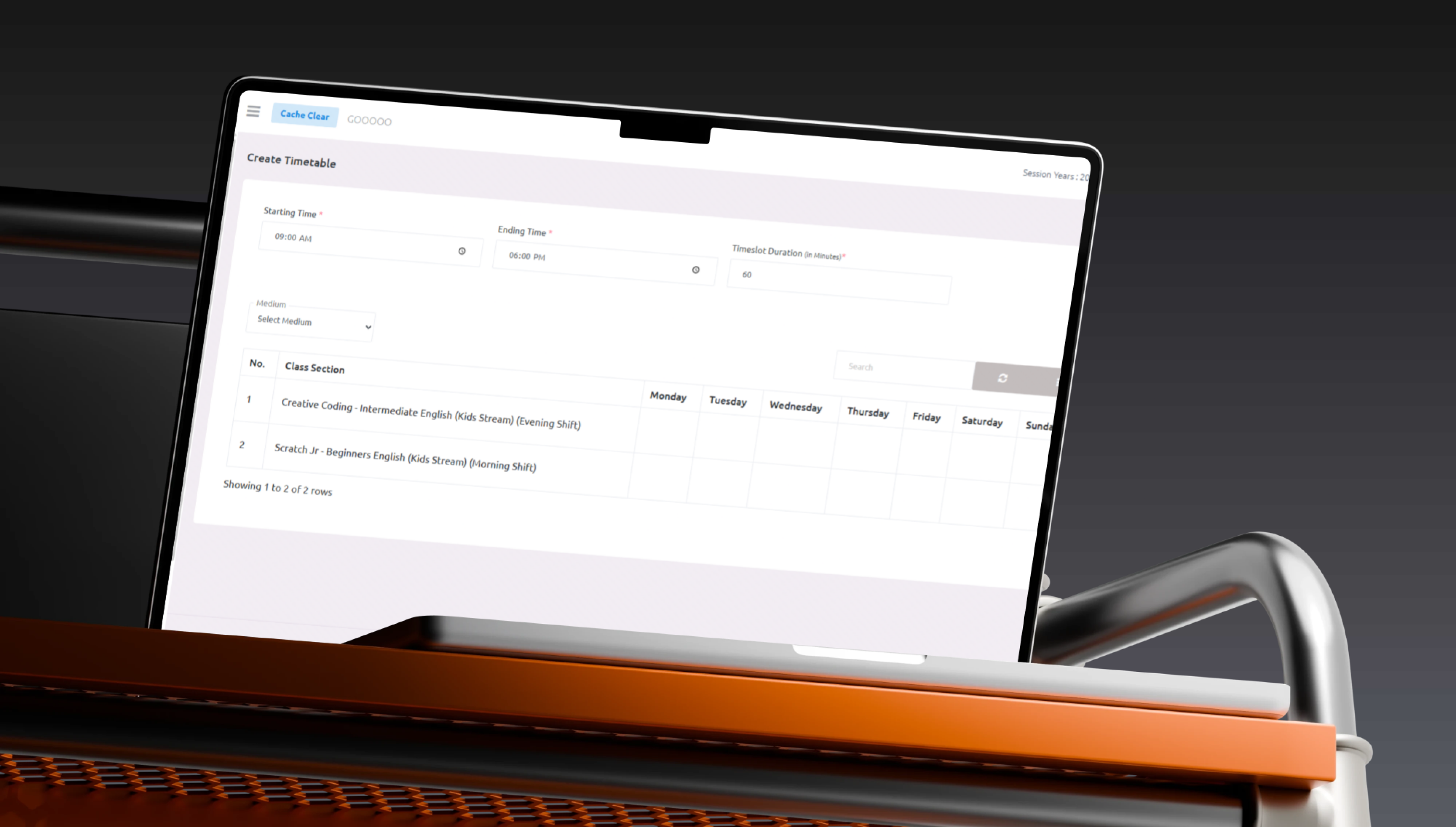
Timetable Creation
- Starting Time: Define the beginning of the school day or shift.
- Ending Time: Configure the final timetable period.
- Timeslot Duration: Set lesson length in minutes.
- Instruction Medium: Select the language or programme.
- Class and Section: Select the target student group.
- Days of the Week: Build a complete weekly schedule.
- Schedule Generation: Create the lesson-period structure.
Automated Timetable Generation
- Timeslot Creation: Divide the school day according to lesson length.
- Standardised Periods: Apply configured starting and ending times.
- Reduced Manual Work: Prepare the weekly timetable structure automatically.
- Multiple Sections: Create schedules for different programmes and groups.
- Weekly Organisation: Distribute courses across days and periods.
- Review Before Saving: Inspect and update the generated schedule.
Weekly Timetable
- Monday.
- Tuesday.
- Wednesday.
- Thursday.
- Friday.
- Saturday.
- Sunday.
Class and Section Timetables
- Programme: Connect the timetable with a stream or course.
- Level: Identify the academic or skill level.
- Section: Select the appropriate group.
- Shift: Configure morning or evening delivery.
- Subjects: Assign courses to periods.
- Teachers: Connect every lesson with its assigned teacher.
Teacher Timetable
- Individual Schedule: Present each teacher’s timetable.
- Assigned Classes: Display teaching groups.
- Assigned Subjects: Present connected courses.
- Daily Periods: Organise the teaching day.
- Weekly Workload: Review the number of assigned lessons.
- Conflict Awareness: Support the review of overlapping assignments.
- Print and Download: Prepare the timetable for external use.
Timetable Editing and Management
- Edit: Update times, teachers, or subjects.
- Delete: Remove unnecessary schedules.
- Search: Find a timetable by class or programme.
- Refresh: Reload current information.
- Table Controls: Manage the way information is presented.
- Export: Download timetables or include them in reports.
Attendance and Holiday Management
Attendance Management
- Student Attendance: Record daily learner status.
- Teacher Attendance: Monitor academic staff attendance.
- Staff Attendance: Support institutional employee records.
- Present: Record participation in the school day.
- Absent: Maintain absence information.
- Late: Record delayed arrival.
- Excused Absence: Identify authorised absence.
- Class-Based Attendance: Record status for a selected group.
- Date-Based Attendance: Review a day or time range.
- Reports and Summaries: Analyse attendance records.
Holiday Management
- Create Holiday: Add a school closure.
- Holiday Date: Define the relevant day or range.
- Description: Explain the holiday.
- Calendar Connection: Present it inside the academic calendar.
- Conflict Prevention: Avoid scheduling lessons during holidays.
- User Communication: Present holidays to school participants.
- Edit and Delete: Maintain changes when required.
Examination and Performance
Exam Management
- Exam Creation: Add a new assessment.
- Scheduling: Define examination dates and times.
- Subject Assignment: Connect the assessment with a course.
- Class Assignment: Select the appropriate learners.
- Marks Configuration: Define total values and distribution.
- Grade Entry: Record student results.
- Pass and Fail Rules: Configure evaluation thresholds.
- Result Publication: Make results available to authorised users.
- Performance Monitoring: Analyse student and class outcomes.
Academic Performance Analysis
- Student Progress: Review performance over time.
- Subject Results: Analyse each course independently.
- Class Average: Review group-level achievement.
- Top Performers: Identify high-achieving students.
- Students Requiring Support: Highlight lower performance.
- Exam Trends: Compare results across sessions.
- Report Cards: Prepare organised performance summaries.
- Ranking: Support student ranking where enabled.
Communication and Media
School Communication
- Announcements: Publish school news.
- Notices: Deliver important information.
- Circulars: Distribute administrative instructions.
- Student Communication: Share academic information.
- Teacher Communication: Deliver updates and assignments.
- Parent Communication: Provide student-related information where enabled.
- Event Updates: Publish activity schedules.
- Emergency Messages: Deliver urgent alerts.
- Media Sharing: Attach images and documents.
Slider Management
- Public Website Banners: Manage landing-page visuals.
- School Dashboard Slides: Publish institutional visual content.
- Institutional Announcements: Promote school activities.
- Event Campaigns: Present event-related media.
- Active Status: Show or hide a slider.
- Display Order: Configure its sequence.
Media Management
- Images.
- Documents.
- Notices.
- School publications.
- Event media.
- Promotional content.
- Uploaded resources.
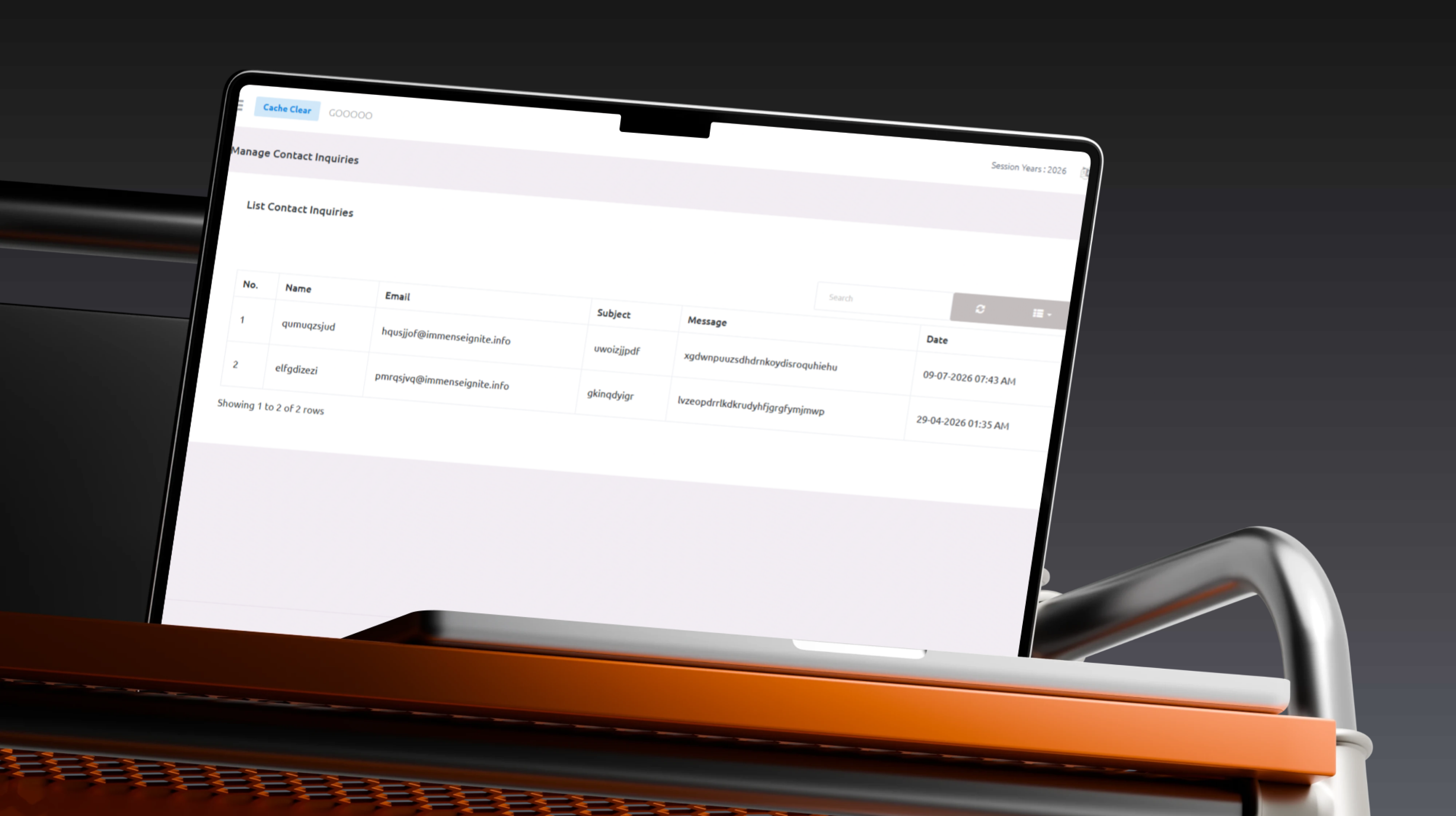
Contact Enquiries
- Website Enquiries: Receive public messages.
- Trial Requests: Review schools interested in the platform.
- Registration Questions: Support institution onboarding.
- Support Messages: Receive operational requests.
- Sales Enquiries: Organise communication with schools.
- Enquiry Status: Maintain new, processing, and closed states.
- Administrative Responses: Record appropriate follow-up.
 |
 |
Personnel Management
- Employee Profiles: Maintain institutional staff information.
- Teaching and Non-Teaching Staff: Manage different employee groups.
- Departments: Organise employees by administrative area.
- Job Titles: Define responsibilities and roles.
- Contact Information: Store phone, email, and address information.
- Employment Dates: Maintain start dates.
- Staff Status: Manage active and inactive personnel.
- Attendance: Connect staff with attendance records.
- Documents: Maintain professional files.
- Search and Filtering: Locate personnel according to department or role.
Staff Roles
- School administrator.
- Teacher.
- Accountant.
- Reception staff.
- Transport staff.
- Examination officer.
- Academic coordinator.
- Support employee.
Institutional Finance
- Student Fees: Configure academic and service fees.
- Fee Structures: Organise fees according to class or service.
- Payment Records: Maintain collected amounts.
- Outstanding Balances: Review unpaid values.
- Expenses: Record institutional costs.
- Income: Maintain school revenue.
- Transactions: Review financial activity.
- Finance Categories: Organise income and expense types.
- Receipts: Prepare or maintain payment documents.
- Financial Summaries: Present an institutional overview.
- Session Reports: Connect finance information with the academic year.
Transportation Management
- Vehicle Records: Maintain buses and fleet information.
- Driver Information: Store school transport driver details.
- Route Management: Create school transportation routes.
- Stop Management: Define pickup and drop-off locations.
- Student Assignment: Connect learners with routes and vehicles.
- Transport Fees: Configure service charges.
- Vehicle Capacity: Review assigned student numbers.
- Route Schedules: Organise daily transport times.
- Transport Reports: Review students, vehicles, and routes.
Student Transportation Assignment
- Select a bus.
- Select a transport route.
- Define the pickup point.
- Define the drop-off point.
- Connect a driver.
- Configure the transport fee.
Certificates and ID Cards
Certificate Management
- Student certificates.
- Participation certificates.
- Completion certificates.
- Achievement certificates.
- Staff certificates.
- Custom certificate templates.
- Print-ready documents.
Student and Staff ID Cards
- Name: Display the cardholder’s name.
- Photograph: Add a profile image.
- Identification Number: Present a school or staff reference.
- Class or Department: Identify the institutional group.
- School Logo: Apply the school identity.
- Academic Year: Connect the card with the current session.
- Barcode or QR Code: Support an identifier where configured.
- Printable Layout: Prepare cards for production.
Reports
Central Reports Module
- Student reports.
- Teacher reports.
- Attendance reports.
- Timetable reports.
- Examination reports.
- Performance reports.
- Fee reports.
- Finance reports.
- Transportation reports.
- Staff reports.
- Session-year reports.
Search, Export, and Download
- Keyword Search: Locate required records.
- Filtering: Narrow information using selected criteria.
- Sorting: Organise results.
- Table Views: Control columns and presentation.
- CSV Export: Extract structured records where supported.
- Excel Export: Download administrative data where supported.
- PDF Download: Prepare shareable reports where supported.
- Printing: Create paper-ready outputs.
Settings and System Administration
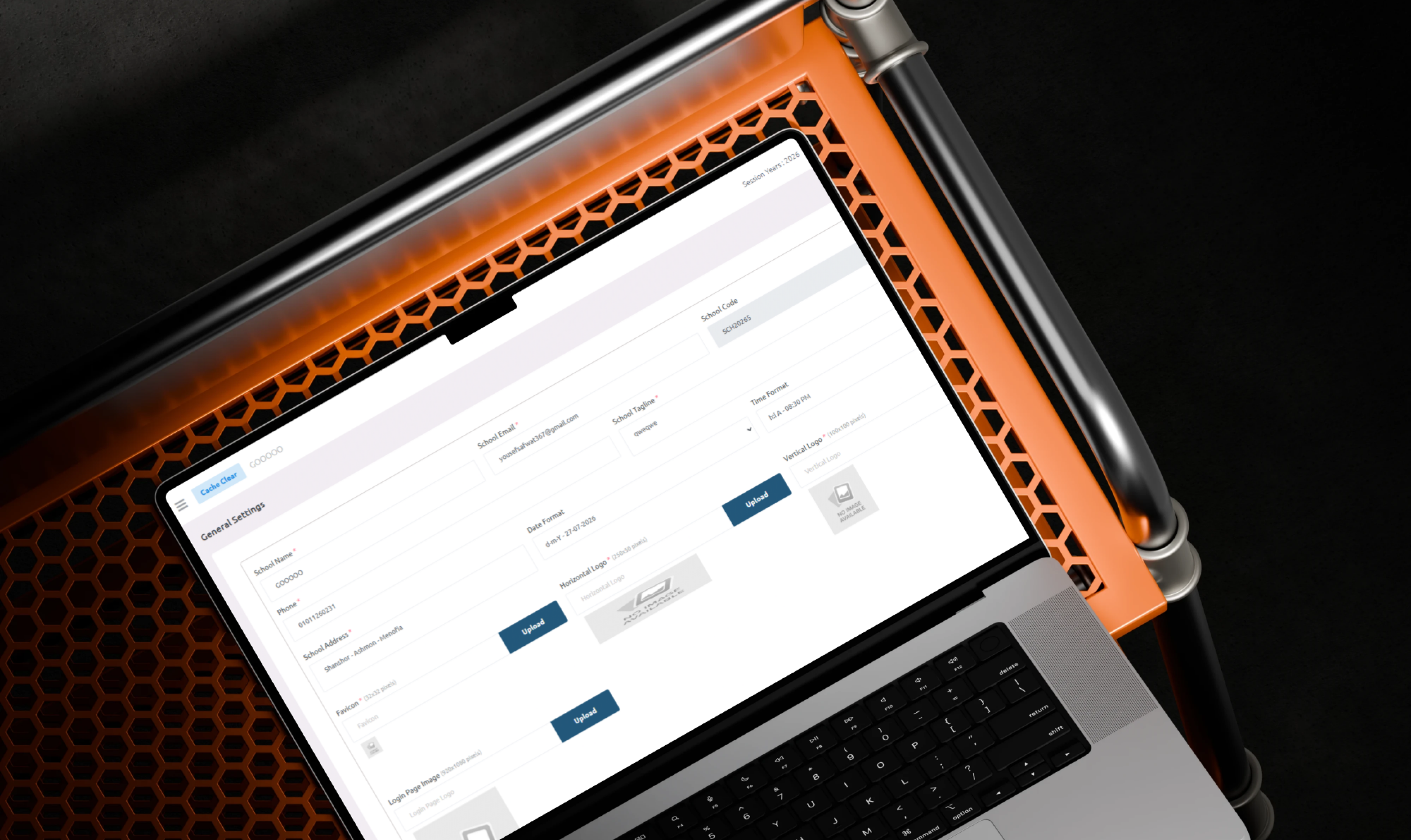
School Settings
- School Profile: Maintain the institution name and general information.
- School Logo: Upload the institutional identity.
- Contact Information: Manage phone and email details.
- Address: Maintain the school location.
- Academic Defaults: Configure standard academic values.
- Language: Select the interface language.
- Date and Time Formats: Configure regional presentation.
- Active Session: Select the current academic year.
- Notification Settings: Configure communication options.
- Branding: Customise school identity.
- Feature Controls: Enable or hide functionality according to the plan.
School Branding
- School name.
- Logo.
- Public profile.
- Institution website or environment appearance.
- Contact information.
- Dashboard identity.
- Certificate branding.
- ID-card branding.
Cache Management
- Clear Cache: Refresh cached system information.
- Configuration: Apply new settings.
- Translations: Refresh multi-language content.
- Menus: Reload navigation information.
- Public Content: Update landing-page information.
- Dashboard Settings: Present the latest administrative changes.
Dashboard Navigation
- Dashboard.
- Academic Management.
- Academics and Programmes.
- Students.
- Teachers.
- Academic Calendar.
- Timetable.
- Attendance.
- Holiday List.
- Exam and Performance.
- Communication and Media.
- Personnel Management.
- Institutional Finance.
- Transportation Module.
- Certificate and ID Card.
- Reports.
- Subscription and Plans.
- Settings.
- Contact Enquiries.
 |
 |
Main User Types
School Owner
Registers the institution, selects a plan, reviews institutional activity, and monitors subscription and overall operations.
School Administrator
Configures the school profile, active session, students, teachers, timetables, attendance, and system settings.
Academic Coordinator
Manages classes, sections, subjects, streams, academic calendars, timetables, and teacher schedules.
Teacher
Accesses assigned classes, subjects, timetables, attendance, examinations, and academic communication according to available permissions.
Student
Receives academic information, schedules, attendance records, results, and school announcements where the related user portal is enabled.
Parent or Guardian
Reviews student information, attendance, fees, results, notices, and transport details where the related functionality is available.
Examination Officer
Creates examinations, manages grades, publishes results, and prepares performance reports.
Accountant
Manages fees, payments, balances, expenses, income, and financial reports.
HR or Personnel Officer
Maintains employee profiles, departments, job titles, documents, and attendance.
Transport Manager
Manages vehicles, routes, stops, drivers, student assignments, and transportation fees.
SaaS Platform Administrator
Manages schools, plans, subscriptions, trials, platform settings, and operational enquiries.
School Onboarding Journey
- The school visits the MetaGen SaaS website.
- The institution reviews platform features.
- Pricing and plans are reviewed.
- The school selects Start Trial or Register Your School.
- Institutional registration information is submitted.
- A managed school environment is created.
- The school administrator signs in.
- The active session year is configured.
- Classes, sections, subjects, and streams are created.
- Students and teachers are added.
- Programmes, shifts, and instruction mediums are configured.
- Weekly timetables are generated.
- Attendance and holidays are prepared.
- Examination, performance, and communication modules are configured.
- Finance, transport, certificates, and reports are activated where required.
- The school begins daily operations through the platform.
Timetable Workflow
- The administrator opens Timetable Management.
- Create Timetable is selected.
- The starting time is entered.
- The ending time is entered.
- The timeslot duration is defined.
- The instruction medium is selected.
- The class and section are selected.
- The platform generates weekly timeslots.
- Required programmes and class sections are presented.
- Subjects and teachers are assigned to days and periods.
- The timetable is reviewed.
- The schedule is saved.
- It can later be edited, deleted, searched, refreshed, or exported.
- Teachers access their individual schedules according to permissions.
Connected Digital Ecosystem
Public SaaS Website
Provides product introduction, feature discovery, pricing, school registration, trial access, contact, login, and language selection.
School Administration Dashboard
Manages students, teachers, academics, timetables, attendance, examinations, communication, personnel, finance, transportation, certificates, reports, and settings.
Subscription Platform
Controls plans, trial access, renewals, upgrades, subscriptions, and feature availability.
Academic Operations Engine
Connects session years, classes, sections, students, teachers, timetables, attendance, and examinations.
Institutional Operations Engine
Combines personnel, finance, transportation, certificates, reports, and communication.
Business Value
- Centralises school operations in one platform.
- Reduces dependence on spreadsheets and paper records.
- Simplifies student and teacher management.
- Organises session years, classes, sections, streams, and shifts.
- Reduces timetable-creation effort.
- Improves attendance and holiday monitoring.
- Connects examinations with student performance.
- Improves institutional communication.
- Centralises staff and financial information.
- Supports school transportation operations.
- Simplifies certificate and ID-card preparation.
- Provides searchable, filterable, and downloadable reports.
- Delivers school management through a scalable subscription model.
- Allows institutions to evaluate the platform through a trial.
- Supports different schools and academic environments.
- Improves administrative accuracy and operational visibility.
Technology Overview
- Platform Type: Multi-module school-management SaaS.
- Delivery Model: Cloud-based subscription platform.
- Public Interface: Marketing website with registration, trial, pricing, login, and contact.
- Administration Interface: Web-based school dashboard.
- Academic Modules: Students, teachers, academics, timetables, attendance, holidays, examinations, and performance.
- Institutional Modules: Communication, personnel, finance, transport, certificates, ID cards, and reports.
- SaaS Modules: School onboarding, trials, subscriptions, plans, and enquiries.
- Localisation: Multi-language support.
- Data Organisation: Session-year-based academic management.
- Reporting: Searchable, filterable, and downloadable tables.
- Architecture: A central SaaS platform providing managed school environments and connected institutional modules.
Project Highlights
- Cloud-based school-management SaaS.
- School registration and trial access.
- Subscription and pricing plans.
- Student management.
- Teacher management.
- Academic structures.
- Session-year management.
- Academic calendar.
- Automated timetable generation.
- Teacher timetables.
- Attendance and holiday management.
- Examination and performance.
- Communication and media.
- Slider management.
- Personnel records.
- Institutional finance.
- Transportation.
- Certificates and ID cards.
- Reports and exports.
- System settings.
- Contact enquiries.
- Multi-language support.
- Searchable administration navigation.
Conclusion
The MetaGen SaaS project demonstrates Thotix’s ability to develop cloud educational platforms that connect academic, administrative, financial, and institutional operations.
By combining school onboarding, subscriptions, students, teachers, academics, session years, timetables, attendance, examinations, communication, personnel, finance, transportation, certificates, reports, and settings, the system provides a complete operating environment for educational institutions.
The platform gives schools a scalable digital foundation for reducing administrative complexity, improving data accuracy, organising daily operations, and supporting future educational growth.
Designed and developed by Thotix.
From Ancient Wisdom to Future Intelligence.