
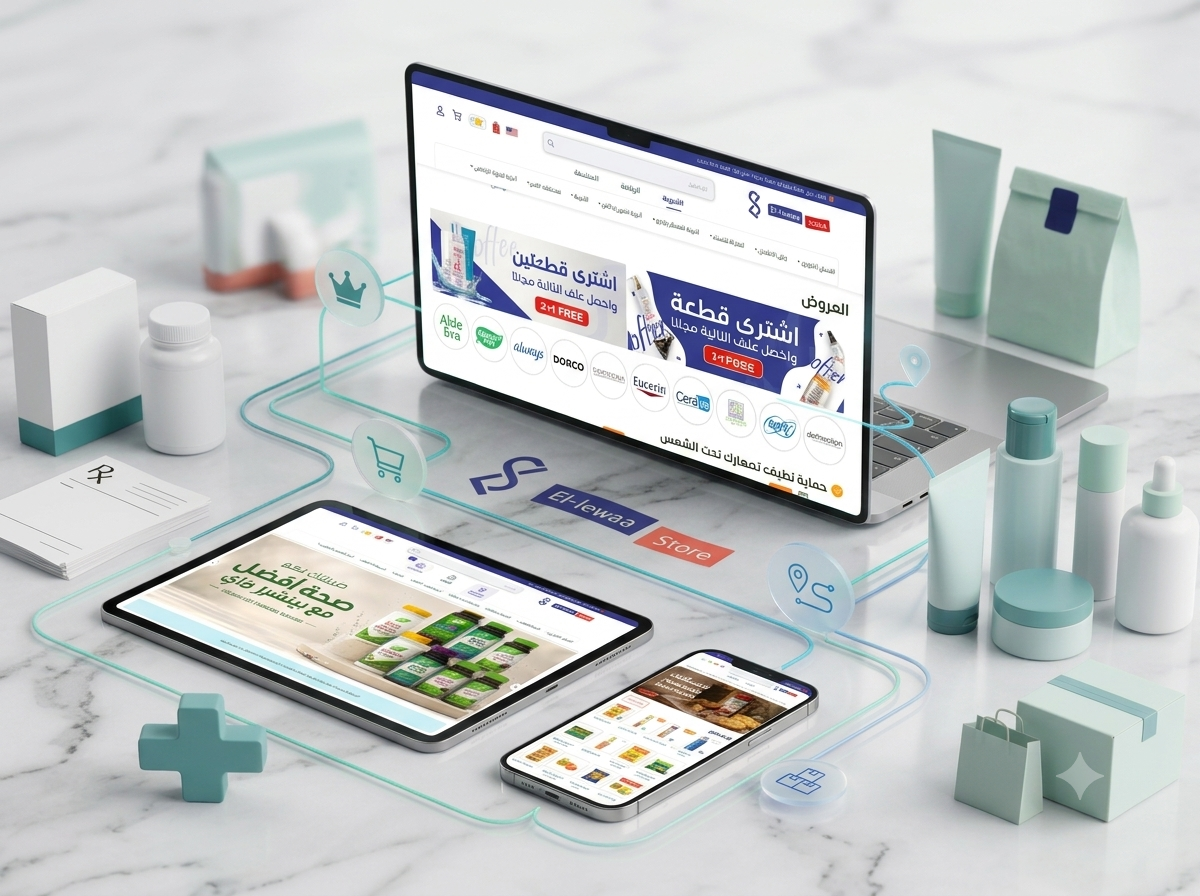
A connected pharmacy and multi-service e-commerce platform combining prescription uploads, healthcare products, beauty and personal care, baby essentials, groceries, delivery, promotions, loyalty rewards, customer accounts, and centralized administration.
- Client : Ellewaa Store
- Duration : 4 Months
- year : 2025
- Website Link
Pharmacy, Healthcare, Grocery, and Daily Services in One Digital Platform
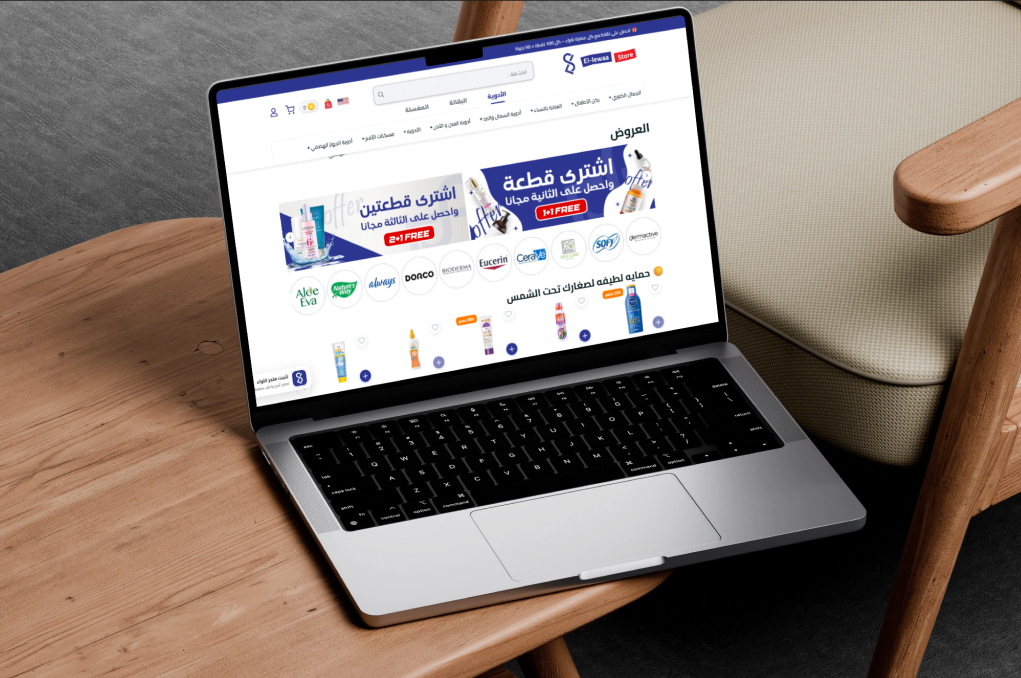
Ellewaa Store is an integrated digital commerce and healthcare platform designed to make medicines, personal care products, family essentials, groceries, and everyday services easier to access.
The platform combines an online pharmacy, a dedicated prescription submission workflow, beauty and personal care shopping, baby and family products, online groceries, promotions, loyalty rewards, customer accounts, address management, order delivery, and centralized administration.
Customers can browse products, review pricing and availability, upload medical prescriptions, save favorite items, manage multiple addresses, use promotional discounts, redeem loyalty points, and track their orders through the website or mobile application.
A centralized Administration Dashboard manages products, categories, prescriptions, customers, stock, prices, orders, promotions, loyalty points, delivery settings, content, and operational policies.
 |
 |
Project Overview
Ellewaa Store was developed to simplify access to pharmacy products, healthcare essentials, personal care items, groceries, and daily household needs.
The platform transforms traditional phone- and message-based ordering into an organized digital journey where customers can search for products, understand pricing and availability, build their cart, select a delivery address, confirm their order, and follow its progress.
Prescription ordering is a central part of the platform. Customers can capture or upload a prescription image, submit it for professional review, receive information about available medicines and pricing, and approve the prepared request before it is converted into an order.
The retail experience also covers skincare, haircare, women’s care, oral care, Korean beauty, baby products, family essentials, groceries, and promotional product collections.
Personalized customer accounts provide one place to manage prescription history, saved addresses, favorite products, current and previous orders, and loyalty rewards.
The Business and Operational Challenge
Customers may need to contact several pharmacies and stores to confirm the availability, price, and delivery options of medicines and daily essentials.
Traditional prescription ordering commonly depends on sending images through messaging applications and making several follow-up calls to confirm product names, quantities, prices, and delivery information.
Customers may also lack an organized record of previous prescriptions and purchases, making repeat ordering slower and less convenient.
Pharmacy and operations teams must carefully review regulated products, control prescription requirements, maintain accurate inventory, identify unavailable items, organize delivery, and protect personal and medical information.
The project therefore required one connected platform capable of combining pharmacy operations, digital commerce, prescription management, customer rewards, delivery, and administration.
The Thotix Solution
Designed and developed by Thotix, Ellewaa Store provides a connected digital ecosystem for online pharmacy operations, prescription review, retail shopping, delivery, customer rewards, and centralized management.
The platform provides two clear purchasing workflows. Standard products can be added directly to the shopping cart, while medicines requiring a prescription follow a dedicated review and approval process.
Authorized pharmacy users can review uploaded documents, identify the requested medicines, confirm availability, add quantities and prices, and contact the customer when clarification or replacement approval is required.
The Administration Dashboard centralizes product, inventory, pricing, prescription, customer, order, discount, loyalty, delivery, content, and policy management.
 |
 |
Key Platform Features
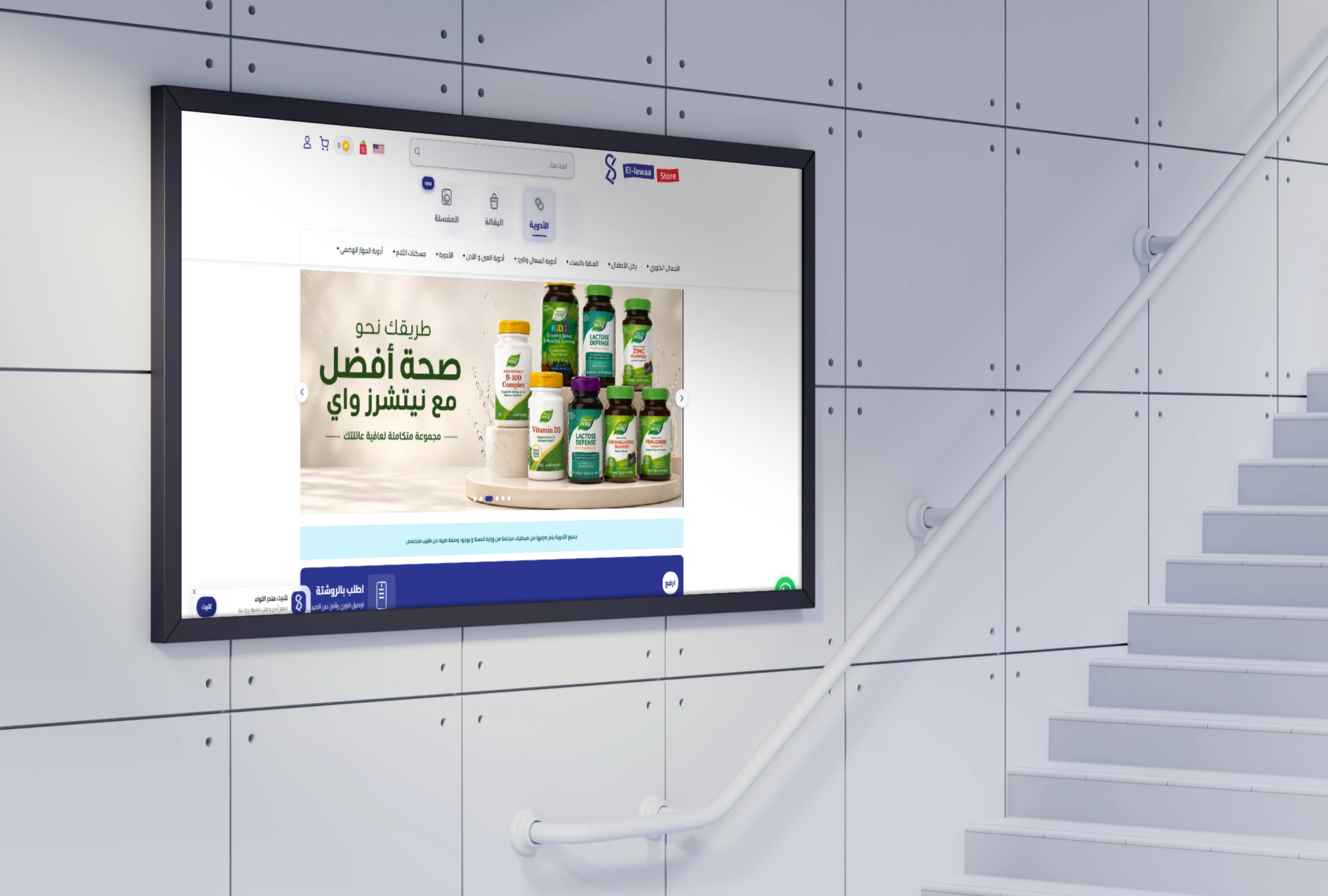
Online Pharmacy Experience
- Organized Medicine Catalog: Browse medicines through structured categories and product groups.
- Medicine Search: Find products using medicine names, brands, or related terms.
- Medicine Categories: Organize pain relief, digestive care, cold and cough, eye and ear, and household medicines.
- Availability Indicators: Identify available and out-of-stock products.
- Clear Pricing: Display current and promotional prices.
- Prescription Controls: Prevent regulated products from bypassing required review.
- Medicine Delivery: Deliver approved orders to the customer’s selected address.
Prescription Upload and Ordering
- New Prescription Upload: Capture a prescription or select an existing image from the device.
- Image and File Support: Submit a clear photograph or scanned copy.
- Prescription History: Store previous submissions inside the customer account.
- Professional Review: Route uploaded prescriptions to authorized pharmacy users.
- Medicine Identification: Add the requested medicines and quantities.
- Availability Check: Confirm stock before preparing the request.
- Prescription Pricing: Calculate available products and the total amount.
- Customer Follow-Up: Request clarification or replacement approval when required.
- Prescription-to-Order Conversion: Create a confirmed order after customer approval.
- Protected Document Access: Restrict medical documents to authorized users.
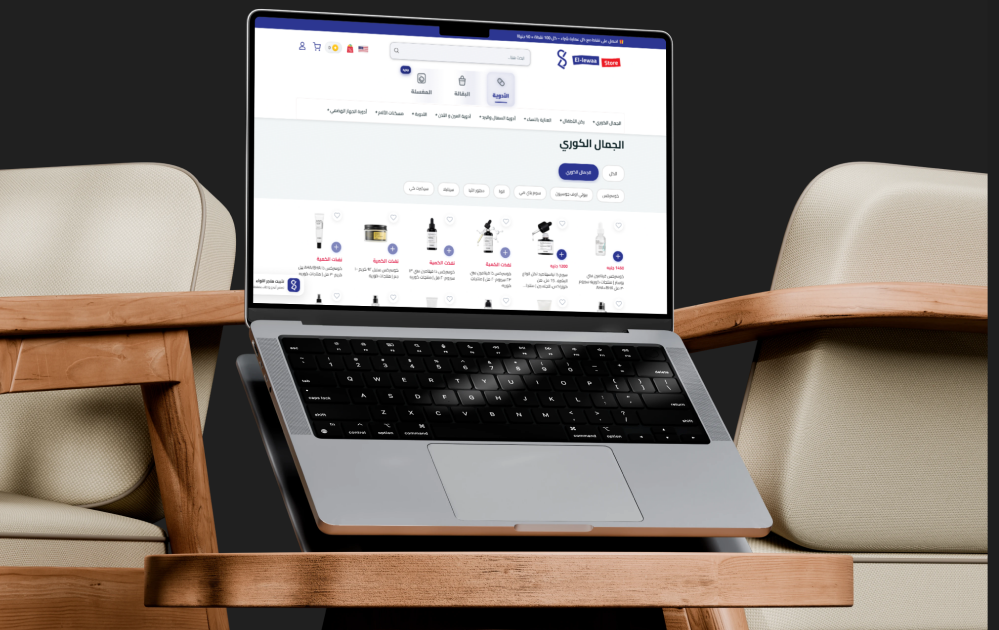
Beauty and Personal Care
- Skincare Products: Cleansers, moisturizers, serums, masks, and specialized products.
- Haircare Products: Shampoo, conditioner, oils, masks, and hair-loss treatments.
- Women’s Care: Personal hygiene, hair removal, and daily care products.
- Oral Care: Toothpaste, toothbrushes, mouthwash, and hygiene products.
- Korean Beauty: Skincare products, sheet masks, toners, and cleansers.
- International Beauty Products: Organized Korean, French, and global brand collections.
- Hair Color Products: Browse products by shade and brand.
Baby and Family Essentials
- Baby Nutrition: Formula, food, biscuits, and age-appropriate products.
- Diapers and Wipes: Everyday baby hygiene essentials.
- Baby Care: Skin, bathing, feeding, and daily care products.
- Age Guidance: Display recommended ages where relevant.
- Package Selection: Choose from supported sizes and package types.
- Family Healthcare: Purchase commonly used household health products.
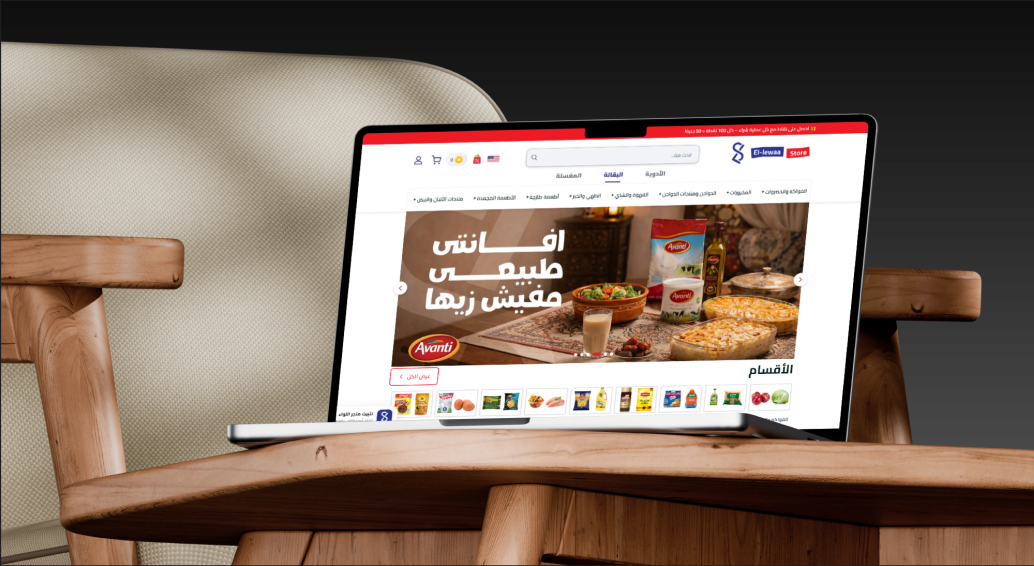
Online Grocery Shopping
- Integrated Grocery Section: Purchase daily products using the same customer account.
- Structured Categories: Organize home and family essentials into clear sections.
- Fresh Product Support: Manage items that require timely preparation and delivery.
- Availability Display: Identify products that are available or temporarily unavailable.
- Unified Shopping Cart: Combine supported categories within one purchasing experience.
- Delivery Scheduling: Organize delivery based on area, product type, and operational availability.
 |
 |
Planned Laundry Service
The platform foundation is prepared for a future laundry service module that can expand Ellewaa Store from digital commerce into everyday household service fulfillment.
- Pickup Address: Select a saved location for clothing collection.
- Service Selection: Choose washing, ironing, dry cleaning, or configured services.
- Pickup Scheduling: Select an available collection date and time.
- Status Tracking: Follow the request from pickup through processing and return.
- Unified Payments and Rewards: Connect the future service to the existing payment and loyalty system.
Product Catalog and Discovery
- Structured Categories: Organize products by type, purpose, and customer need.
- Home Page Sections: Feature women’s care, baby products, skincare, haircare, and household medicines.
- Featured Products: Promote selected items on the home page.
- Best-Selling Products: Highlight popular items in important categories.
- Search and Navigation: Simplify movement between products and categories.
- Price Visibility: Show current prices and discounts directly on product cards.
- Out-of-Stock Status: Clearly identify temporarily unavailable products.
Detailed Product Pages
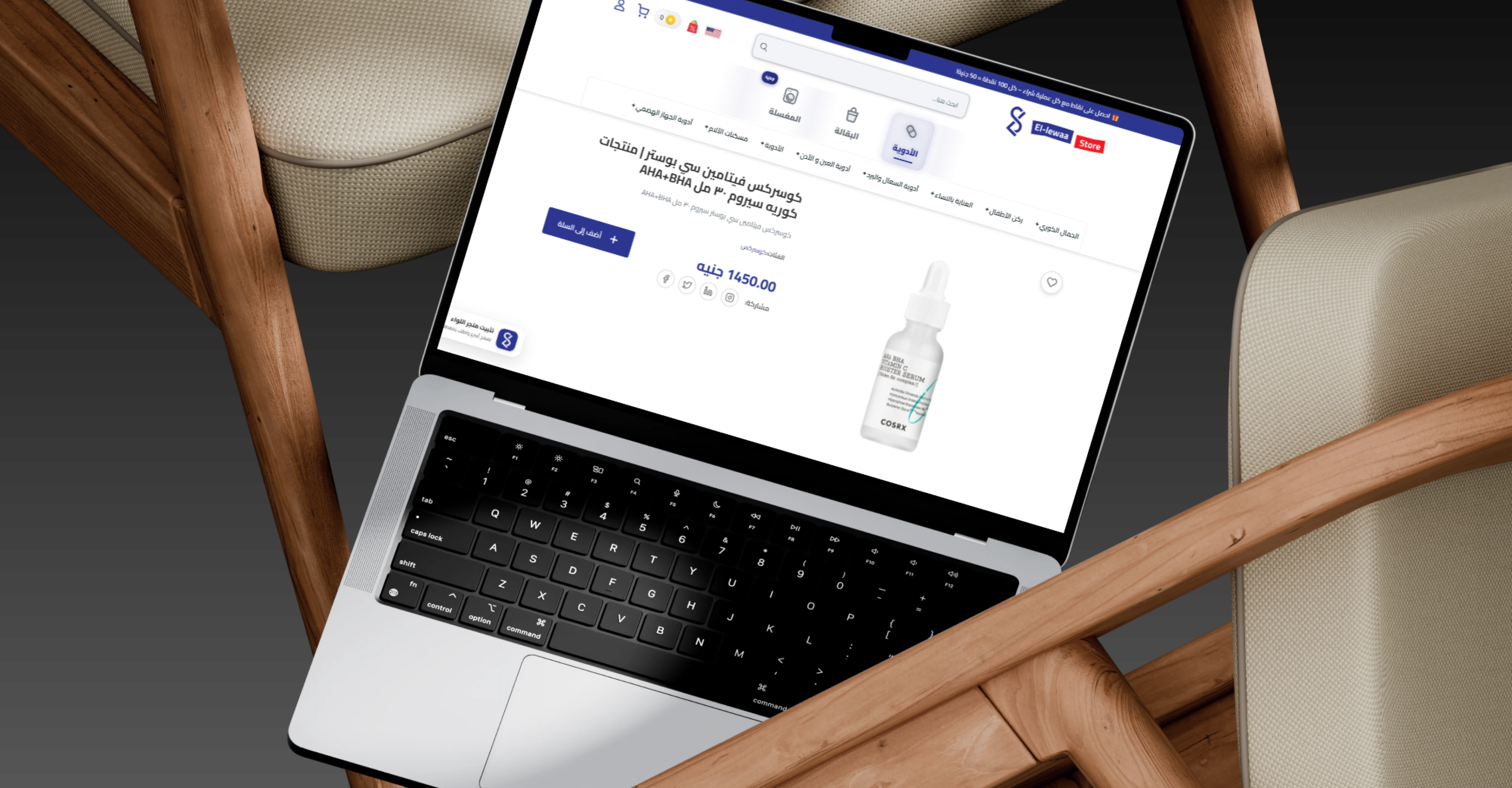
- Product Name and Images: Display the complete name and clear packaging images.
- Product Description: Present general information and important characteristics.
- Pack Size: Show weight, volume, or unit count.
- Current Price: Display the configured selling price.
- Promotional Price: Present the original and discounted values.
- Stock Availability: Indicate whether the product is available.
- Quantity Selection: Select the required amount before adding to the cart.
- Favorites: Save products for future purchasing.
- Related Products: Recommend similar or complementary items.
- Health and Usage Notices: Display applicable warnings and prescription requirements.
Promotions and Discounts
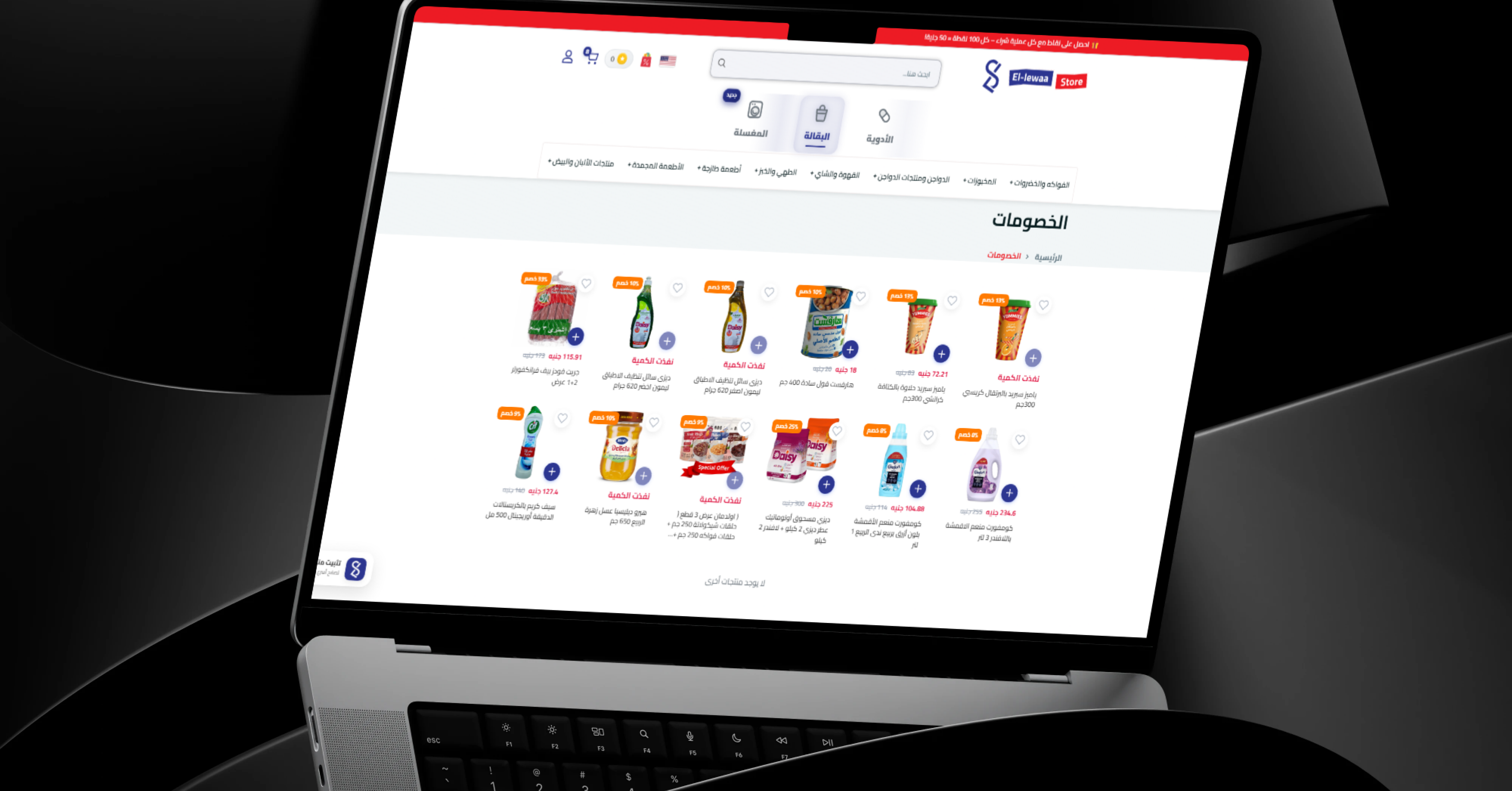
- Dedicated Offers Section: Group current promotional products.
- Percentage Discounts: Apply promotions to products or categories.
- Original and Discounted Prices: Help customers understand the value of offers.
- Category Promotions: Launch campaigns for product groups.
- Scheduled Campaigns: Define promotion start and end dates.
- Stock-Aware Offers: Stop or update campaigns when available quantities are exhausted.
- Marketing Banners: Promote active campaigns across the home page.
Loyalty Points and Rewards
- Points with Eligible Orders: Reward customers after successful purchases.
- Configurable Point Value: Define the financial benefit of accumulated points.
- Available Balance: Display the customer’s current reward balance.
- Transaction History: Review earned, redeemed, reversed, and adjusted points.
- Point Redemption: Use eligible points as a discount on future orders.
- Balance Validation: Prevent customers from exceeding their available points.
- Cancellation Adjustments: Reverse rewards when orders are cancelled or refunded.
 |
 |
Shopping Cart and Checkout
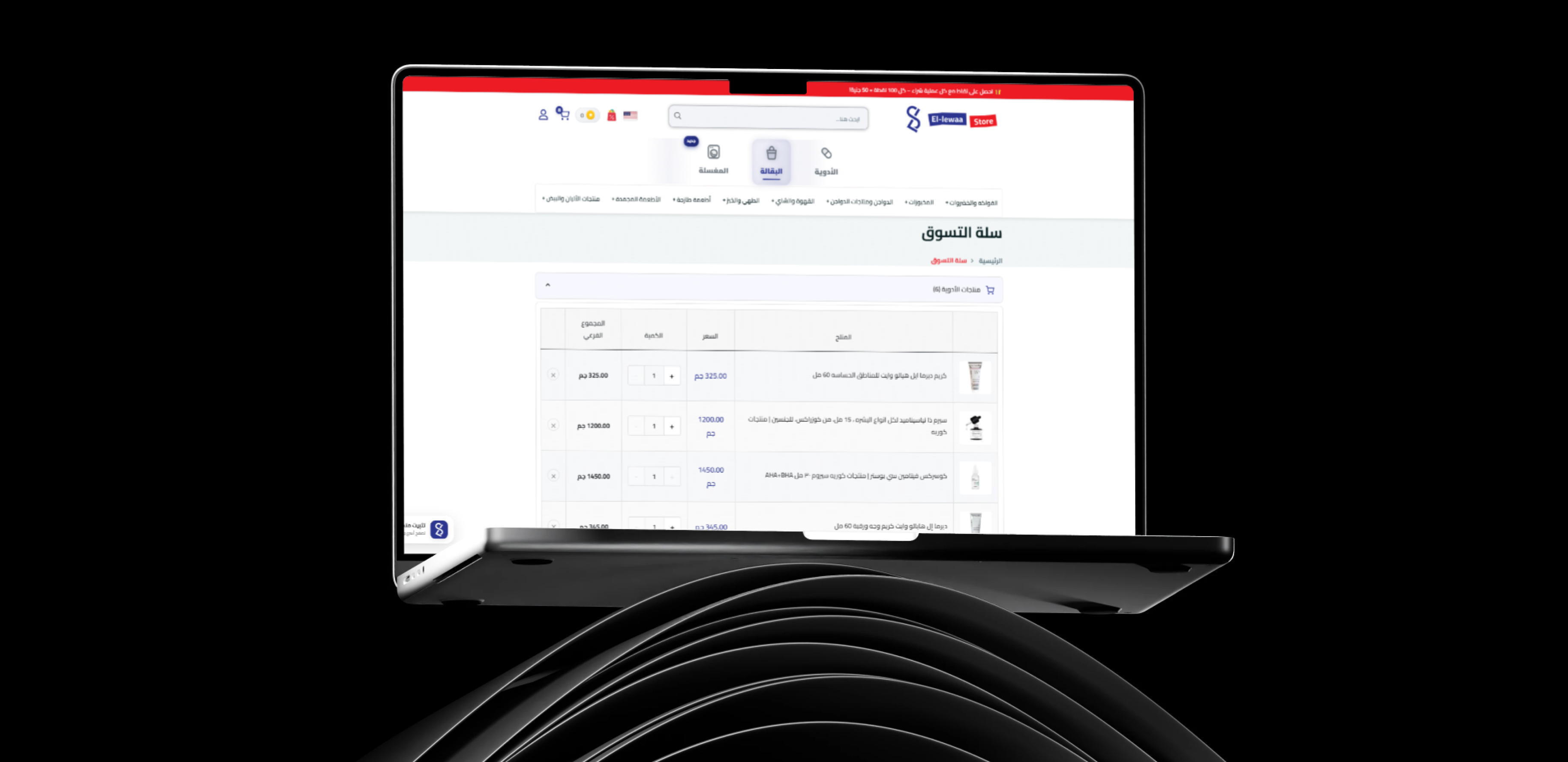
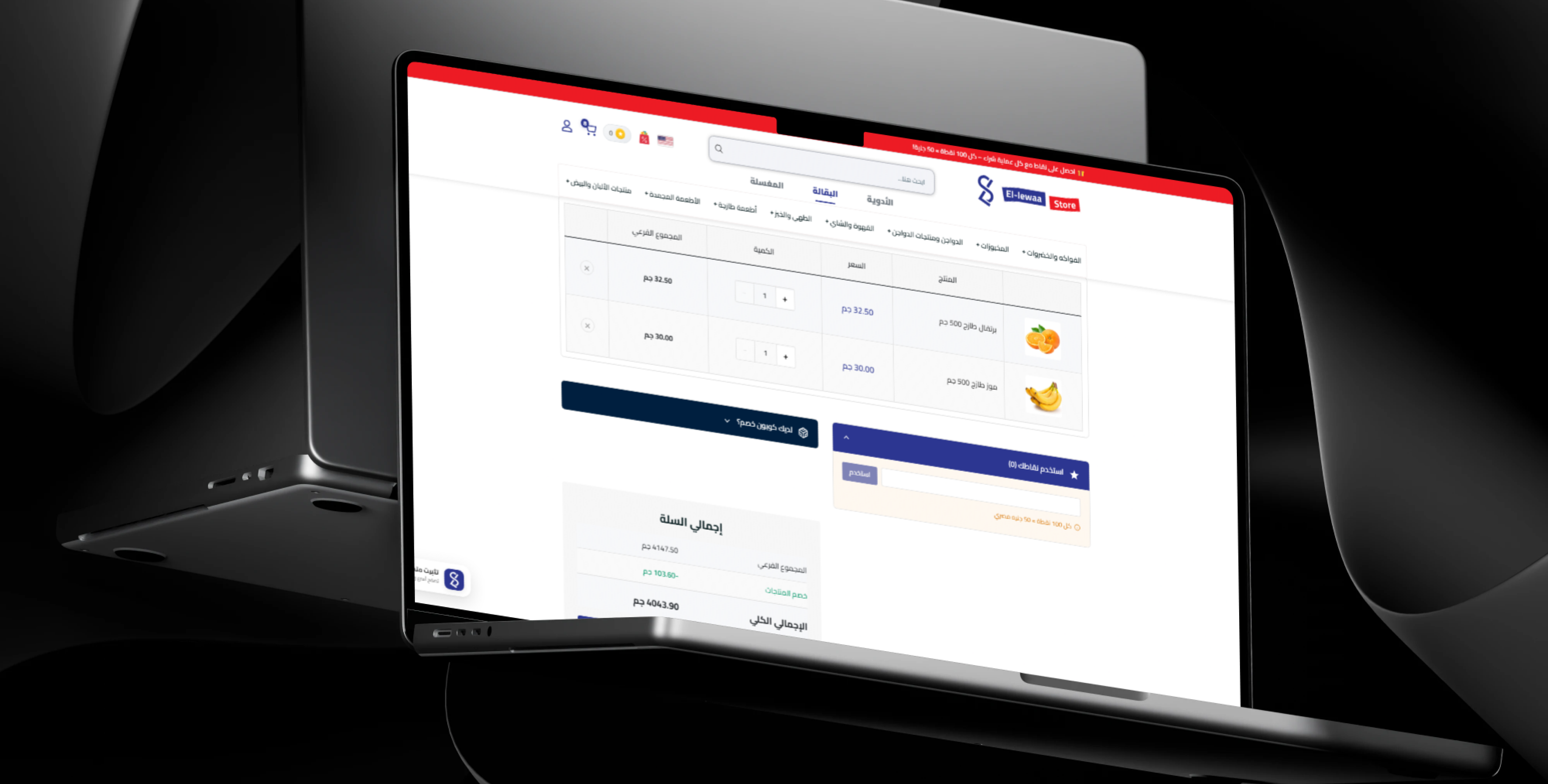
- Unified Cart: Add pharmacy, beauty, baby care, and grocery products.
- Quantity Management: Increase, decrease, or remove products.
- Availability Validation: Recheck stock before confirmation.
- Cost Summary: Display totals, discounts, delivery, and redeemed points.
- Prescription Separation: Route regulated medicines through the correct workflow.
- Saved Address Selection: Choose a previously stored destination.
- New Address Entry: Add a new location during checkout.
- Payment Method Selection: Display the available payment options.
- Order Notes: Add preparation or delivery instructions.
Customer Accounts
- Customer Registration and Secure Login.
- Personal and Contact Information Management.
- Prescription Upload and History.
- Multiple Saved Address Management.
- Current and Previous Order History.
- Favorite and Frequently Purchased Products.
- Loyalty Balance and Transaction History.
- Secure Password Recovery.
Address and Delivery Management
- Multiple Addresses: Save home, work, and family delivery locations.
- Default Address: Select a preferred destination for faster checkout.
- Detailed Location Data: Store city, area, street, building, floor, and apartment information.
- Location-Based Fees: Calculate delivery charges according to the selected address.
- Delivery Area Validation: Confirm that the destination is supported.
- Order Updates: Inform customers about preparation and delivery stages.
- Eligible Rescheduling: Adjust delivery timing where supported.
Arabic and English Support
- Bilingual Interface: Provide Arabic and English content and navigation.
- Localized Product Data: Store product names and descriptions in both languages.
- Language Switching: Allow customers to select their preferred language.
- RTL and LTR Layouts: Present each language in its correct direction.
- Localized Notifications: Deliver account and order updates in the preferred language.
Mobile Application Support
- Mobile Shopping: Browse products, categories, promotions, and favorites.
- Camera Prescription Upload: Capture medical documents directly from the device.
- Account Synchronization: Keep orders, addresses, prescriptions, favorites, and points connected.
- Push Notifications: Send prescription, order, promotion, and reward updates.
- Delivery Tracking: Show the latest available order status.
Administration Dashboard
- Operational Overview: Display orders, prescriptions, customers, sales, and stock indicators.
- Product Management: Create and update medicines, beauty, baby, grocery, and daily products.
- Category Management: Maintain a structured product catalog.
- Prescription Management: Review images and add available medicines and prices.
- Medicine Approval Workflow: Restrict regulated order review to authorized users.
- Inventory Management: Monitor quantities and sold-out products.
- Pricing and Discount Management: Configure standard and promotional pricing.
- Order Management: Review catalog and prescription orders.
- Customer Management: Manage accounts, addresses, orders, prescriptions, and points.
- Delivery Management: Configure areas, fees, assignments, and statuses.
- Loyalty Configuration: Define earning and redemption rules.
- Content Management: Update banners, sections, campaigns, and policies.
- Language Management: Maintain Arabic and English content.
Security and Privacy
- Secure Authentication: Protect customer and administrative accounts.
- Protected Prescription Access: Restrict medical documents to authorized personnel.
- Role-Based Permissions: Separate pharmacy, operations, support, delivery, and administration access.
- Secure Data Transmission: Protect customer and prescription data during transfer.
- Order Validation: Verify products, quantities, availability, and addresses before confirmation.
- Customer Privacy: Protect personal, medical, address, and order information.
- Activity Records: Maintain logs of important reviews and operational changes.
Main User Types
Retail Customer
Browses pharmacy, beauty, baby care, grocery, and personal care products, manages the cart and addresses, applies promotions, uses loyalty points, and follows orders.
Prescription Customer
Uploads a prescription, waits for review, approves available medicines and prices, selects an address, and confirms the prepared order.
Pharmacist or Prescription Reviewer
Reviews prescription images, identifies medicines and quantities, verifies availability and requirements, and prepares the request for order processing.
Customer Support Agent
Handles questions related to prescriptions, products, orders, delivery, rewards, and account access.
Delivery Operator
Receives prepared orders, follows destination information, updates delivery status, and confirms successful completion.
Platform Administrator
Manages products, prescriptions, customers, inventory, orders, promotions, loyalty rewards, delivery, content, and policies.
How the Prescription Workflow Works
- The customer creates an account or signs in.
- The customer opens the prescription section.
- A clear prescription image is captured or uploaded.
- The customer adds any required notes or contact information.
- The platform records the prescription request.
- An authorized user reviews the uploaded document.
- The requested medicines and quantities are identified.
- The pharmacy team checks availability.
- The customer is contacted when clarification is required.
- Available products and prices are added to the request.
- The customer reviews and approves the prepared information.
- A saved or new delivery address is selected.
- The customer confirms the available payment method.
- The prescription request is converted into an order.
- The approved medicines are prepared and sent for delivery.
- The customer follows the order until completion.
- Eligible loyalty points are credited after successful completion.
How the Standard Shopping Journey Works
- The customer browses a category or promotional section.
- The customer reviews the product price and availability.
- The required quantity is added to the cart.
- The customer continues shopping or reviews the cart.
- The platform recalculates discounts and totals.
- Eligible loyalty points may be redeemed.
- The customer selects a saved address or adds a new one.
- The platform calculates the delivery fee.
- The customer reviews the full order.
- A payment option is selected and the order is confirmed.
- The platform records the order and updates inventory.
- The operations team prepares the products.
- The delivery team receives the order.
- The customer receives updates until successful delivery.
Connected Digital Ecosystem
Customer Website
Supports pharmacy, beauty, baby care, grocery, prescription, account, favorite, address, order, and loyalty functionality.
Customer Mobile Application
Provides mobile product discovery, prescription upload, cart management, promotions, delivery updates, and rewards.
Prescription Management System
Organizes document submission, review, medicine availability, pricing, customer approval, and order conversion.
Administration Dashboard
Provides centralized management of products, categories, prescriptions, customers, inventory, orders, promotions, points, delivery, content, and policies.
Commerce and Healthcare Backend
Connects customer channels, prescription workflows, inventory, cart, orders, delivery, rewards, database, and operational rules.
Business Value
- Combines pharmacy and daily shopping services in one platform.
- Digitizes prescription submission and review.
- Reduces dependence on calls and unstructured messaging.
- Provides clear product pricing and availability.
- Improves medicine-ordering accuracy through prescription workflows.
- Centralizes medicines, beauty, baby care, grocery, and personal care products.
- Supports repeat purchasing through favorites and order history.
- Encourages retention through loyalty rewards.
- Organizes addresses, deliveries, and order statuses.
- Supports Arabic- and English-speaking customers.
- Extends the experience through website and mobile channels.
- Provides a scalable foundation for future household services.
Technology Overview
- Platform Type: Multi-service pharmacy and e-commerce platform.
- Customer Channels: Responsive website and mobile application support.
- Commerce Engine: Products, prices, discounts, cart, orders, and inventory.
- Prescription Engine: Upload, review, pricing, approval, and order conversion.
- Customer Accounts: Profiles, addresses, prescriptions, favorites, orders, and points.
- Loyalty Engine: Earning, redemption, adjustments, and transaction history.
- Administration: Centralized operational management dashboard.
- Localization: Arabic and English support.
- Security: Authentication, permissions, validation, protected documents, and activity records.
- Architecture: API-driven ecosystem connecting customer channels, administration, database, and operational services.
Project Highlights
- Online pharmacy and healthcare marketplace.
- Digital prescription upload and management.
- Prescription review, pricing, and order conversion workflow.
- Medicine, beauty, skincare, haircare, and personal care catalog.
- Baby care and family essentials.
- Integrated online grocery section.
- Planned future laundry service.
- Promotional campaigns and percentage discounts.
- Favorites, saved addresses, and order history.
- Integrated loyalty points and redemption.
- Arabic and English customer experience.
- Website, customer application, and centralized administration.
Conclusion
The Ellewaa Store project demonstrates Thotix’s ability to combine pharmacy services, prescription management, digital commerce, delivery, customer rewards, and daily household needs within one connected platform.
By bringing together medicine ordering, prescription uploads, beauty and personal care, baby essentials, groceries, promotions, favorites, addresses, loyalty points, mobile access, and centralized administration, the platform provides a convenient and scalable experience for customers and operators.
Designed and developed by Thotix.
From Ancient Wisdom to Future Intelligence.