
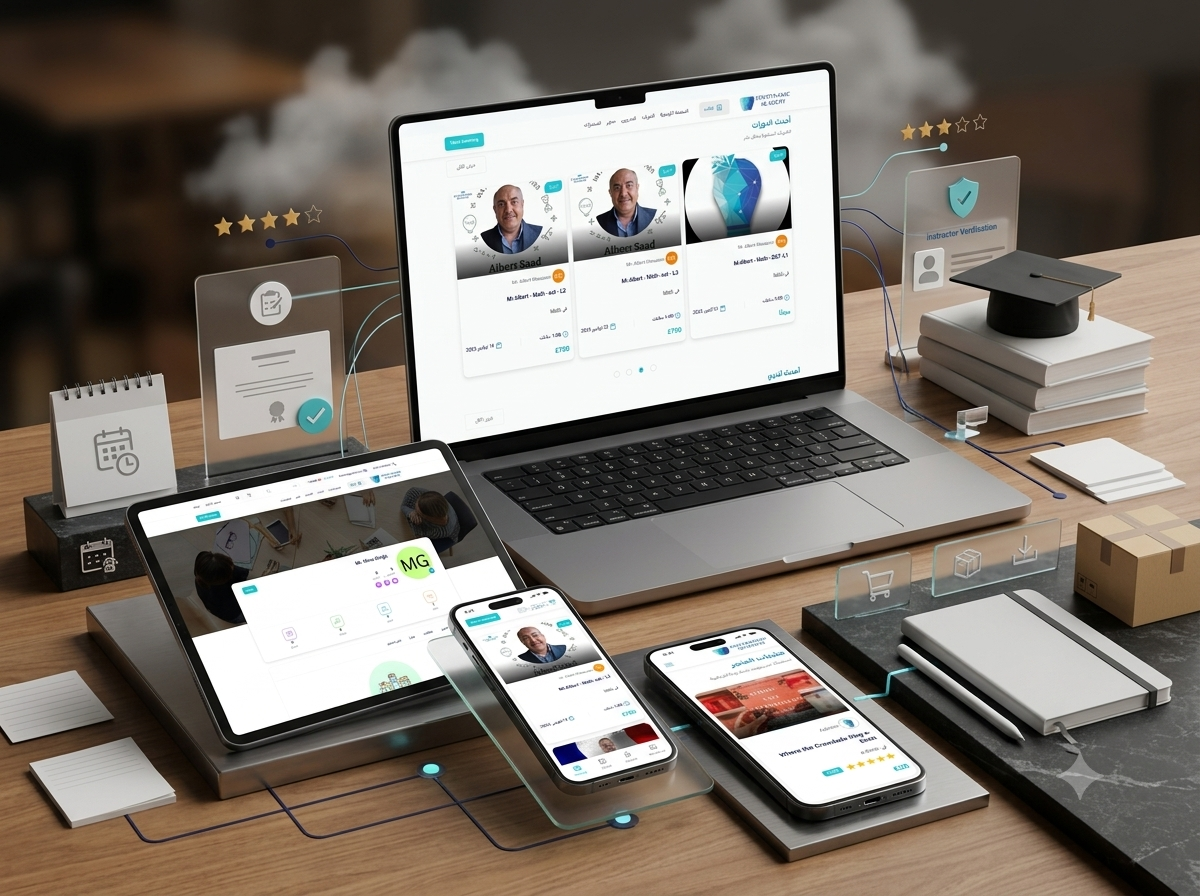
EduDynamic Academy
An integrated online learning marketplace combining free and paid courses, live classes, recorded and written lessons, course bundles, instructor profiles, educational products, forums, reviews, meeting bookings, multilingual navigation, and multi-currency educational commerce.
- Client : Smart Cities
- Duration : 5 Months
- year : 2025
- Website Link
Online Learning, Instructors, Educational Commerce, and Community in One Platform
EduDynamic Academy is an integrated online education platform combining digital courses, live classes, recorded and written lessons, course bundles, instructor profiles, educational products, community forums, reviews, and student enrolment.
Students can discover instructors, browse free and paid courses, compare learning options, enrol in individual programmes or complete bundles, purchase physical and digital educational products, review course content, follow instructors, and participate in educational discussions.
The platform supports several learning models, including recorded courses, live educational sessions, written lessons, downloadable content, free classes, paid programmes, course bundles, quizzes, and certificates where configured.
Instructors receive a professional digital presence for publishing courses, live sessions, bundles, articles, badges, and meeting services while maintaining student reviews and activity statistics.
The experience provides Arabic-first navigation with support for multilingual course titles, instructor profiles, educational content, currencies, and region-specific learning experiences.
 |
 |
Project Overview
EduDynamic Academy was developed to connect the complete learning journey, beginning with course and instructor discovery and continuing through enrolment, purchasing, learning, discussion, and review.
The home page highlights recent courses, bundles, products, and instructors alongside search, category, and filtering tools.
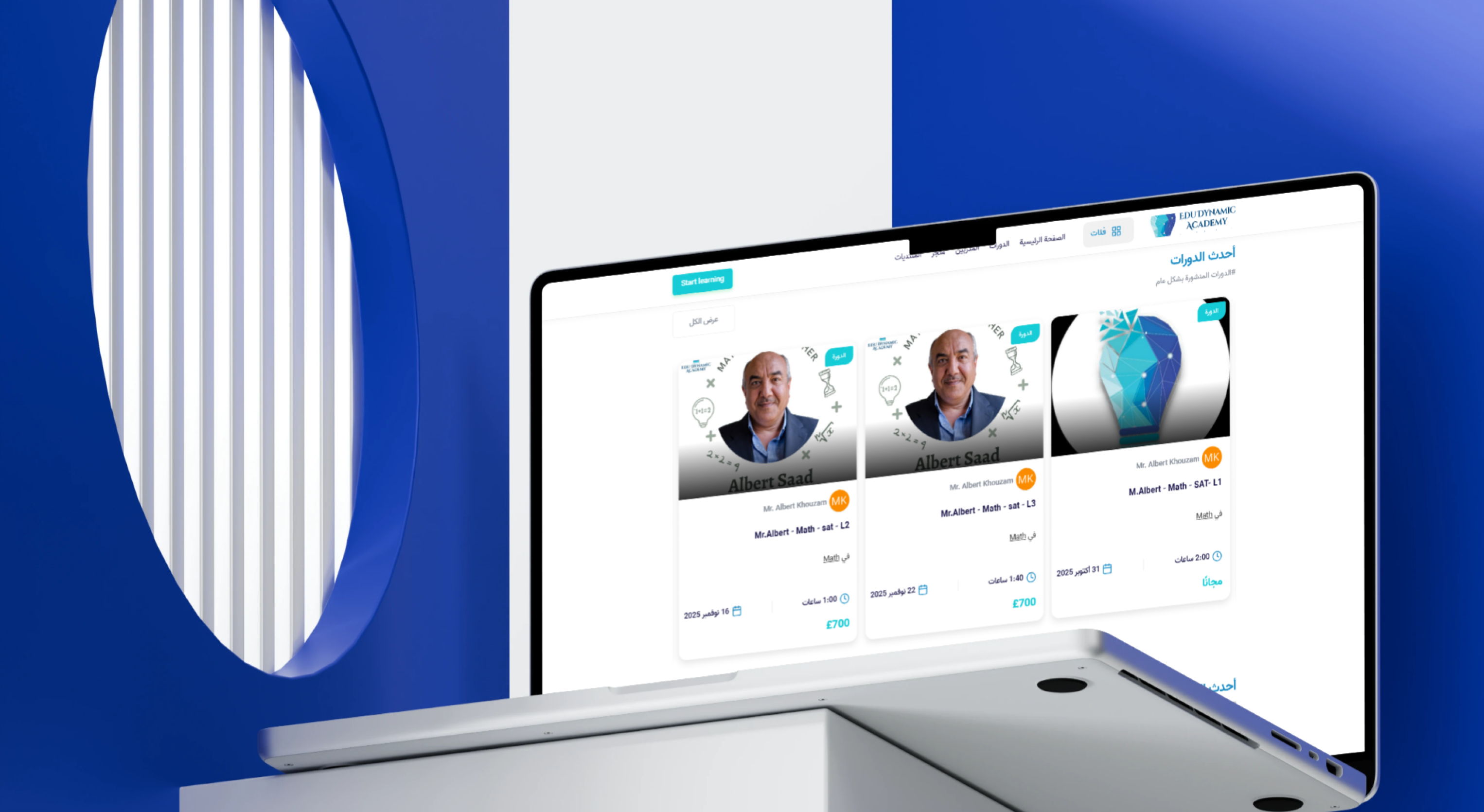
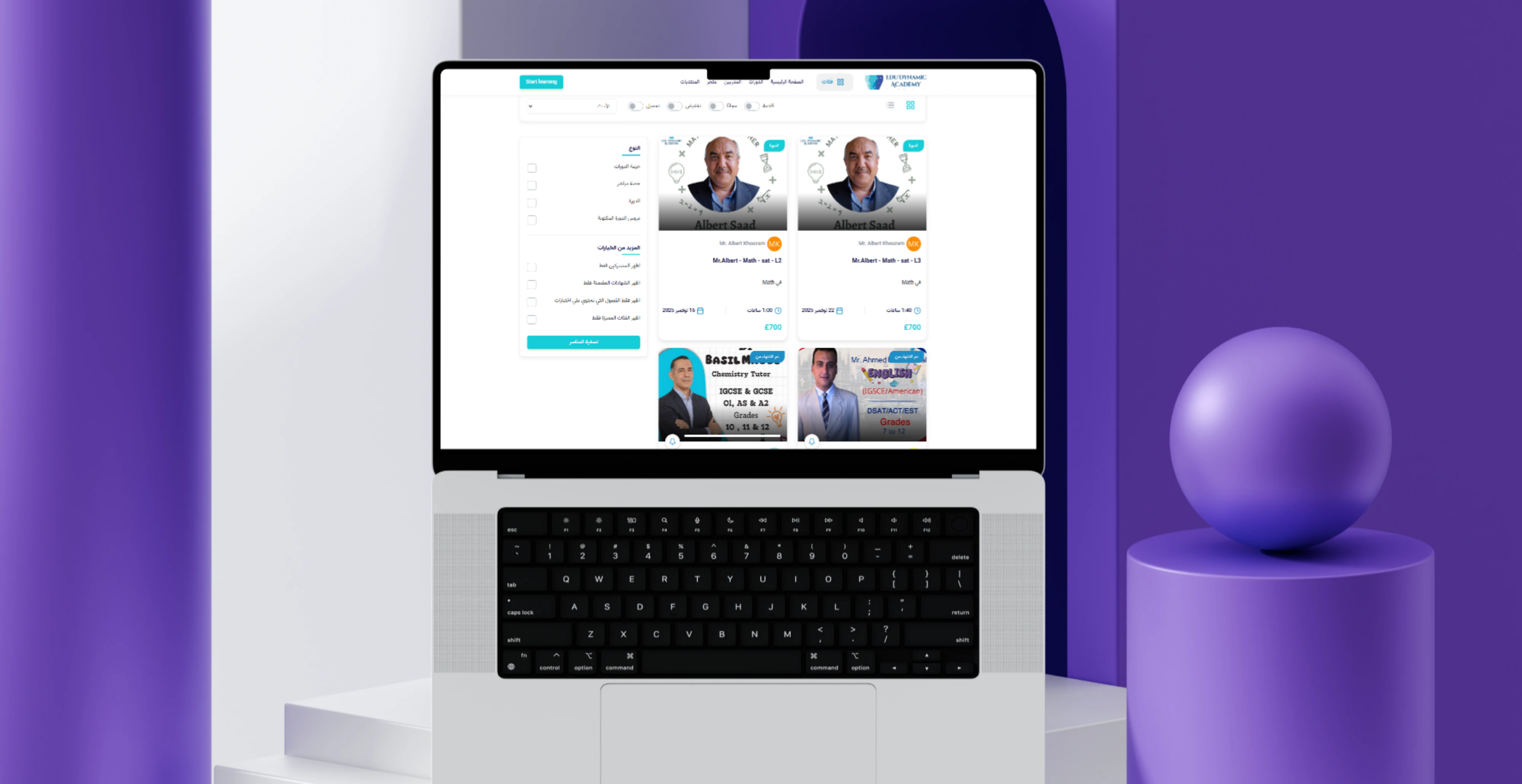
Students can review a course title, instructor, subject, duration, date, price, learning type, and availability before opening the course page.
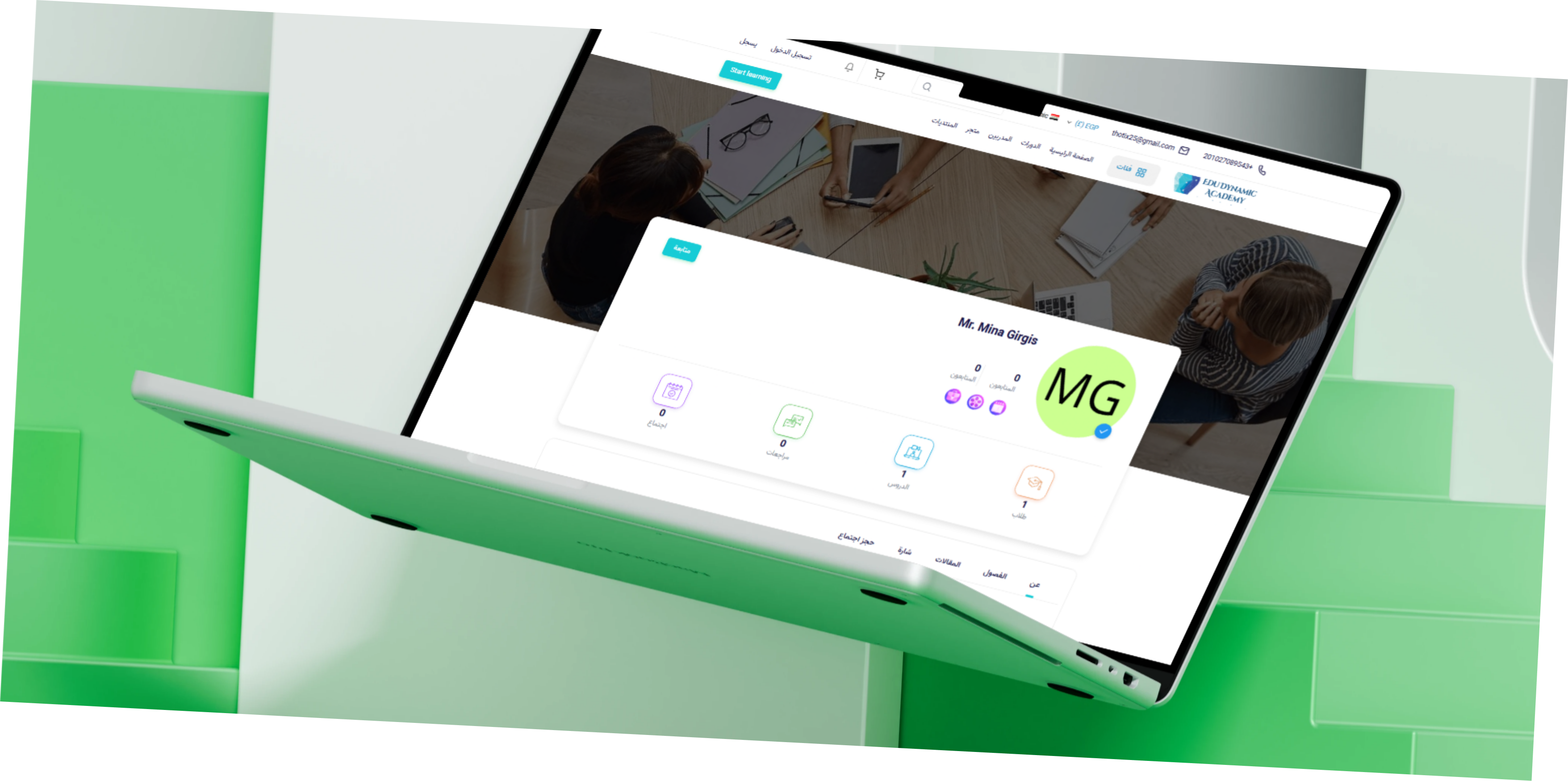
Instructor profiles present activity information such as student, lesson, review, follower, and meeting counts, alongside courses, articles, badges, and meeting-booking options.
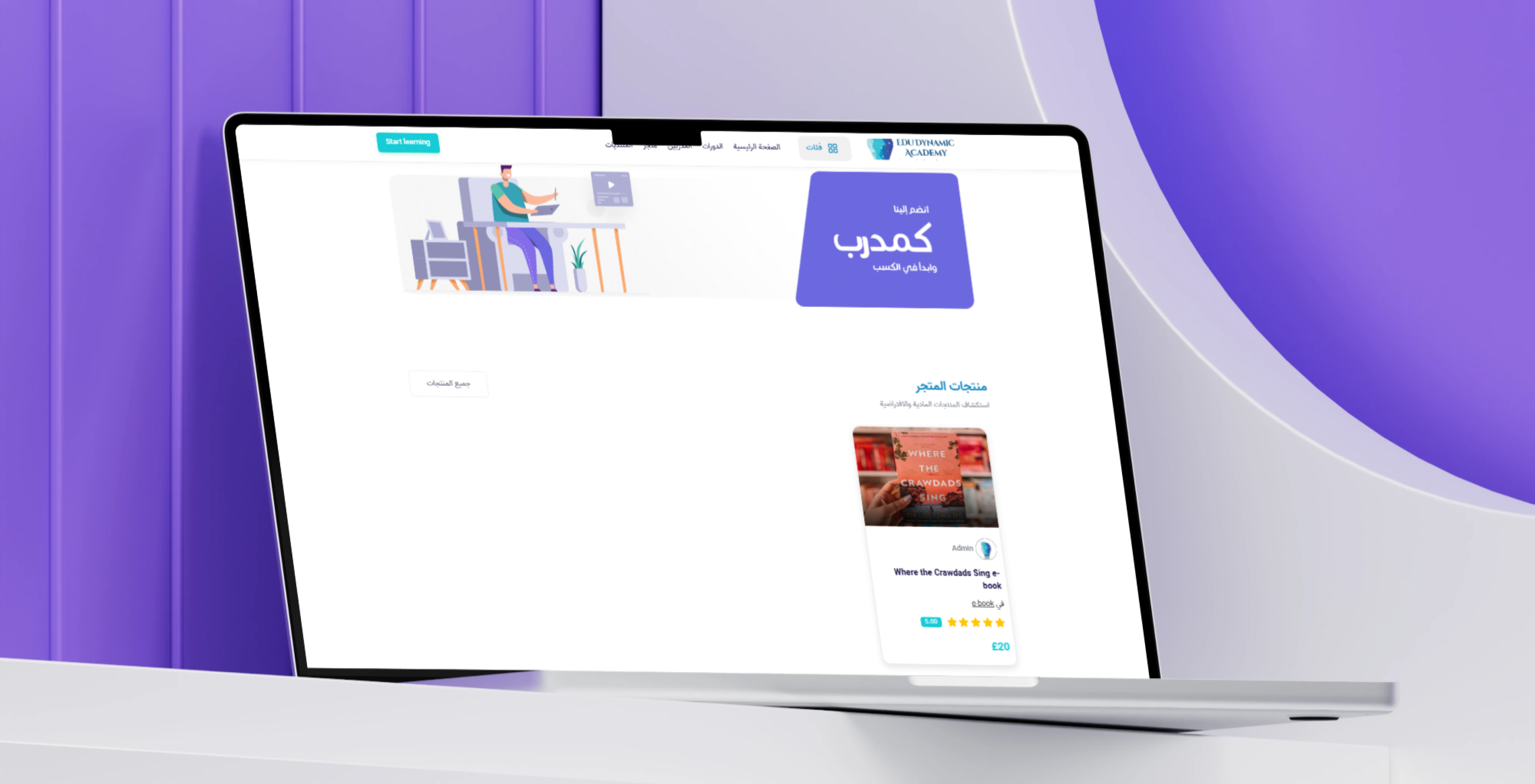
The educational store extends the learning experience through digital and physical products such as e-books, printed books, downloadable resources, study tools, science equipment, and learning materials.
Forums, course comments, instructor responses, and learner reviews create a connected community for questions, discussion, and resource sharing.
The Business and Educational Challenge
Online learning services frequently separate courses, live classes, instructor profiles, educational products, and student communities across different systems.
Students may need to discover an instructor on one platform, purchase a programme through another service, access resources separately, and use a different channel to ask questions.
Instructors also struggle to present their courses, live sessions, bundles, articles, badges, reviews, and consultations through one professional profile.
It can be difficult for learners to compare free and paid programmes or distinguish between live sessions, recorded courses, written lessons, and complete bundles.
Limited instructor verification and review information can reduce trust and make course selection more difficult.
Educational products are often disconnected from the courses and student accounts they are intended to support.
The project therefore required one unified environment combining learning content, instructor discovery, commerce, community, enrolment, and account-based access.
The Thotix Solution
Designed and developed by Thotix, EduDynamic Academy provides a connected learning marketplace for students, parents, instructors, private tutors, content creators, and educational sellers.
The platform is organised around a clear discovery journey using search, categories, filters, recent listings, featured content, instructor profiles, and educational products.
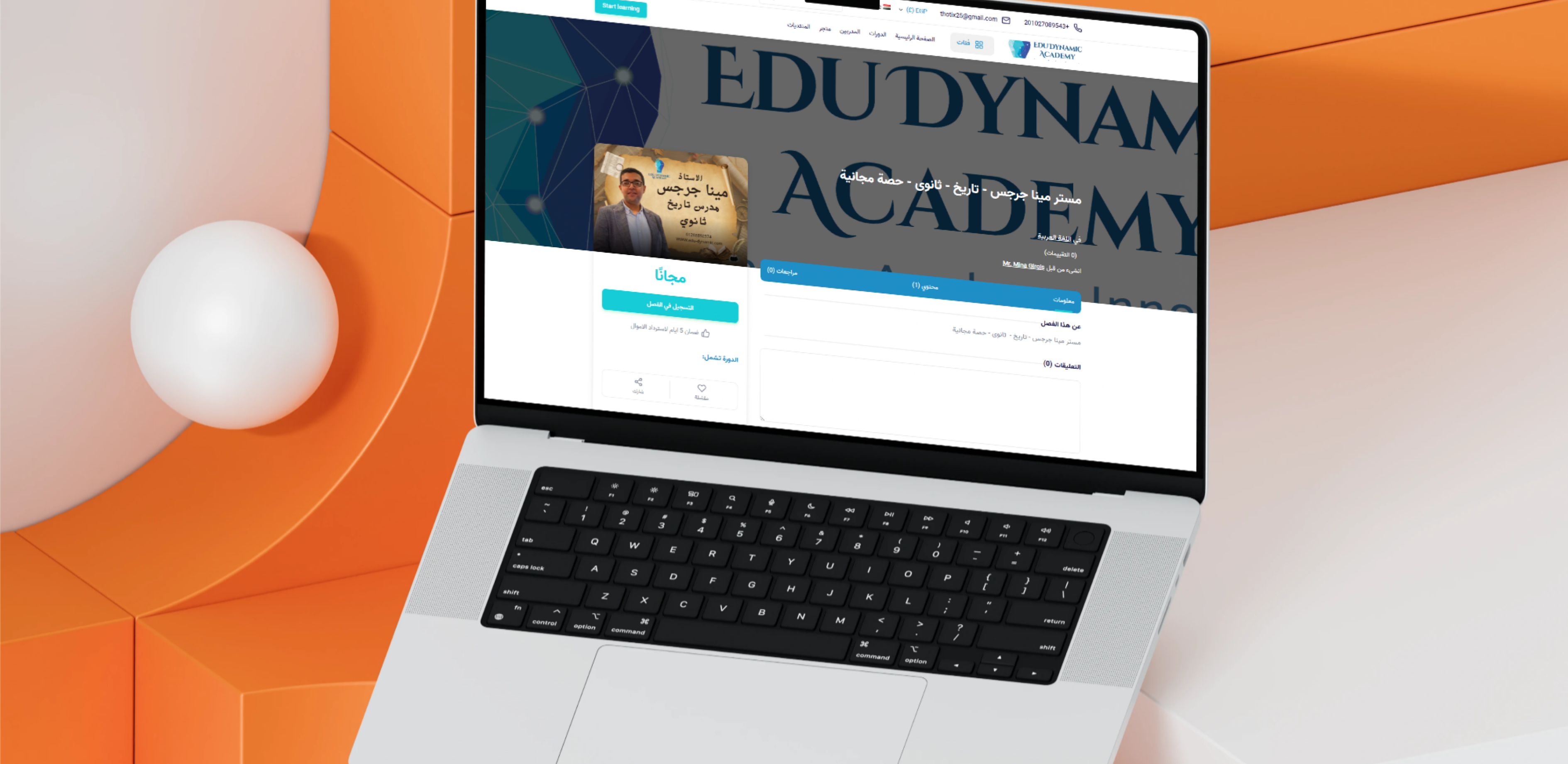
Course pages present the information required before enrolment, including instructor details, course content, duration, reviews, price, learning format, certificates, and quizzes where available.
Instructor profiles provide a professional space for displaying expertise, courses, articles, badges, statistics, followers, and individual meeting services.
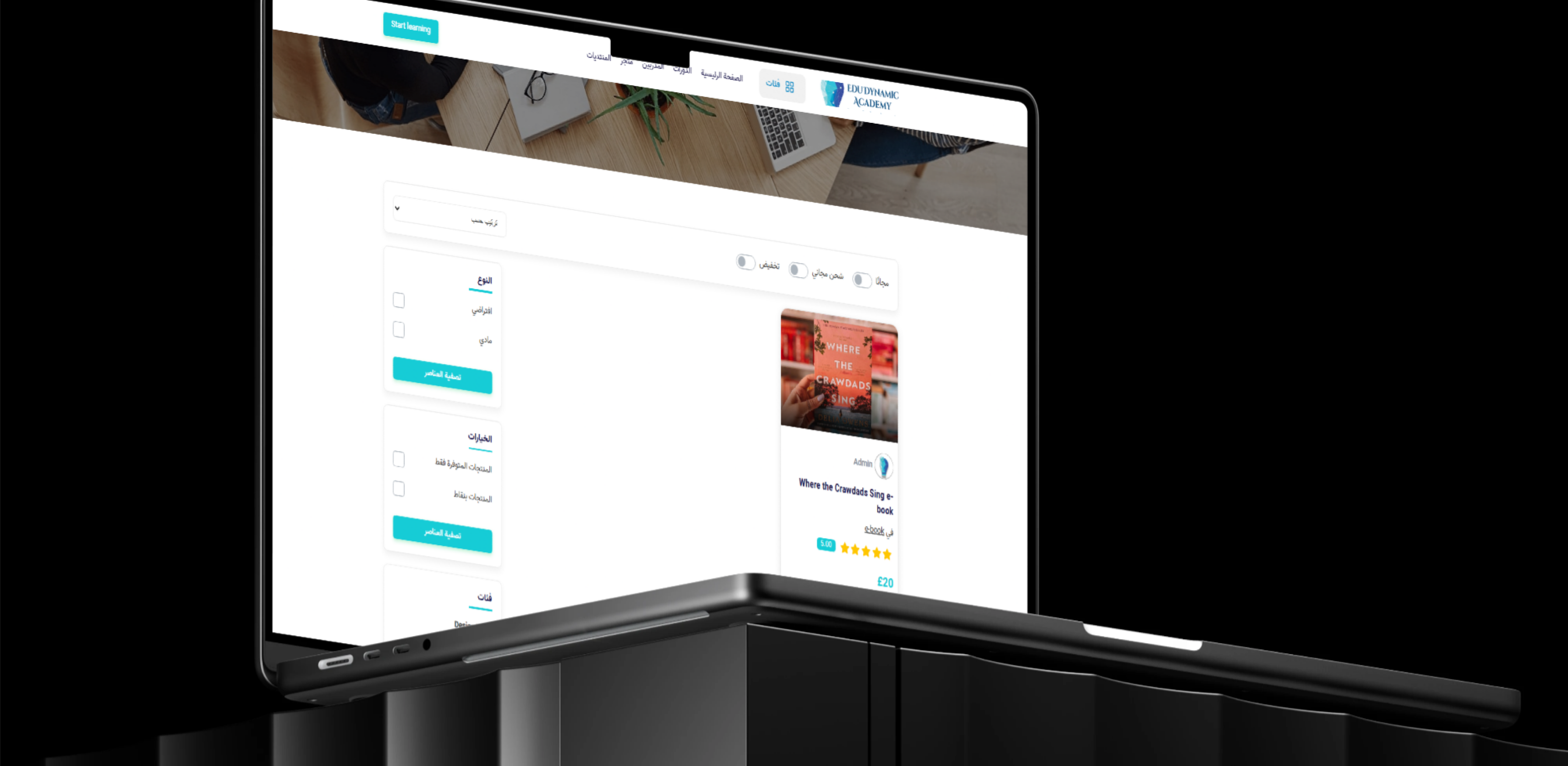
A connected educational store supports digital and physical products using the same cart and purchasing experience, with filters for availability, product type, free shipping, and points-supported items where enabled.
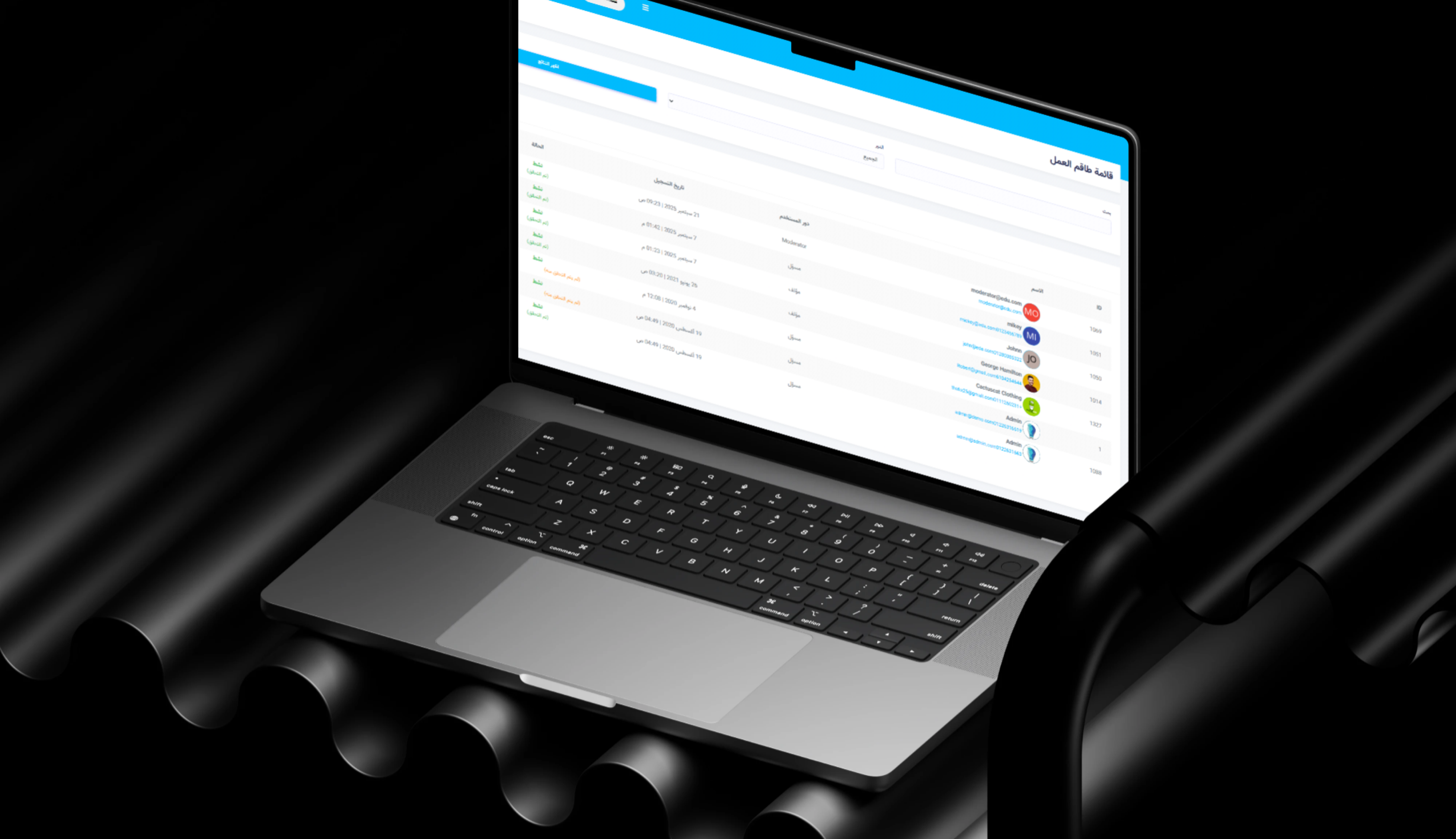
Forums and comments support learner interaction, while the administrative platform centralises users, instructors, learning content, products, orders, reviews, currencies, languages, and settings.
Main Platform Navigation
- Home: Access recent courses, bundles, products, and instructors.
- Courses: Browse programmes, lessons, and learning formats.
- Instructors: Discover educators and open professional profiles.
- Store: Purchase digital and physical educational products.
- Forums: Join learning discussions and subject communities.
- Categories: Browse subjects, teachers, products, and programmes.
- Start Learning: Begin the course-discovery and enrolment journey.
- Search: Find courses, instructors, products, and categories.
- Language Selection: Change the interface language.
- Currency Selection: View supported prices.
- Login and Registration: Access or create a learner account.
- Notifications: Review course, meeting, forum, and order updates.
- Shopping Cart: Manage selected courses, bundles, and products.
Learning Marketplace Features
Latest Courses
- Course Image: Present a clear learning visual.
- Instructor Name: Identify the course provider.
- Instructor Avatar or Initials: Provide profile recognition.
- Course Title: Display the programme name.
- Subject Category: Connect the course with its learning field.
- Duration: Present course or session length.
- Date: Display a start or publishing date where available.
- Price: Present the current value.
- Free Indicator: Identify content available without payment.
- Course-Type Label: Distinguish bundles, live sessions, and full courses.
Free and Paid Courses
- Free Courses: Provide introductory or complete learning content without a fee.
- Fixed-Price Courses: Maintain a clear purchase value.
- Discounted Courses: Present original and promotional prices.
- Paid Bundles: Combine several learning resources into one purchase.
- Live-Session Pricing: Charge according to the session and instructor.
- Downloadable Lesson Pricing: Sell learning resources available after purchase.
Course Cards
- Thumbnail: Display the course cover.
- Course Badge: Identify the learning type.
- Instructor: Connect the programme with its educator.
- Course Title: Present the programme name.
- Subject: Display the learning field.
- Duration: Present content length.
- Price: Display the selling value or free status.
- Completion State: Identify completed programmes where configured.
- Availability: Present current enrolment status.
- Rating: Display learner evaluation where available.
Course Types
- Course bundles.
- Live sessions.
- Full courses.
- Written course lessons.
- Downloadable content.
- Completed courses.
- Subscriber-only content.
- Certificate-supported courses.
- Quiz-enabled chapters.
- Featured categories.
Course Bundles
A dedicated Latest Bundles section allows instructors to combine several educational resources into one structured learning path.
- Multiple Levels: Combine beginner, intermediate, and advanced content.
- Recorded Lessons: Include several organised learning units.
- Live Classes: Add scheduled educational sessions.
- Revision Sessions: Include exam or topic review meetings.
- Practice Materials: Provide exercises and learning resources.
- Tests: Evaluate students throughout the learning path.
- Downloadable Documents: Include guides, worksheets, and notes.
- Certificate Eligibility: Connect completion with a certificate where configured.
- Single Purchase: Allow students to access the complete path through one package.
Live Classes
- Session Date: Define when the class takes place.
- Starting Time: Present the session time.
- Duration: Define class length.
- Instructor: Connect the session with its teacher.
- Subject: Identify the educational topic.
- Enrolment Fee: Display the participation value.
- Student Limit: Maintain session capacity where configured.
- Meeting Link: Provide access information to enrolled students.
- Reminders: Notify learners before the session.
- Attendance Tracking: Record participation where supported.
- Recorded Replay: Provide session access later where enabled.
Recorded and Written Courses
- Recorded Lessons: Organise learning into chapters and units.
- Written Content: Present structured textual explanations.
- Downloadable Files: Attach books, worksheets, and resources.
- Chapter-Based Learning: Divide the course into clear stages.
- Quizzes: Evaluate understanding after lessons.
- Completion Tracking: Record lessons completed by the student.
- Certificates: Provide completion recognition where configured.
- Student Comments: Allow questions and discussion.
- Instructor Responses: Provide answers connected to course content.
 |
 |
Course Catalogue and Filters
Course Catalogue
- Browse all courses.
- Switch between grid and list views.
- Sort by latest.
- Filter by learning type.
- Display free courses.
- Display discounted courses.
- Show downloadable programmes.
- Show subscriber-only courses.
- Show certificate-supported courses.
- Show quiz-enabled learning content.
- Browse featured categories.
Course-Type Filters
- Course bundle.
- Live class.
- Course.
- Written course lessons.
Additional Filters
- Subscribers only.
- Certificate included.
- Quiz-enabled chapters.
- Featured categories.
Commercial Filters
- Free.
- Discounted.
- Downloadable.
- Available now.
- Latest.
Course Search
- Course Name: Search using the programme title.
- Instructor Name: Locate courses published by an educator.
- Subject: Find content within an academic field.
- Level: Select an appropriate learning level.
- Category: Browse within a learning section.
- Keyword: Find content related to a specific topic.
- Educational Programme: Locate a structured path or curriculum.
Course Details
Course Detail Page
- Course Cover: Display the main programme image.
- Course Title: Present the full learning title.
- Subject Category: Identify the academic field.
- Number of Reviews: Display learner-review volume.
- Instructor Name: Connect the course with its educator.
- Information Tab: Present the programme overview.
- Content Tab: Display chapters and lessons.
- Reviews Tab: Present learner feedback.
- Price: Show the current value.
- Free Indicator: Identify programmes available without payment.
- Enrol Button: Begin registration or purchase.
- Refund Guarantee: Present the eligible refund period.
- Favourite Action: Save the course for later.
- Share Action: Send the course to other learners.
- Comments: Ask questions and discuss the content.
Course Information
- Course overview.
- Learning outcomes.
- Target learners.
- Subject.
- Level.
- Course language.
- Instructor.
- Duration.
- Number of lessons.
- Course requirements.
- Start date.
- Access duration.
- Certificate details where available.
Course Content
- Chapters: Divide the programme into major units.
- Lessons: Organise learning within every chapter.
- Lesson Duration: Present the length of each unit.
- Downloadable Resources: Attach learning files.
- Tests: Connect chapters with assessments.
- Live Sessions: Present scheduled classes.
- Completed Lessons: Display student progress.
- Locked Lessons: Protect unavailable content.
- Preview Lessons: Allow selected content to be reviewed before enrolment.
Course Reviews
- Overall Rating: Present the average learner evaluation.
- Learner Feedback: Display student experiences.
- Submit a Review: Allow eligible students to publish feedback.
- Written Comments: Explain the learning experience.
- Course or Instructor Rating: Support trust and comparison.
- Review Count: Display the level of learner participation.
Course Enrolment
- Free-Course Registration: Add the programme to the student account.
- Paid-Course Purchase: Add the course to the cart and checkout.
- Live-Session Joining: Reserve a place in a scheduled class.
- Lesson Access: Open learning content after entitlement is confirmed.
- Learning Account: Organise enrolled courses in one place.
- Future Updates: Receive programme announcements and changes.
Refund Guarantee
The course page displays a five-day money-back guarantee for eligible purchases according to the platform’s refund policy.
Favourite Courses
- Build a learning wishlist.
- Return to courses later.
- Compare instructors and programmes.
- Monitor prices and offers.
- Enrol at a later date.
Course Sharing
- Supported social networks.
- Messaging applications.
- Direct links.
- Email.
Instructor Marketplace
Instructor Directory
- Browse Instructors: Discover available educators.
- Open Profiles: Review experience and activity.
- View Lessons: Explore published learning content.
- Student Numbers: Review learner reach.
- Reviews: Read student feedback.
- Follow Instructors: Receive future updates.
- Browse Courses: Review all programmes published by an instructor.
- View Articles: Access educational writing.
- Review Badges: View platform achievements.
- Book Meetings: Request individual sessions or consultations.
Instructor Profile
- Instructor Name: Present the professional identity.
- Profile Image or Initials: Provide visual recognition.
- Verification Indicator: Identify approved profiles.
- Student Count: Display learner reach.
- Follower Count: Present the instructor audience.
- Lesson Count: Display learning activity.
- Review Count: Present student evaluation volume.
- Meeting Count: Display individual-session activity.
- Follow Button: Add the instructor to a preferred list.
- About Tab: Present biography and expertise.
- Courses Tab: Display published programmes.
- Articles Tab: Present educational writing.
- Badges Tab: Display achievements.
- Book Meeting: Request an individual educational service.
Verified Instructor Profiles
The verification indicator helps learners identify profiles reviewed according to the platform’s approval procedures.
- Identity confirmation.
- Qualification review.
- Platform approval.
- Teaching-experience review.
- Completed profile requirements.
Follow Instructor
- Receive new-course updates.
- View new articles.
- Track live sessions.
- Access instructor announcements.
- Maintain a preferred-instructor list.
Instructor Statistics
- Students.
- Lessons.
- Reviews.
- Followers.
- Meetings.
- Courses.
- Articles.
- Badges.
Instructor Courses
- Free courses.
- Paid courses.
- Live lessons.
- Bundles.
- Completed programmes.
- Subject categories.
Instructor Articles
- Subject explanations.
- Study methods.
- Exam preparation.
- Learning tips.
- Course announcements.
- Academic resources.
Instructor Badges
- Verified instructor.
- Top-rated teacher.
- High student enrolment.
- Course-completion milestones.
- Community contribution.
- Subject expertise.
- Platform achievement.
Meeting Booking
- One-to-one tutoring.
- Academic consultation.
- Revision sessions.
- Study-plan discussion.
- Parent consultation.
- Course guidance.
Educational Store
Store Products
- E-books.
- Physical books.
- Educational tools.
- Science tools.
- Design tools.
- Study materials.
- Learning resources.
- Downloadable products.
 |
 |
Product Cards
- Product Image: Present the educational item visually.
- Seller or Administrator: Identify the publishing account.
- Product Title: Display the item name.
- Product Category: Connect the item with its educational field.
- Rating: Present customer evaluation.
- Review Score: Display the numerical value where available.
- Price: Present the selling amount.
- Product Type: Identify digital or physical items.
- Availability: Display purchasing status.
Digital Products
- E-books.
- PDF guides.
- Downloadable templates.
- Educational software.
- Study resources.
Physical Products
- Printed books.
- Learning tools.
- Educational kits.
- Stationery.
- Science equipment.
Product Catalogue Filters
- Product Type: Digital or physical.
- Available Products: Display currently purchasable items.
- Points-Supported Products: Show items that can be purchased with points where enabled.
- Categories: Browse sections such as Design Tools and Science Tools.
- Free Shipping: Display eligible physical products.
- Free Products: Present resources without a purchase value.
- Discounted Products: Browse current offers.
Product Sorting
- Latest.
- Recommended.
- Price.
- Rating.
- Popularity.
Product Ratings
- Star rating.
- Numerical score.
- Customer reviews.
- Review count.
Store Cart
- Courses.
- Course bundles.
- Educational products.
- Digital products.
- Physical products.
- Quantity updates.
- Order total.
- Currency selection.
- Checkout.
Forums and Learning Community
Forums
- Student Discussions: Exchange educational ideas and experiences.
- Course Questions: Ask questions related to learning content.
- Subject Communities: Create discussion areas by field.
- Instructor Responses: Provide professional educational answers.
- Exam Preparation: Discuss study plans and questions.
- Resource Sharing: Exchange links and materials.
- Peer Support: Allow learners to assist one another.
- General Topics: Discuss wider educational subjects.
Course Comments
- Ask questions.
- Post feedback.
- Discuss chapters and lessons.
- Receive instructor replies.
- Interact with other learners.
Reviews and Community Trust
Reviews can be connected to courses, instructors, products, and learning experiences, helping users compare options before enrolment or purchase.
Categories and Discovery
- Courses: Organise educational programmes.
- Subjects: Group content by learning field.
- Instructors: Organise educators according to expertise.
- Products: Structure store items.
- Bundles: Present complete learning paths.
- Live Classes: Display available sessions.
- Educational Tools: Organise supporting products.
Featured Categories
- Popular subjects.
- Exam-preparation courses.
- High-performing instructors.
- New learning programmes.
- Seasonal academic content.
Latest Content
- Latest courses.
- Latest bundles.
- Latest products.
- New instructor lessons.
- Recent community content.
Student Account and Purchasing Experience
Registration and Login
- Account Creation: Register a new learner.
- Login: Access owned and enrolled content.
- Course Enrolment: Connect programmes with the learner account.
- Product Purchases: Manage educational store orders.
- Instructor Following: Build a preferred educator list.
- Favourites: Save courses and products.
- Reviews: Publish learner feedback.
- Forums: Participate in the community.
- Learning Activity: Access purchased courses and resources.
Notifications
- New courses.
- Upcoming live sessions.
- Instructor announcements.
- Enrolment confirmation.
- Course completion.
- Store orders.
- Forum replies.
- Meeting bookings.
Multi-Currency Support
The platform includes a currency selector and can display prices using configured currencies, including Egyptian Pounds and British Pounds as visible in selected listings.
Multi-Language Support
- Arabic.
- English.
- Translated courses.
- Localised navigation.
- Multi-language instructor profiles.
- Region-specific content.
Contact Information
- Phone Number: Support student enquiries.
- Email Address: Receive support messages.
- Course Support: Handle enrolment and access issues.
- Instructor Communication: Organise educational enquiries.
- Store Support: Assist with orders and delivery.
- Technical Assistance: Handle account and platform issues.
Main User Types
Student
Browses courses and instructors, enrols in learning content, purchases products, follows educators, publishes reviews, and participates in forums.
Parent
Searches for appropriate teachers and programmes, reviews instructor profiles and ratings, and purchases learning services for children.
Instructor
Publishes courses, provides live sessions, creates bundles, writes articles, answers students, and receives learner reviews.
Private Tutor
Uses the platform to market individual lessons, accept enrolments, and book one-to-one meetings.
 |
 |
Educational Content Creator
Sells e-books, written lessons, downloadable materials, and digital learning tools.
Store Seller
Publishes educational products and manages prices, inventory, availability, and orders according to available permissions.
Community Member
Participates in forums, discussions, comments, and peer learning.
Platform Administrator
Manages students, instructors, courses, bundles, products, orders, reviews, forums, currencies, languages, and platform settings.
Student Learning Journey
- The student visits EduDynamic Academy.
- The latest courses or instructors are explored.
- The student searches by subject, teacher, or category.
- Appropriate filters are applied.
- A course page is opened.
- The instructor, content, duration, date, price, and reviews are examined.
- The course is saved or shared.
- The student enrols in a free course or purchases a paid programme.
- The course appears in the learning account.
- Lessons, files, and resources become available.
- The student attends included live sessions.
- Quizzes are completed where available.
- A certificate is received when the requirements are met.
- The learner submits feedback or a review.
- The instructor is followed for future content.
Educational Product Purchase Journey
- The user opens the educational store.
- Digital or physical products are selected.
- Category, availability, free-shipping, or points filters are applied.
- The product image, type, rating, and price are reviewed.
- The product is added to the cart.
- The cart and total are reviewed.
- The preferred currency and available payment method are selected.
- Delivery information is entered for physical products.
- The purchase is confirmed.
- Digital products are added to the account or made available for download.
- Physical products are prepared for delivery.
Instructor Journey
- The instructor creates or receives an approved account.
- The professional profile is completed.
- The platform reviews the profile where verification applies.
- Courses or live sessions are added.
- Course bundles are created.
- Prices, dates, and availability are configured.
- Educational articles are published.
- Students begin following the instructor.
- Learners enrol in courses.
- The instructor delivers lessons and sessions.
- Comments and forum questions are answered.
- Students publish reviews.
- The instructor reviews students, lessons, meetings, and ratings.
Administration Dashboard Capabilities
- Manage students and user accounts.
- Manage instructors and verification workflows.
- Manage courses, chapters, and lessons.
- Manage live classes.
- Manage course bundles.
- Configure course prices, free courses, and discounts.
- Manage course enrolments.
- Manage certificates and quizzes.
- Review ratings and comments.
- Manage instructor articles.
- Manage instructor badges.
- Manage meeting bookings.
- Manage digital and physical educational products.
- Manage product types and categories.
- Monitor inventory and availability.
- Manage store orders and shipping.
- Manage points-supported products where enabled.
- Manage main and featured categories.
- Manage forums and posts.
- Send notifications.
- Manage currencies and languages.
- Review payments and refund requests.
- Manage home-page sections.
- Update contact information and platform settings.
Connected Digital Ecosystem
Learning Management Platform
Manages courses, chapters, lessons, live sessions, quizzes, certificates, and learner progress.
Instructor Marketplace
Presents instructor profiles, courses, articles, badges, statistics, followers, and meeting services.
Educational Store
Supports digital and physical educational products through a connected cart and order workflow.
Learning Community
Combines forums, comments, reviews, instructor responses, and resource sharing.
Educational Commerce Engine
Manages paid courses, bundles, products, carts, currencies, orders, and refund workflows.
Administration Platform
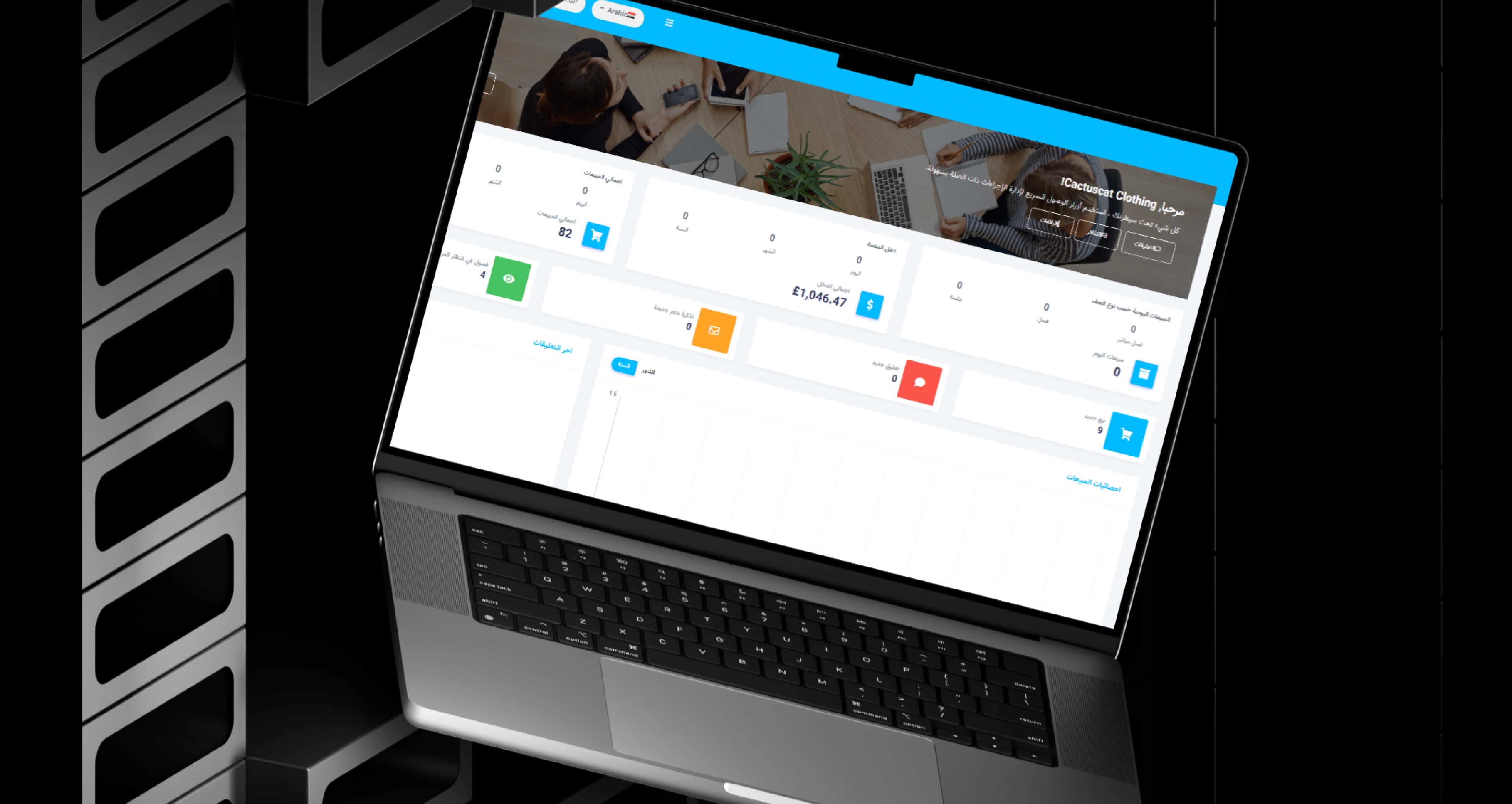
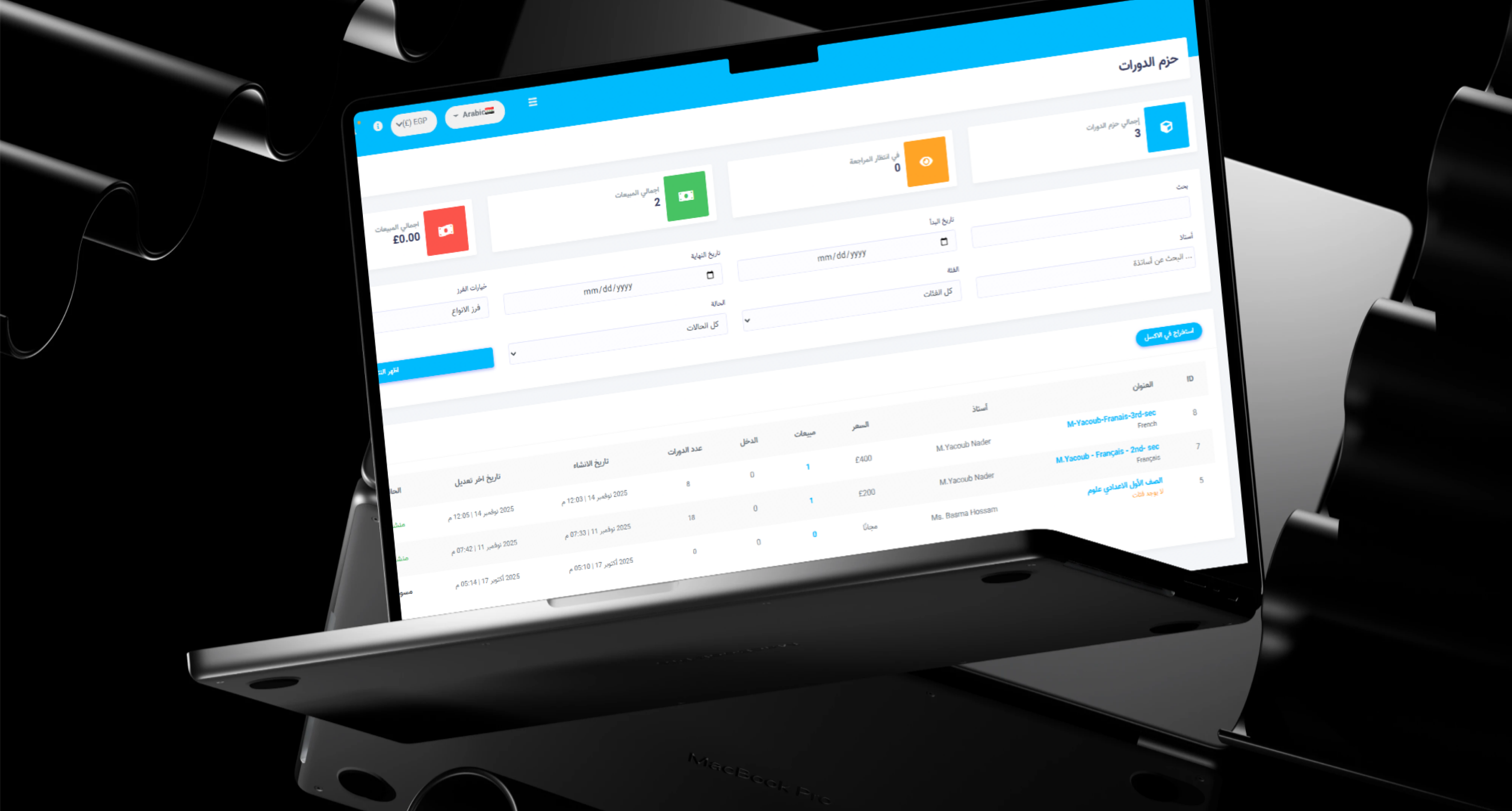
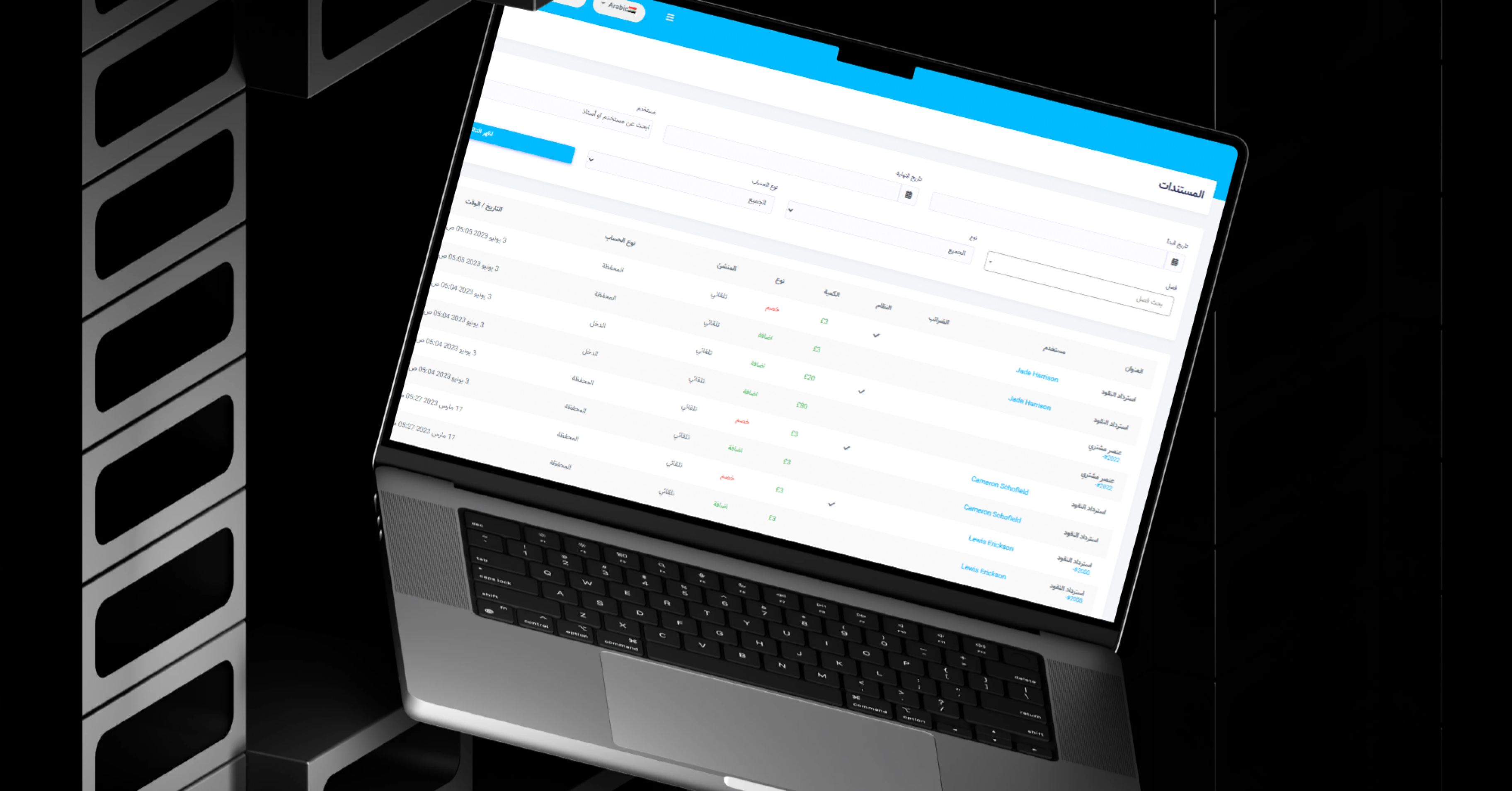
Centralises users, instructors, learning content, products, orders, community activity, and settings.
 |
 |
Business and Educational Value
- Combines courses, instructors, products, and community in one platform.
- Supports free and paid learning.
- Provides live, recorded, and written education.
- Gives instructors a complete digital storefront.
- Helps students compare programmes and educators.
- Provides transparent ratings and reviews.
- Supports complete learning paths through bundles.
- Expands revenue through an educational store.
- Connects digital and physical learning products.
- Builds community through forums and comments.
- Supports one-to-one meeting bookings.
- Encourages repeat engagement through instructor following.
- Supports multiple currencies and languages.
- Provides clear filtering and content discovery.
- Creates a scalable foundation for more subjects, instructors, courses, and products.
Technology Overview
- Platform Type: Online learning marketplace and educational e-commerce platform.
- Learning Formats: Recorded courses, live sessions, written lessons, bundles, and downloadable content.
- User Channels: Students, parents, instructors, tutors, sellers, and administrators.
- Commerce: Paid courses, free courses, products, cart, currencies, orders, and refunds.
- Community: Forums, comments, reviews, and instructor following.
- Instructor Tools: Profiles, courses, articles, badges, meetings, students, and reviews.
- Store: Digital and physical educational products.
- Discovery: Search, filters, categories, featured content, and latest listings.
- Localisation: Arabic and English support with multilingual content.
- Architecture: A unified LMS, instructor marketplace, educational store, and community platform.
Project Highlights
- Integrated online academy.
- Course marketplace.
- Instructor directory.
- Verified instructor profiles.
- Free and paid courses.
- Live classes.
- Recorded and written lessons.
- Course bundles.
- Certificates and quizzes.
- Course ratings and reviews.
- Favourite and sharing functions.
- Five-day refund guarantee for eligible purchases.
- Instructor following.
- Instructor articles and badges.
- Meeting booking.
- Educational e-commerce store.
- Digital and physical products.
- Product and free-shipping filters.
- Points-supported products where enabled.
- Multi-currency and multi-language support.
- Forums and comments.
- Connected student, instructor, and seller ecosystem.
Conclusion
The EduDynamic Academy project demonstrates Thotix’s ability to build digital education platforms that connect content, instructors, commerce, and community.
By bringing together free and paid courses, live classes, recorded and written lessons, bundles, instructor profiles, reviews, educational products, forums, and meeting services, the platform provides a complete environment for students, parents, educators, and content creators.
The ecosystem gives EduDynamic Academy a scalable foundation for adding more subjects, instructors, programmes, products, learning formats, and community features.
Designed and developed by Thotix.
From Ancient Wisdom to Future Intelligence.