
CabMe
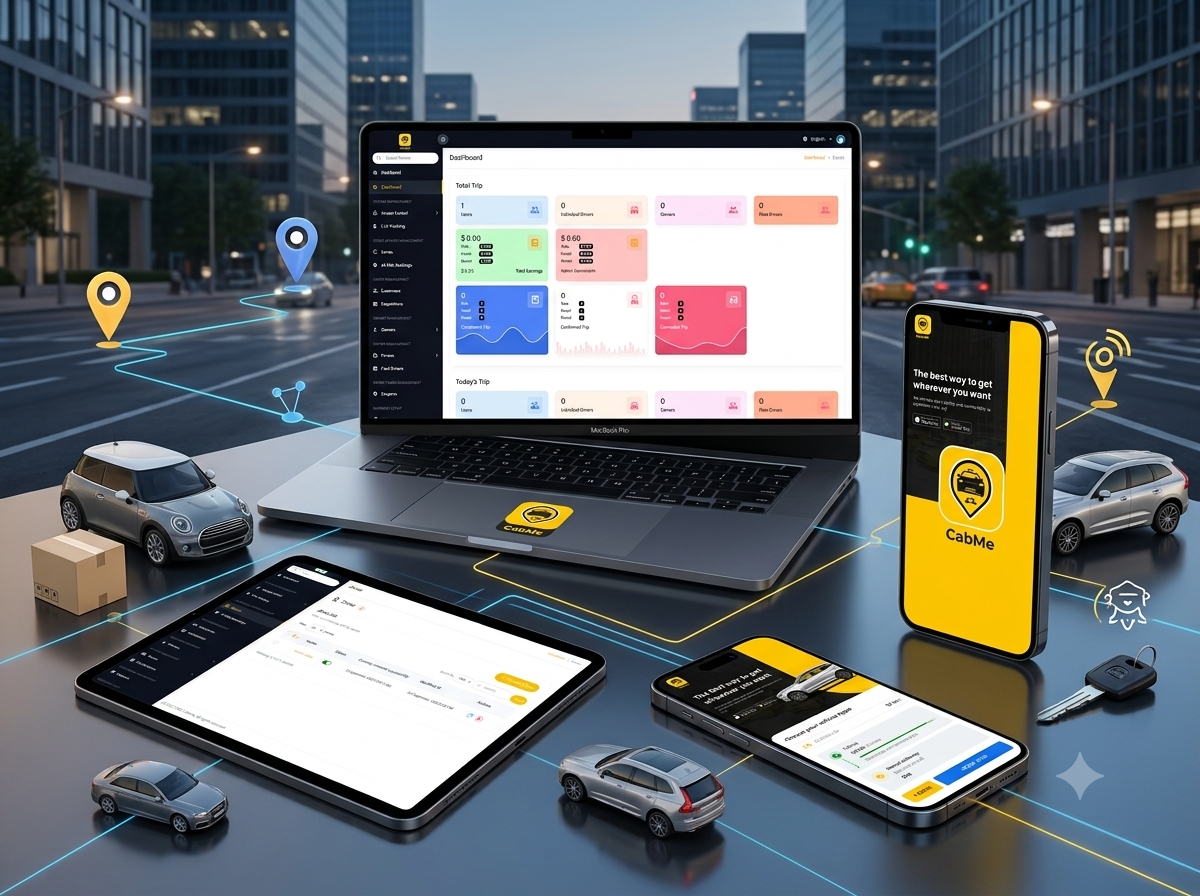
A multi-service transportation platform combining passenger rides, parcel delivery, vehicle rental, driver and fleet management, dispatch operations, live tracking, service zones, coupons, commissions, user administration, and operational analytics.
- Client : CabMe
- Duration : 6 Months
- year : 2025
- Website Link
- Admin Link
Ride-Hailing, Parcel Delivery, Vehicle Rental, Fleet, and Dispatch Management in One Platform
CabMe is an integrated transportation platform designed to connect passengers, customers, drivers, fleet owners, dispatchers, operations teams, and administrators through one digital ecosystem.
The solution combines a customer mobile application with a web-based operations dashboard for managing passenger bookings, parcel-delivery requests, vehicle rentals, independent drivers, fleet drivers, owners, service zones, live tracking, coupons, commissions, and business performance.
Customers can define pickup and destination locations through a map, review the calculated distance, select a suitable vehicle category, view an estimated arrival time, and submit a service request from their phones.
On the operational side, administrators receive central visibility into users, drivers, fleets, owners, dispatchers, trips, zones, promotions, earnings, commissions, and service performance.
The platform supports three primary commercial services: passenger rides, parcel delivery, and vehicle rental.
 |
 |
Project Overview
CabMe was developed to centralise the tools required by modern transportation businesses instead of managing bookings, drivers, fleets, tracking, dispatch, and reporting through separate systems.
The customer journey begins with pickup and destination selection. The platform calculates the route distance and presents available vehicle categories such as Mini, Sedan, and SUV.
Once submitted, the request becomes available to driver and dispatch workflows, allowing a driver to be assigned or accept the booking while the platform monitors arrival and service status.
The same operating environment supports parcel requests between pickup and delivery locations and rental bookings configured according to service duration or other platform rules.
The administration system distinguishes independent drivers from fleet drivers and connects drivers with owners, vehicles, documents, approval states, and operating availability.
Dashboard analytics present users, drivers, owners, completed services, confirmed bookings, cancellations, earnings, and commissions, with results separated across ride, parcel, and rental services.
The Business and Operational Challenge
Transportation companies often rely on separate systems for customer accounts, ride requests, drivers, fleets, dispatchers, service zones, promotions, and financial reporting.
Fragmented tools can delay trip assignment and make it difficult to understand driver availability, vehicle locations, or the status of active bookings.
Driver earnings and platform commissions may also require manual review, particularly when several service types are operating together.
Fleet owners may have limited visibility into vehicles, drivers, trips, and revenue when operational information is spread across different tools.
Platforms without zone controls can accept requests from locations that cannot be served, increasing cancellations and unsuccessful fulfilment.
Customers need a clear experience for selecting pickup, destination, vehicle category, and expected arrival time before confirming a request.
Business owners also require consolidated reporting for completed, confirmed, and cancelled bookings, earnings, commissions, users, and service performance.
The project therefore required a unified platform connecting mobile booking, location services, drivers, fleets, dispatch, zones, tracking, and financial analytics.
The Thotix Solution
Designed and developed by Thotix, CabMe provides a central digital environment for transportation booking, fleet operations, and dispatch management.
The customer experience is structured around maps, locations, distance, vehicle categories, and clear booking actions.
The mobile application is connected to an operational dashboard that provides central access to bookings, drivers, owners, fleets, zones, and trip statuses.
Independent and fleet drivers are managed separately, while every driver can be connected with an owner, vehicle, documents, approval state, and operational availability.
Live tracking supports the monitoring of driver locations, active trips, pickup progress, delivery activity, and route movement.
Access controls allow platform administrators, dispatchers, support employees, fleet managers, and finance teams to receive permissions according to their responsibilities.
Public Website
Marketing Landing Page
The project includes a public website introducing the CabMe service and directing customers towards the mobile booking experience.
- CabMe Branding: Present the transportation-service identity.
- Our Mission: Explain the platform’s purpose.
- How It Works: Introduce the booking journey.
- Mobile Application Section: Present key customer functionality.
- Promotional Message: Position CabMe as a fast and comfortable city-transport service.
- Vehicle Imagery: Represent the available transportation categories.
- Download Actions: Provide dedicated access for Android and iOS distribution.
- Responsive Design: Support public browsing across mobile and desktop screens.
Main Customer Value
- Faster access to transportation services.
- Comfortable and organised journeys.
- Convenient mobile booking.
- Multiple vehicle options.
- Mobility across supported service areas.
- Android and iOS customer access.
Customer Mobile Application
Pickup and Destination Selection
- Pickup Location: Define where the ride or collection begins.
- Destination: Select the required arrival or delivery point.
- Current Location: Use the customer’s map position.
- Trip Route: Present the geographic path between locations.
- Travel Distance: Display the calculated route distance.
- Location Review: Confirm both points before submission.
Map-Based Booking
- Pickup Confirmation: Review the starting point.
- Destination Selection: Define the required endpoint.
- Route Review: Understand the geographic journey.
- Service-Area Awareness: Determine whether the location is supported.
- Location-Based Request: Connect the booking with operating coordinates.
Distance Calculation
- Journey Estimation: Present the route length.
- Fare Calculation: Use distance according to configured pricing rules.
- Vehicle Availability: Present suitable service categories.
- Service Validation: Determine whether the request can be fulfilled.
- Route Planning: Support drivers and dispatchers with trip information.
Vehicle-Type Selection
Customers can select an appropriate vehicle category before submitting the booking.
- Mini: A compact option for everyday transportation.
- Sedan: A standard vehicle category for regular trips.
- SUV: A larger category where additional space is required.
- Vehicle Icon: Visually represent each option.
- Estimated Arrival: Present the expected waiting time.
- Availability: Identify currently available categories.
- Estimated Fare: Present a calculated amount where configured.
Estimated Arrival Time
- Driver Proximity: Estimate arrival using available vehicle locations.
- Vehicle Comparison: Compare categories according to waiting time.
- Faster Decisions: Select the most suitable option.
- Dispatch Support: Use driver location during assignment.
Book Now
The Book Now action submits the customer’s selected booking information to platform operations.
- Pickup location.
- Destination.
- Vehicle type.
- Calculated distance.
- Service preference.
- Customer information.
Core Services
 |
 |
Passenger Rides
Ride services allow customers to request a vehicle from a selected pickup point to a destination while choosing a vehicle category and tracking service progress.
- Select pickup and destination.
- Choose a vehicle category.
- Review distance and estimated arrival.
- Create the booking.
- Assign or accept a driver.
- Track vehicle arrival.
- Start and complete the journey.
- Record earnings and commission.
Parcel Delivery
Parcel services allow customers to send an item from a pickup location to a delivery point through an available driver.
- Parcel pickup location.
- Delivery destination.
- Required parcel details.
- Distance and configured delivery cost.
- Suitable driver assignment.
- Parcel collection confirmation.
- Delivery tracking.
- Recipient confirmation.
- Driver earnings and platform commission.
Vehicle Rental
Rental services support vehicle or transportation bookings for a configured duration or service arrangement.
- Select the required location.
- Choose a vehicle category.
- Enter rental duration or service information.
- Calculate pricing according to configured rules.
- Confirm the booking.
- Assign a vehicle and driver where applicable.
- Start and complete the rental service.
- Record rental earnings and commission.
Customer Accounts
- Name: Maintain the customer’s account identity.
- Email Address: Store registered contact information.
- Phone Number: Connect the account with a mobile number.
- Account Status: Identify whether access is active or suspended.
- Booking History: Review previous service requests.
- Ride Requests: Access passenger-transport bookings.
- Parcel Requests: Review delivery activity.
- Rental Requests: Follow vehicle-rental bookings.
- Profile Information: Maintain available account details.
Administration Dashboard
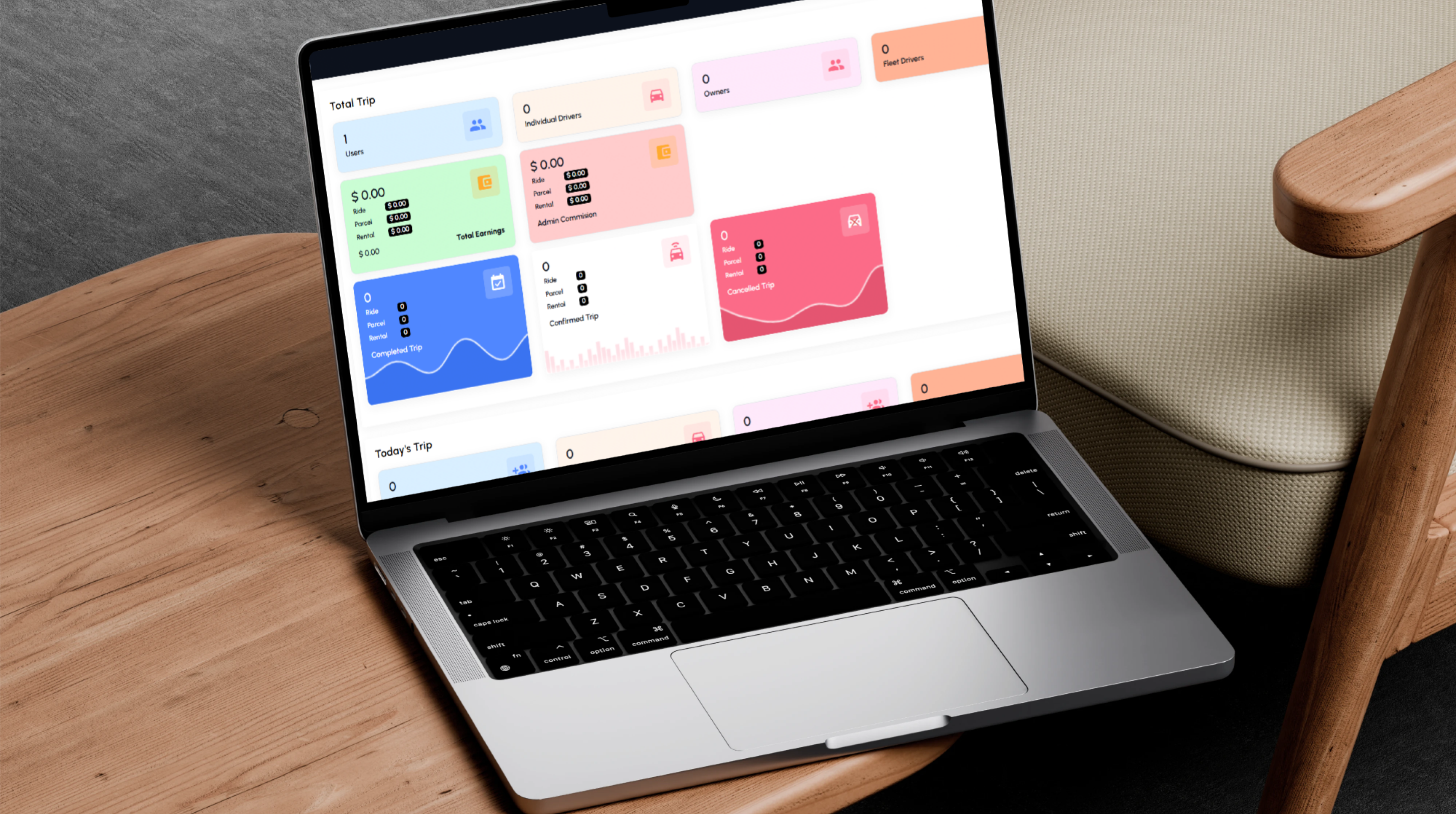
Dashboard Overview
- Total Users: Present registered customer accounts.
- Individual Drivers: Monitor drivers operating independently.
- Owners: Present fleet and vehicle-owner accounts.
- Fleet Drivers: Review drivers attached to owners.
- Total Earnings: Summarise recorded platform revenue.
- Admin Commission: Present the platform share of services.
- Completed Trips: Review successfully completed requests.
- Confirmed Trips: Monitor accepted bookings.
- Cancelled Trips: Analyse unsuccessful services.
- Today's Trips: Present current-day activity.
Total User Statistics
- Monitor customer growth.
- Review account activity.
- Measure platform adoption.
- Identify account-management requirements.
- Search and filter registered users.
Individual Drivers
The platform separates independent drivers from drivers operating under a fleet.
- Independent operation.
- Own or assigned vehicle.
- Direct service requests.
- Trip and earnings history.
- Availability management.
Fleet Drivers
- Connection with a fleet owner.
- Assigned vehicle.
- Fleet operating rules.
- Recorded service history.
- Driver earnings.
- Approval and account status.
Fleet and Vehicle Owners
Owner accounts may represent individuals or companies operating one or more vehicles and drivers.
- Owner identity.
- Contact information.
- Company details where available.
- Registered vehicles.
- Fleet drivers.
- Account status.
- Earnings.
- Commission.
- Documents.
Earnings and Commission
Earnings by Service Type
- Ride Earnings: Revenue associated with passenger transport.
- Parcel Earnings: Revenue generated through delivery services.
- Rental Earnings: Revenue associated with rental bookings.
- Total Earnings: Combine recorded performance across services.
- Service Comparison: Evaluate the contribution of every commercial category.
Admin Commission
- Passenger-ride commission.
- Parcel-delivery commission.
- Rental-service commission.
- Commission connected with driver earnings.
- Fleet and owner transactions.
- Combined administrative commission reporting.
Trip Analytics
Completed Trips
- Completed passenger rides.
- Delivered parcel requests.
- Completed rental services.
- Visual activity charts.
- Service-type segmentation.
Confirmed Trips
- Accepted ride bookings.
- Confirmed parcel requests.
- Confirmed rental bookings.
- Current operational workload.
- Requests awaiting execution or completion.
Cancelled Trips
- Customer cancellations.
- Driver cancellations.
- Dispatcher or administrative cancellations.
- Cancelled rides.
- Cancelled parcel requests.
- Cancelled rentals.
- Operational issue analysis.
Today's Trips
- Current-day bookings.
- Today's customers.
- Active drivers.
- Current trip statuses.
- Daily earnings.
- Same-day cancellations.
Access Management
- Roles: Create different internal account types.
- Permissions: Define access for every role.
- Administrator Accounts: Manage internal users.
- Dispatcher Permissions: Restrict access to booking and assignment functions.
- Staff Access: Grant functionality according to responsibilities.
- Module Restrictions: Hide unauthorised areas.
- View, Create, Edit, and Delete Controls: Manage permissions by operation.
- Secure Dashboard Access: Prevent unauthorised administration.
 |
 |
Possible Administrative Roles
- Super administrator.
- Platform administrator.
- Dispatcher.
- Customer-support agent.
- Fleet manager.
- Finance administrator.
- Operations employee.
Live Tracking
Vehicle and Trip Monitoring
- Active Drivers: Present vehicles connected to the service.
- Active Trips: Monitor current bookings.
- Vehicle Locations: Display driver positions on the map.
- Pickup Progress: Follow movement towards the customer.
- Parcel Movement: Monitor active delivery requests.
- Fleet Activity: Review owner and fleet operations.
- Route Progress: Follow movement towards the destination.
- Driver Availability: Identify available and busy drivers.
Operational Map
- Driver markers.
- Customer pickup points.
- Destinations.
- Active-trip routes.
- Service-zone boundaries.
- Current trip status.
Dispatch Support
- Identify nearby drivers.
- Assign bookings.
- Follow delayed services.
- Contact drivers.
- Monitor customer pickup.
- Resolve route issues.
- Review operational availability.
Zones and Service Coverage
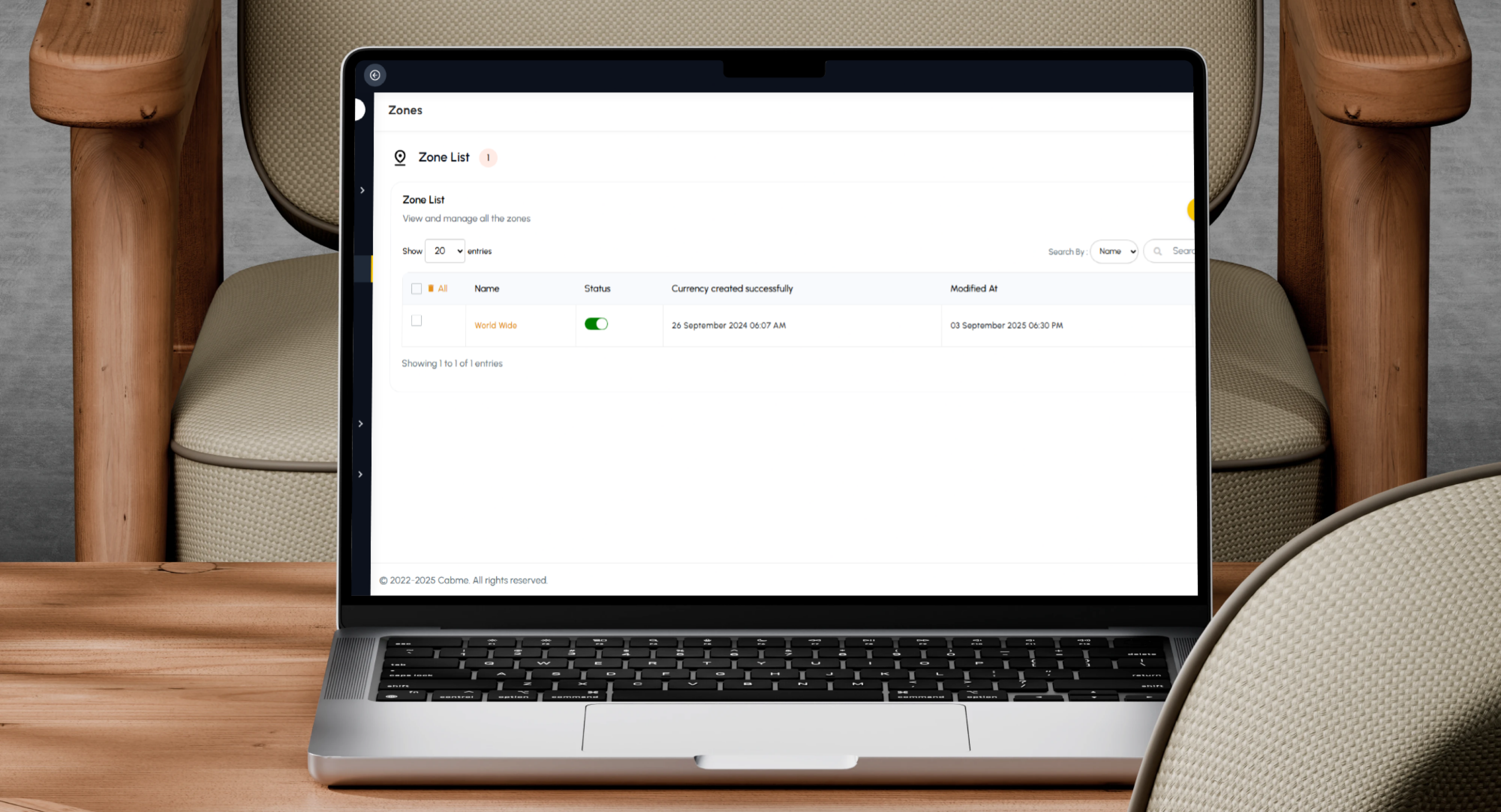
- Supported Cities: Define cities covered by CabMe.
- Service Regions: Configure operating boundaries.
- Pickup Areas: Define locations where services can begin.
- Delivery Areas: Organise ride and parcel coverage.
- Restricted Locations: Prevent unsupported requests.
- Zone-Specific Pricing: Configure different values where required.
- Driver Operating Areas: Connect drivers and fleets with selected zones.
- Rental Availability: Define regions supporting rental services.
Zone-Based Availability
The platform can accept or reject a booking according to whether the pickup and destination locations fall inside active service zones.
- Prevent unsupported requests.
- Improve driver allocation.
- Reduce cancellations caused by unavailable coverage.
- Direct customers towards supported areas.
Zone-Based Pricing
- Base fare.
- Distance rate.
- Minimum booking value.
- Parcel-delivery fees.
- Rental pricing.
- Driver-availability rules.
Booking Management
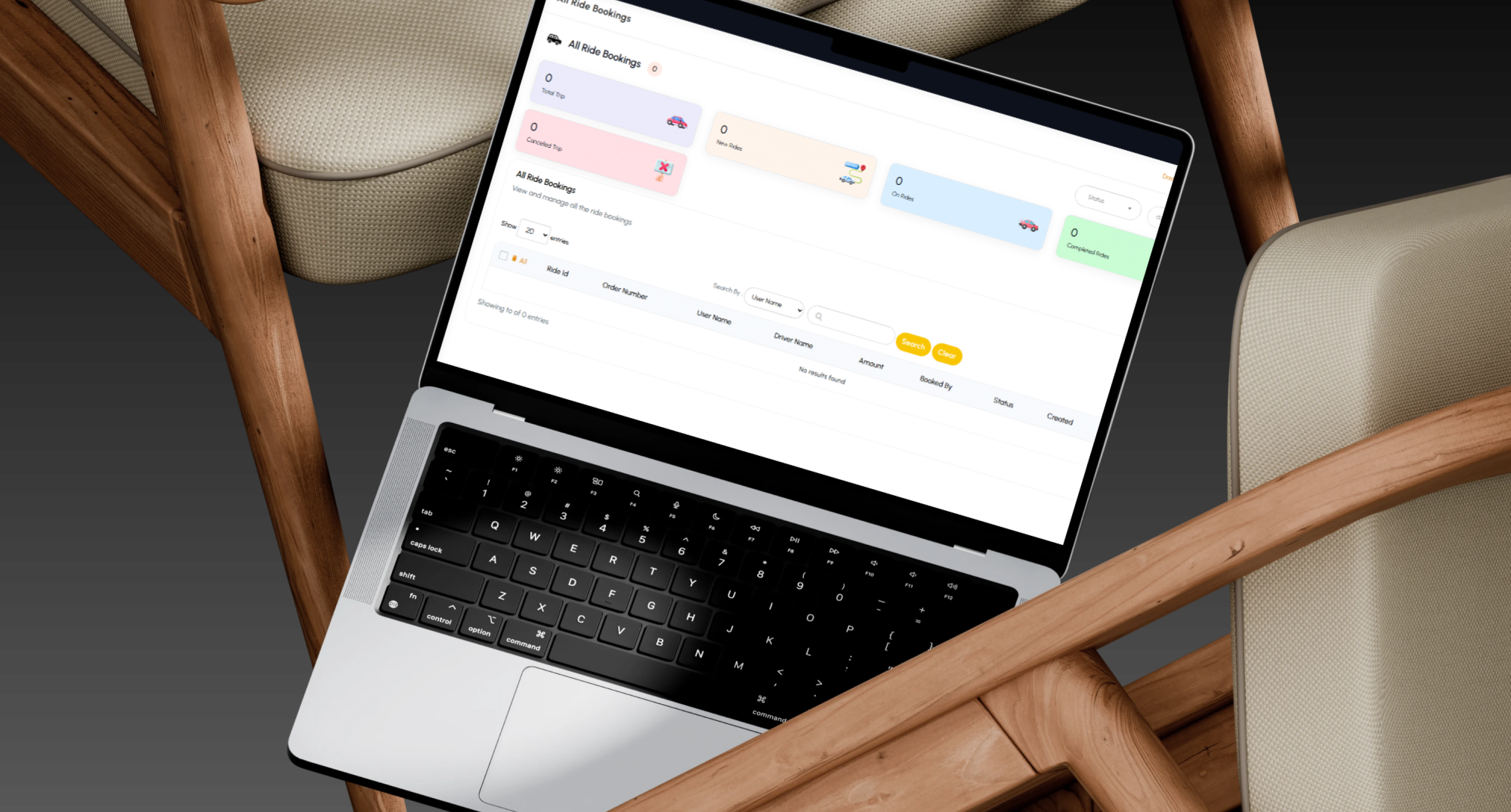
All Ride Bookings
- Booking Number: Identify the service request.
- Customer: Present the account owner.
- Driver: Identify the assigned service provider.
- Pickup: Review the starting point.
- Destination: Present the arrival location.
- Booking Date: Maintain request timing.
- Trip Status: Follow the operational stage.
- Vehicle Type: Present the selected category.
- Fare: Display the recorded booking amount.
- Payment Status: Maintain the financial state without identifying an unconfirmed production gateway.
- Cancellation Information: Record cancellation details where applicable.
Trip Status Workflow
- Pending.
- Confirmed.
- Driver assigned.
- Driver arriving.
- Started.
- In progress.
- Completed.
- Cancelled.
Parcel and rental services can use related workflows adapted to their operating requirements.
Booking Search and Filtering
- Customer name.
- Driver name.
- Booking number.
- Status.
- Date.
- Service type.
- Zone.
- Vehicle type.
Customer Management
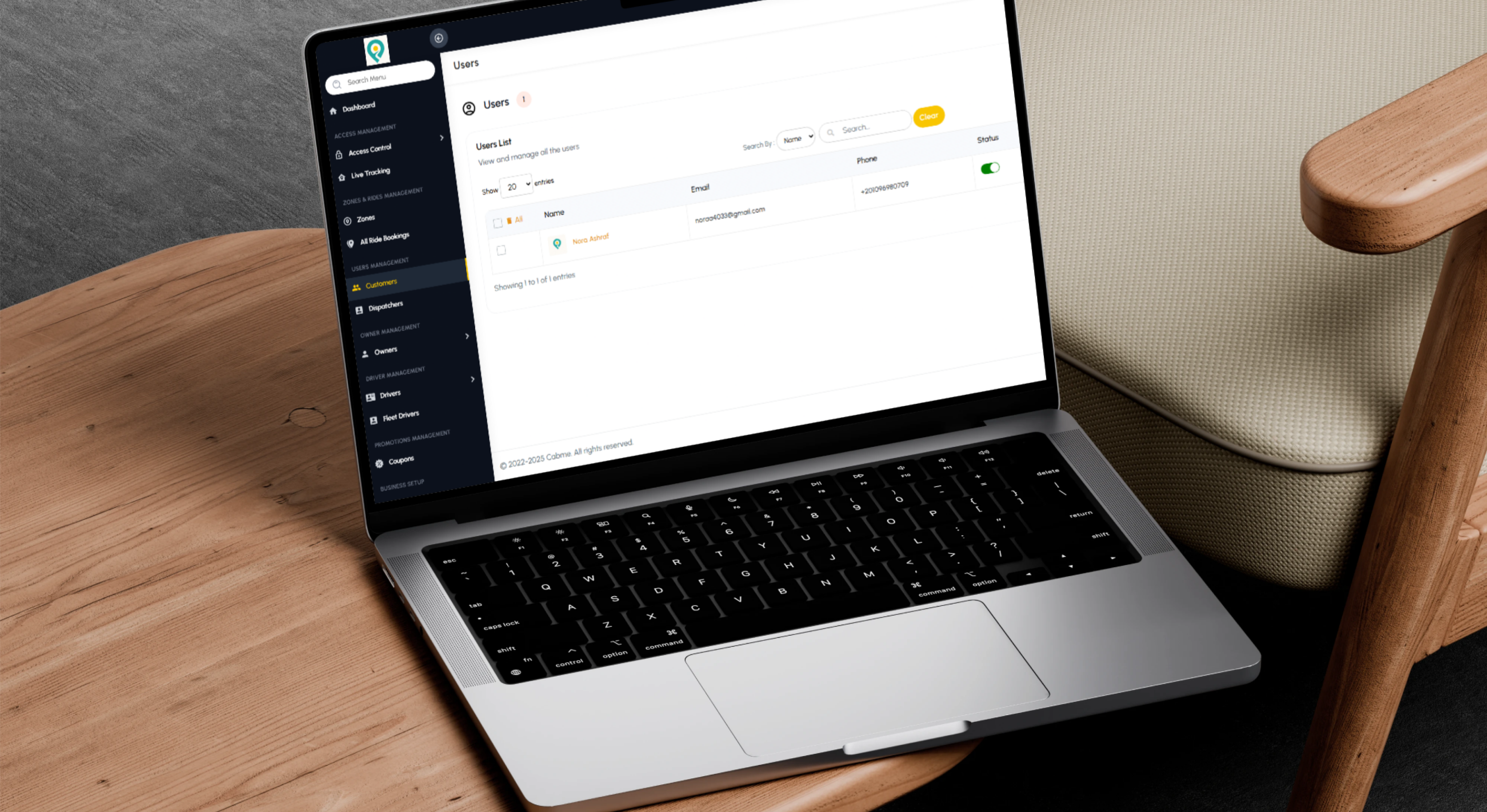
Customer List
- Customer name.
- Email.
- Phone.
- Account status.
- Administrative actions.
Create Customer
Administrators can manually create customer accounts where required for operational use.
Customer Search
- Search by name.
- Search by email.
- Search by phone.
- Clear search criteria.
- Filter by account status and date.
Customer Status
- Activate: Allow the customer to use booking services.
- Deactivate: Prevent new service requests.
- Abuse Review: Suspend accounts requiring investigation.
- Fraud Review: Restrict accounts with suspicious activity.
- Reactivate: Restore valid customer access.
Customer Actions
Available actions may include, according to platform configuration and permissions:
- View customer.
- Edit customer.
- Delete customer.
- Review related bookings or transactions.
- Update account status.
Customer Export
- Reporting.
- Account auditing.
- Operational review.
- User-base analysis.
- Authorised administrative data use.
Dispatcher Management
- Booking Monitoring: Review new and active requests.
- Driver Assignment: Connect a booking with a suitable driver.
- Customer Support: Assist with pickup and destination issues.
- Parcel Coordination: Follow collection and delivery.
- Active Trip Management: Review current service progress.
- Issue Resolution: Handle delays and cancellations.
- Availability Monitoring: Review active drivers and vehicles.
Dispatcher access is controlled through permissions so that sensitive finance or platform settings remain restricted unless explicitly authorised.
 |
 |
Driver Management
Individual Drivers
- Name.
- Phone.
- Email.
- Vehicle.
- Driver licence.
- Identification documents.
- Driver status.
- Online or offline status.
- Approval status.
- Trip history.
- Earnings.
- Ratings where available.
Fleet Drivers
- Driver information.
- Assigned owner.
- Assigned vehicle.
- Operating availability.
- Trip records.
- Earnings.
- Approval state.
- Account status.
Driver Approval
- Identity review.
- Driver-licence verification.
- Vehicle-registration review.
- Insurance review where required.
- Owner-relationship verification.
- Required-document review.
- Approval or rejection status.
Driver Availability
- Online.
- Offline.
- Busy.
- Available.
- Suspended.
- Under review.
Owner and Fleet Management
Owner Account Structure
- Multiple vehicles.
- Multiple drivers.
- Fleet operations.
- Rental services.
- Ride income.
- Parcel-delivery income.
- Earnings and commission.
- Documents and approval status.
Fleet Operations
- Register vehicles.
- Add fleet drivers.
- Assign drivers to vehicles.
- Review documents.
- Approve the fleet.
- Receive service bookings.
- Monitor trips.
- Review earnings.
- Calculate platform commission according to configured rules.
- Analyse driver and vehicle performance.
Coupon Management
- Percentage Discounts: Apply a percentage reduction.
- Fixed-Value Discounts: Reduce the booking by a defined amount.
- Ride Coupons: Apply offers to passenger transport.
- Parcel Coupons: Promote delivery services.
- Rental Coupons: Support rental-service campaigns.
- First-Booking Offers: Encourage new customers.
- Customer-Specific Promotions: Target selected accounts.
- Expiry Dates: Define campaign validity.
- Usage Limits: Control redemption numbers.
- Minimum Booking Value: Define eligibility requirements.
- Active Status: Enable or disable the coupon.
Promotional Campaign Uses
- Attract new users.
- Increase repeat bookings.
- Promote parcel services.
- Introduce rental services.
- Run seasonal campaigns.
- Reward returning customers.
Business Setup
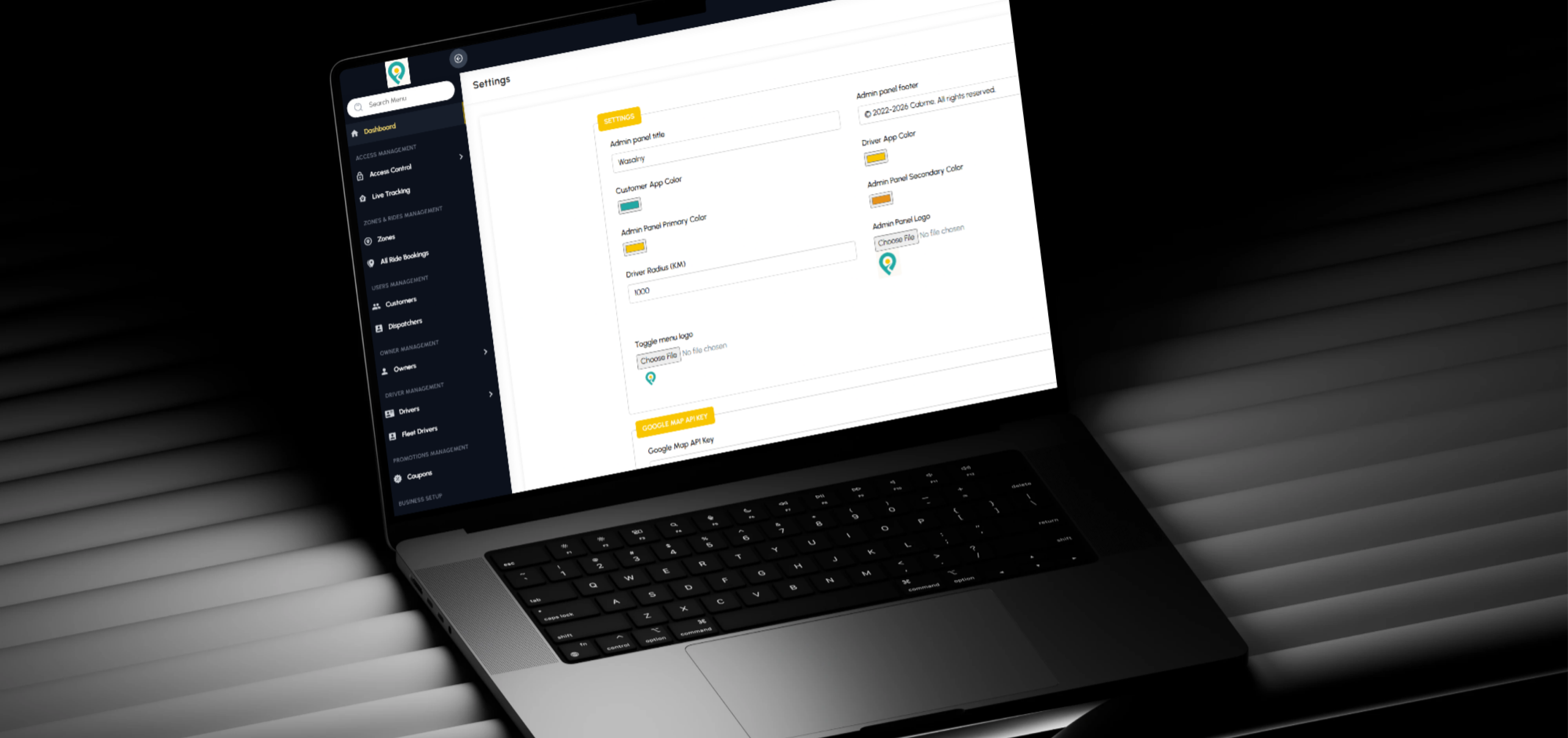
The dashboard contains a dedicated Business Setup section. The available material confirms the existence of the section, while its complete internal configuration is not shown.
It can be used to centralise platform-level settings such as:
- Company information.
- Application identity.
- Fare rules.
- Commission configuration.
- Service types.
- Vehicle categories.
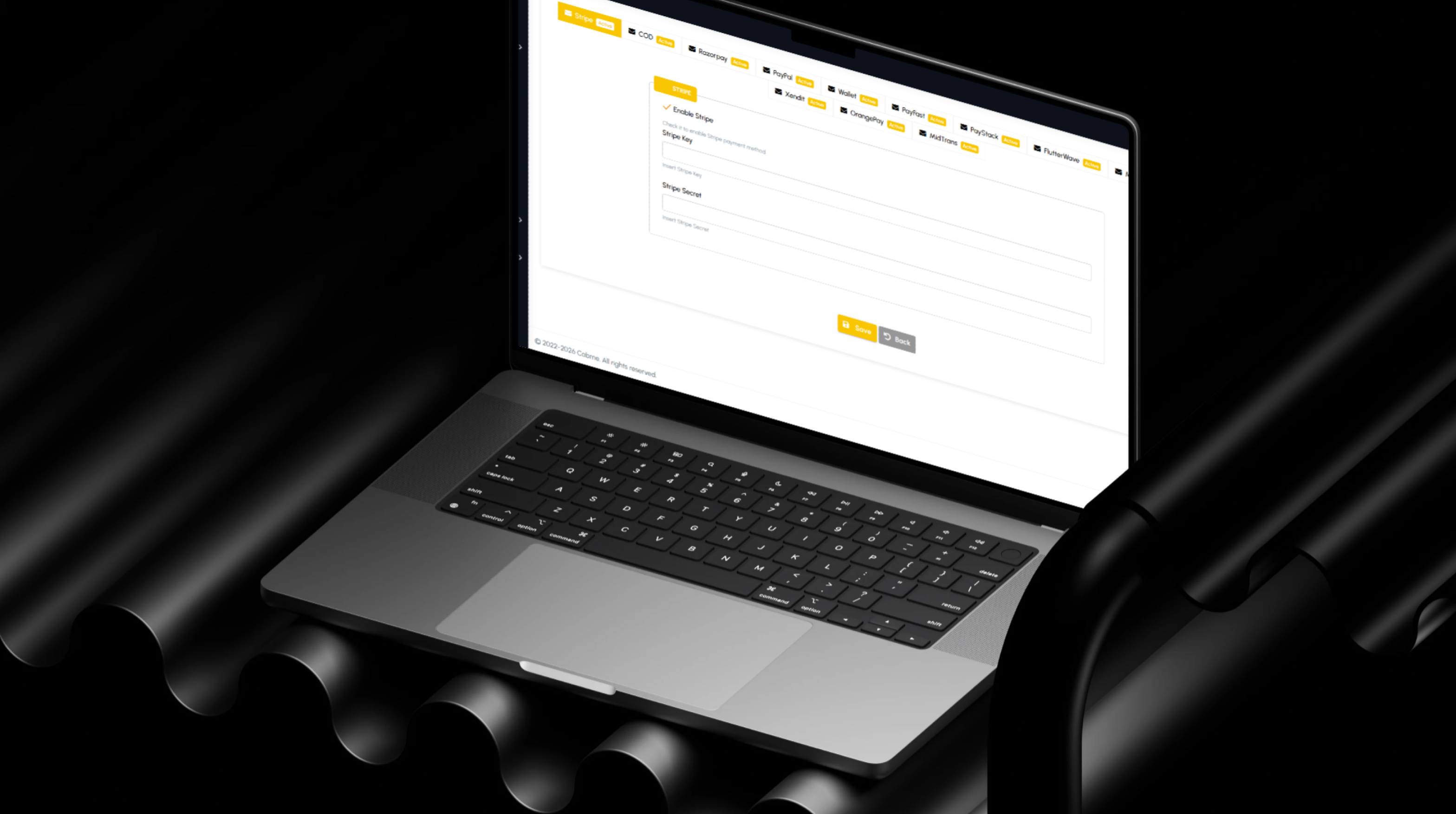
- Payment channels configured for the project.
- Contact information.
- Languages.
- Notification settings.
- Zone rules.
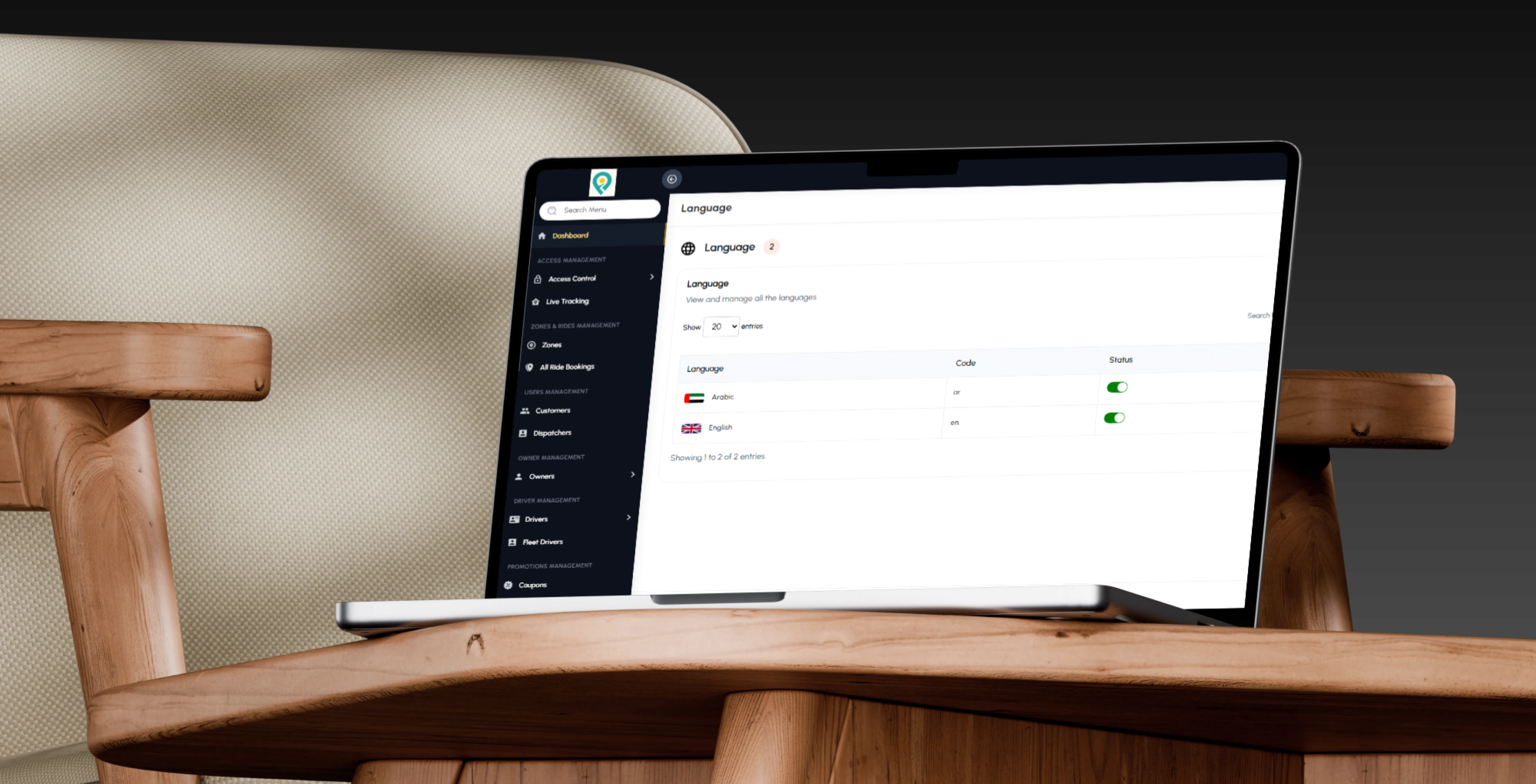
Multi-Language Administration
- Dashboard language selection.
- Localised administrative interfaces.
- Support for different operating markets.
- Language-specific content management.
- Accessibility for multilingual operations teams.
Main User Types
Passenger
Selects pickup and destination, chooses a vehicle type, creates a booking, and follows the driver until the trip is completed.
Parcel Customer
Defines collection and delivery locations, provides parcel information, submits the request, and follows delivery progress.
Rental Customer
Selects the rental service, vehicle category, duration, or operating details and confirms the booking.
Individual Driver
Receives ride, parcel, or rental requests, provides services independently, and reviews trips and earnings.
Fleet Driver
Operates under a registered owner or fleet using an assigned vehicle.
Fleet Owner
Manages vehicles, drivers, trips, earnings, documents, and fleet operations.
Dispatcher
Monitors active bookings, assigns drivers, follows live tracking, and resolves operational issues.
Customer-Support Agent
Handles account, booking, cancellation, and service enquiries.
Platform Administrator
Manages users, drivers, owners, dispatchers, trips, zones, coupons, permissions, and platform configuration.
Business Owner
Reviews earnings, commission, users, bookings, and operational performance.
Customer Ride Journey
- The customer installs or opens the CabMe application.
- An account is created or the customer signs in.
- The application identifies or requests the pickup location.
- The customer enters a destination.
- The platform calculates the distance.
- Available vehicle categories are presented.
- The customer selects Mini, Sedan, SUV, or another configured option.
- The estimated arrival time is displayed.
- The customer selects Book Now.
- The booking is created.
- A driver accepts or is assigned to the request.
- The customer follows the driver location.
- The driver reaches the pickup point.
- The trip begins.
- The customer reaches the destination.
- The trip status is updated to completed.
- Earnings and platform commission are recorded according to operating rules.
Parcel Delivery Journey
- The customer selects the parcel service.
- The pickup location is entered.
- The delivery destination is entered.
- Required parcel details are provided.
- The platform calculates distance and configured delivery cost.
- The customer confirms the request.
- A suitable driver is assigned.
- The driver collects the parcel.
- The request is tracked during delivery.
- The recipient receives the parcel.
- The request is marked as completed.
- Driver earnings and platform commission are recorded.
Vehicle Rental Journey
- The customer selects the rental service.
- The required location is chosen.
- The customer selects a vehicle category.
- Rental duration or service details are entered.
- The platform calculates pricing according to configuration.
- The customer confirms the booking.
- A vehicle and driver are assigned where applicable.
- The rental service begins.
- The service is completed.
- Rental earnings and commission are recorded.
Driver Onboarding Journey
- The driver registers.
- Personal information is entered.
- Licence and identification documents are submitted.
- Vehicle information is added.
- The administration reviews the application and documents.
- The driver is approved or rejected according to the review process.
- An approved driver activates availability.
- The driver begins receiving service requests.
- Completed trips are recorded in the account.
- Earnings, performance, and trip history are maintained.
Fleet Owner Journey
- The owner creates or receives an account.
- Business or identity information is added.
- Vehicles are registered.
- Fleet drivers are added.
- Required documents are submitted.
- The administration reviews the information.
- The fleet is approved.
- Drivers begin receiving bookings.
- The owner monitors trips and earnings.
- Platform commission is calculated according to configured rules.
- Fleet performance is reviewed through the system.
Administration Dashboard Capabilities
- Display user, driver, owner, and trip analytics.
- Manage access controls and administrative roles.
- Monitor vehicles and active trips.
- Create and maintain service zones.
- Review all ride bookings.
- Manage customer accounts.
- Create, activate, or deactivate users.
- Manage dispatcher accounts.
- Manage owners and fleets.
- Manage independent drivers.
- Manage fleet drivers.
- Review driver and vehicle documents.
- Manage driver status and availability.
- Create and manage coupons.
- Search and filter by status, date, zone, and service.
- Export user information.
- Review completed, confirmed, and cancelled trips.
- Monitor ride, parcel, and rental earnings.
- Present platform commission.
- Maintain available business configuration.
- Operate the dashboard in supported languages.
Connected Digital Ecosystem
Customer Mobile Application
Supports location selection, vehicle choice, passenger rides, parcel requests, rental bookings, and service tracking.
Booking Engine
Manages service type, locations, distance, vehicle category, driver, zone, and booking status.
Live Tracking System
Presents driver locations, active bookings, pickup progress, delivery movement, and route activity.
Dispatch Operations
Helps dispatchers identify, assign, and monitor suitable drivers.
Driver and Fleet Ecosystem
Connects independent drivers, fleet drivers, owners, vehicles, documents, trips, and earnings.
Zone Engine
Controls service coverage, availability, driver operation, and configured location-based pricing.
Operations Dashboard
Centralises users, bookings, drivers, owners, zones, coupons, earnings, commissions, and reporting.
Business Value
- Combines passenger rides, parcel delivery, and rental services in one platform.
- Provides customers with map-based booking.
- Offers several vehicle categories.
- Supports independent and fleet drivers.
- Provides a structured operating system for fleet owners.
- Centralises booking management.
- Provides real-time vehicle and trip tracking.
- Improves driver assignment through dispatch operations.
- Controls service availability through zones.
- Separates earnings by service type.
- Tracks platform commission.
- Provides completed, confirmed, and cancelled trip analytics.
- Supports promotional coupons.
- Allows customer and driver account activation and auditing.
- Provides searchable, filterable, and exportable data.
- Supports Android and iOS customers.
- Creates a scalable foundation for more cities, drivers, fleets, vehicles, and services.
Technology Overview
- Platform Type: Multi-service ride-hailing and transportation platform.
- Customer Channel: Android and iOS mobile applications.
- Public Channel: Marketing and application-introduction website.
- Administration: Web-based operations dashboard.
- Core Services: Passenger rides, parcel delivery, and vehicle rental.
- Location Services: Maps, pickup, destination, distance, routes, and live tracking.
- Users: Customers, dispatchers, owners, drivers, fleet drivers, and administrators.
- Operations: Zones, bookings, driver assignment, status management, and tracking.
- Finance: Earnings and platform commission.
- Marketing: Coupons and promotional offers.
- Security: Access controls and account-status management.
- Reporting: Users, trips, earnings, service types, and cancellations.
- Localisation: Multi-language administration.
- Architecture: Connected mobile applications, location and tracking services, operations dashboard, fleet modules, and a transportation-booking engine.
Project Highlights
- Ride-hailing mobile application.
- Pickup and destination selection.
- Map-based booking.
- Distance calculation.
- Mini, Sedan, and SUV selection.
- Estimated vehicle-arrival time.
- Passenger rides.
- Parcel delivery.
- Vehicle rental.
- Android and iOS support.
- Customer management.
- Dispatcher management.
- Owner and fleet management.
- Independent drivers.
- Fleet drivers.
- Live tracking.
- Service zones.
- All ride bookings.
- Access control.
- Coupon management.
- Earnings and commission dashboard.
- Completed, confirmed, and cancelled trip analytics.
- User filtering and data export.
- Multi-language dashboard.
Conclusion
The CabMe project demonstrates Thotix’s ability to develop multi-sided transportation platforms connecting mobile booking, maps, drivers, fleets, dispatch operations, zones, tracking, and analytics.
By combining passenger rides, parcel delivery, vehicle rental, driver management, fleet ownership, dispatch, coupons, earnings, and commission tracking, the platform provides a connected operating environment for mobility businesses.
The system gives CabMe a scalable digital foundation for entering new cities, onboarding additional drivers and fleets, expanding vehicle categories, and managing transportation services through one central platform.
Designed and developed by Thotix.
From Ancient Wisdom to Future Intelligence.